Guide to Split Testing in Funnels
Master A/B testing (split testing) in CrocoClick to optimize your funnels and increase your conversion rates.
Written By Baptiste Lorreyte
Last updated 5 months ago
Why do split testing?
Split testing (A/B testing) is one of the most powerful strategies for optimizing your funnels. By comparing different versions of a page, you discover what really works for your audience: higher conversion rates, a better user experience, and data-driven decisions.
How to create a split test
Step 1: Make sure you have a domain
Before launching a split test, your funnel must have an associated domain.
Step 2: Go to your funnel stage
Navigate to the funnel where you want to create a test and select the step (the page) you want to test.
Step 3: Create a variation
Click the "Create a Variation" button. CrocoClick offers three variation options to choose from depending on your testing strategy.
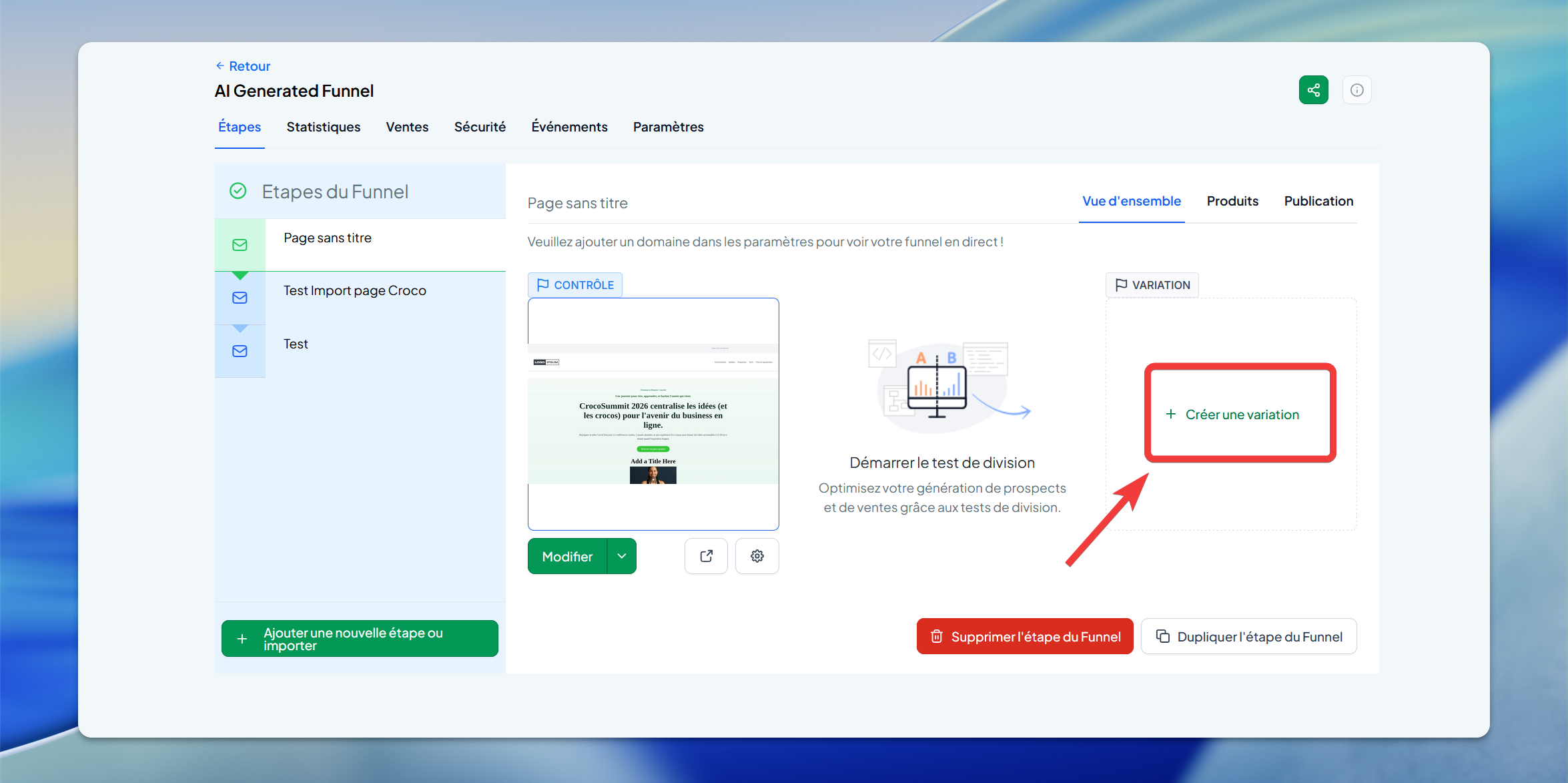
Step 4: Configure traffic distribution
A slider lets you control how traffic is distributed between your control page (original version) and your variation page (new version). By default, traffic is split 50/50.
Step 5: Customize the URLs (optional)
Use the gear icons to create dedicated URLs for each version.
Analyze your results
CrocoClick displays conversion data in real time. Check the "Statistics" tab for detailed analyses.
🟢 Important: Never modify the control page while the test is running. Changes could compromise the validity of your results.
Practical use cases
E-commerce: Test different call-to-action button copy
Training sales: Compare different value propositions
Webinar sign-ups: Test different header images
Lead magnets: Try different offers