How to avoid SEO-penalizing duplicate pages with canonical links?
Avoid SEO duplication with canonical links and 301 redirects to optimize your site's indexing and SEO.
Written By CrocoTeam
Last updated 6 months ago
In SEO, duplicate pages can cause major problems. A duplicate occurs when the same page (or very similar content) is accessible via multiple different URLs. This can dilute your SEO efforts and negatively impact your search engine rankings.
Fortunately, there’s a simple and effective solution to avoid this situation: using the canonical tag.
What is a duplicate page and why is it penalizing?
When a website has multiple URLs leading to the same content, Google may consider these pages as duplicates. For example, a domain like exampledomain.com might redirect to exampledomain.com/home, creating two URLs for the same page.
Google may then index both pages, which can lead to SEO issues and a penalty for your site in Google Search Console.
Solution 1: Use a canonical link tag
The simplest way to tell Google which page should be considered the primary version is to add a canonical link tag to your page’s HTML code.
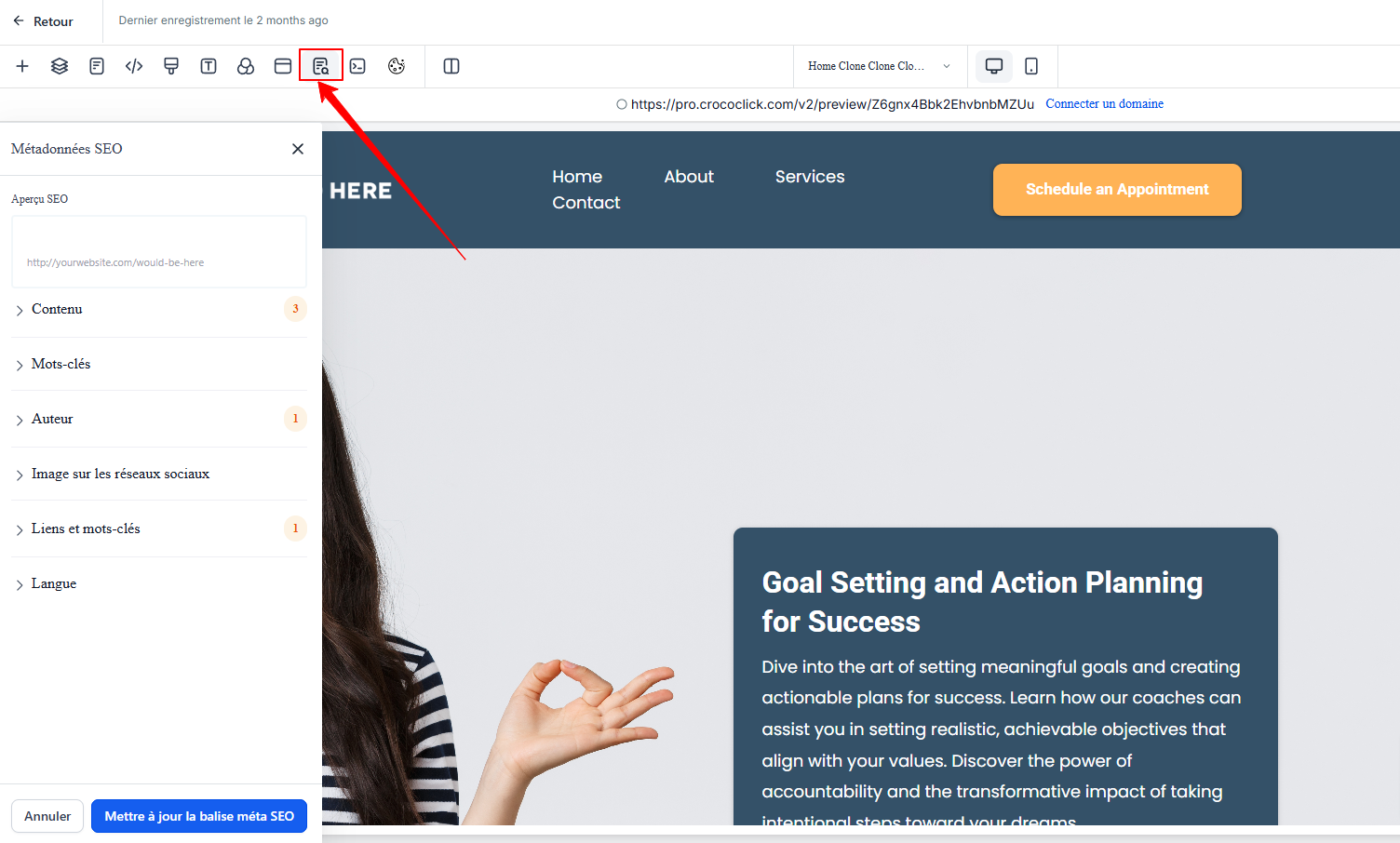
Go to your page and navigate to the section dedicated to your page’s SEO metadata.
In the Links and Keywords field, click on Canonical Link, and enter the URL of the main page you want to index (for example, exampledomain.com).
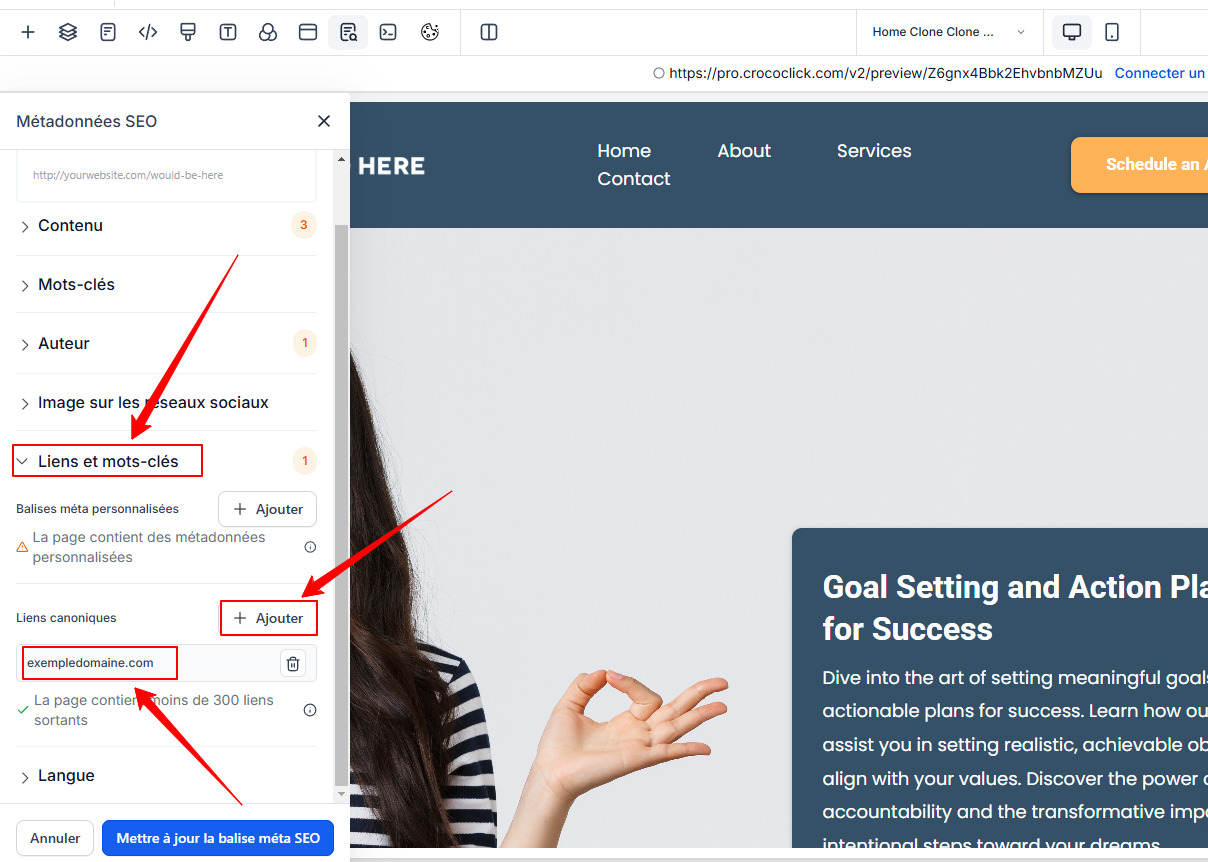
Save your changes by clicking Update SEO Meta Tag.
💡 TIP: This tag tells Google: "I acknowledge that a duplicate exists, but the page I want to rank is this one." So, even if the page exampledomain.com/home exists, Google will focus on the main page, thereby avoiding any penalties.
Solution 2: Set up a redirect
Another solution is to set up a redirect from the duplicate page to the main page.
This solution should not be used on its own because Google “wastes time” in a way, since its crawlers still visit page 1 and are then redirected to page 2. Additionally, redirects are a common technique used for phishing. For these reasons, it is preferable to use canonical tags
💡TIP: The best solution is to use a canonical tag AND set up a 301 redirect
However, in some cases, CrocoClick does not always allow you to perform this redirect directly if both pages are on CrocoClick. In this case, using the canonical tag is sufficient to inform Google which version to prioritize.
Conclusion
To avoid duplicate page issues and SEO penalties, it is essential to clearly indicate to Google which URL should be indexed.
The simplest and most effective solution is to use a canonical link tag in your page’s SEO metadata.
If a redirect is possible, also set up a 301 redirect to transfer the authority from the duplicate page to the main page. These two solutions will help maintain a clean and optimized structure for your site.