Use pre-built section templates in funnels and websites
Use pre-designed section templates to create customized funnels and sites quickly on CrocoClick.
Written By CrocoTeam
Last updated 6 months ago
Do you like using our templates to create your website or funnel pages, but only want to create a single page?
Do you want to let your creativity run wild while still using templates for certain parts of your page?
It’s possible with our pre-designed section templates!
These pre-built, fully customizable segments let you easily add sections to your pages, with the order and appearance of the elements already set up for you. All you have to do is insert your information as needed.
💡 TIP: This is ideal if you don’t want to use a full website or funnel template, but simply want to create a page quickly and easily while retaining a high degree of customization flexibility.
1. Access the Funnel or Site Builder
Log in to your CrocoClick account.
Go to the Page Builder for your funnel or website.
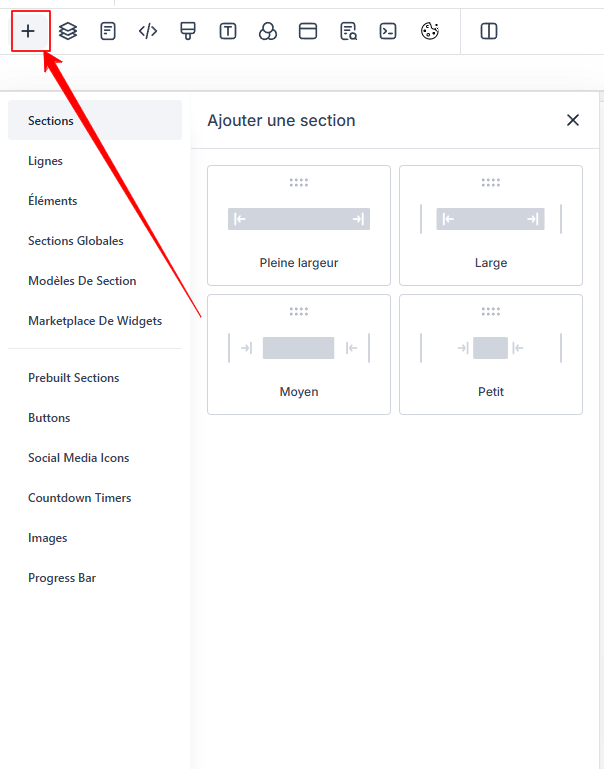
Click the plus sign to add an element.
2. Open the "Prebuilt Sections" tab
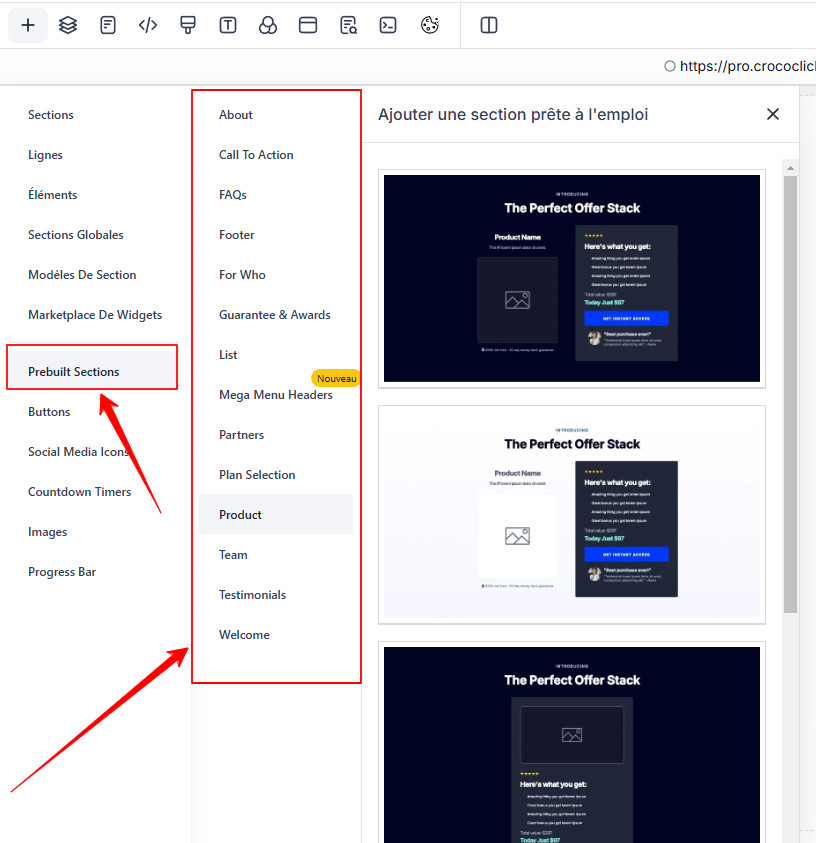
In the element addition menu, select the Prebuilt Sections tab.
Choose a category. These general categories do not contain specific information; they guide you toward the ideal layout for this section.
3. Add the section template
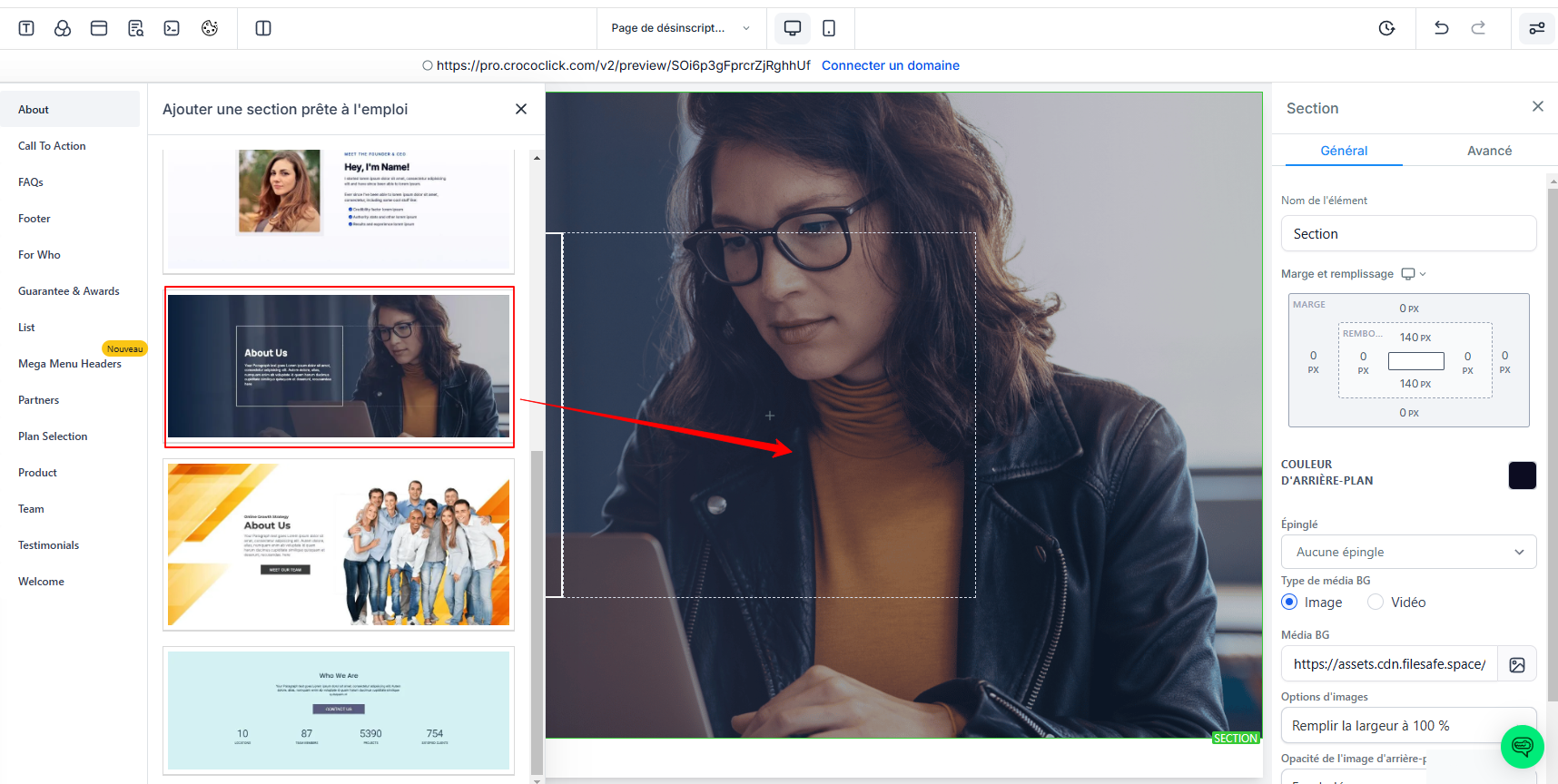
Drag and drop the template that suits you to the desired location on your page.
4. Customize the template
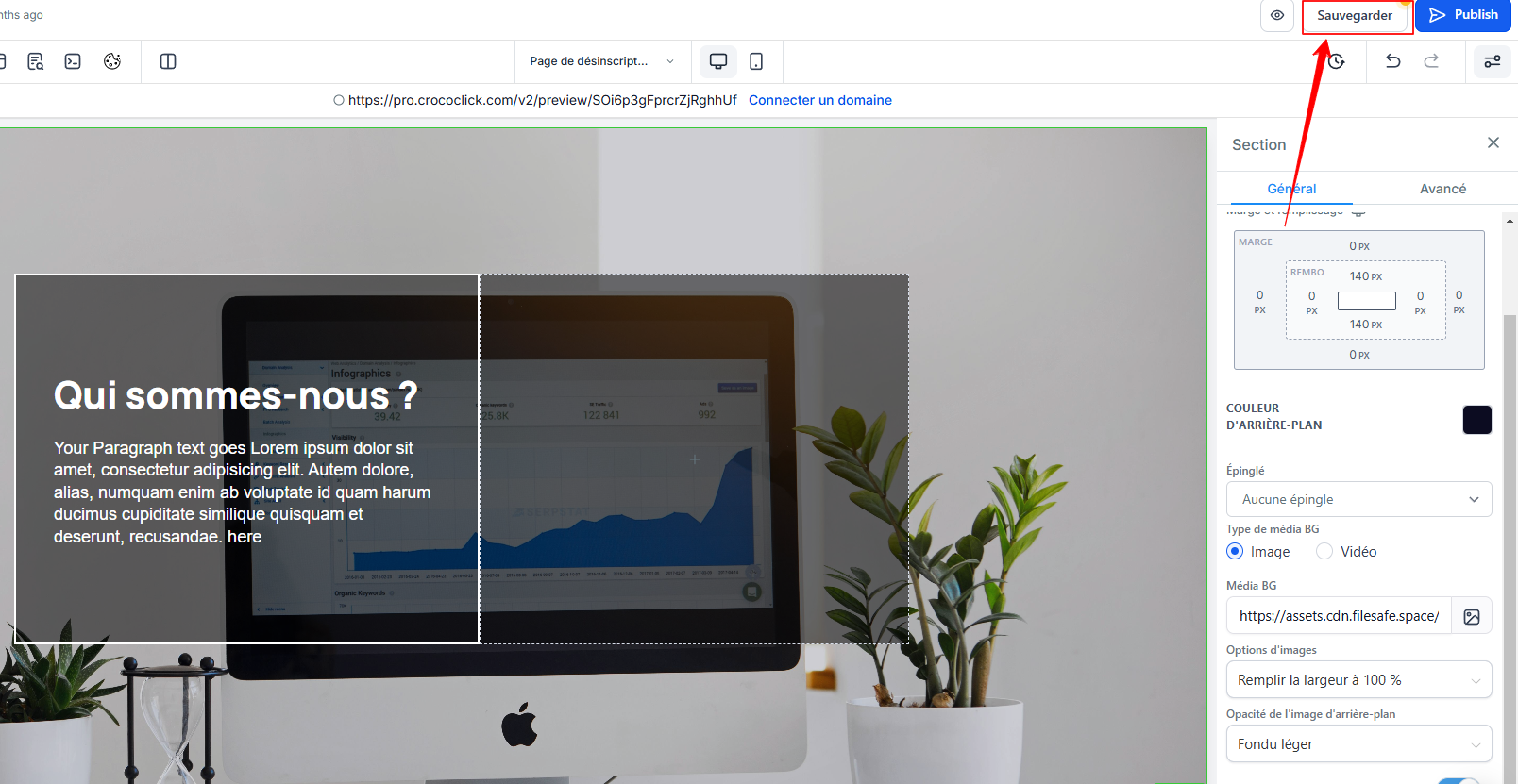
Edit the template to your liking so it matches your brand image.
Click Save to save your changes.
Conclusion
By using pre-designed section templates, you can add as many segments as needed to your funnels and websites, saving you time and money. This solution is perfect if you want to create a page quickly and easily, while still benefiting from advanced customization to reflect your brand identity.