Plan your first post on your social networks
Connect your social networks and schedule publications easily from the CrocoClick social planner.
Written By CrocoTeam
Last updated 8 months ago
CrocoClick's Social Planner allows you to manage and schedule your posts in just a few clicks. No more juggling between multiple platforms: everything happens in one place. Ideal for maintaining a constant presence on your social networks (Facebook, Instagram, etc.).
1. Connect your social media accounts to CrocoClick
Before you can publish, you must connect at least one social media account:
Go to Marketing > Social Planner
Click "Connect" for the social network of your choice
Log in with your credentials
Select the page(s) you want to link
Confirm the connection
Once you've done this, you can start posting!
💡 TIP: For more information, see the articlehow to connect your social networks to the social planner
2. Create a custom post
Want to customize your message? Here's how to create a custom post:
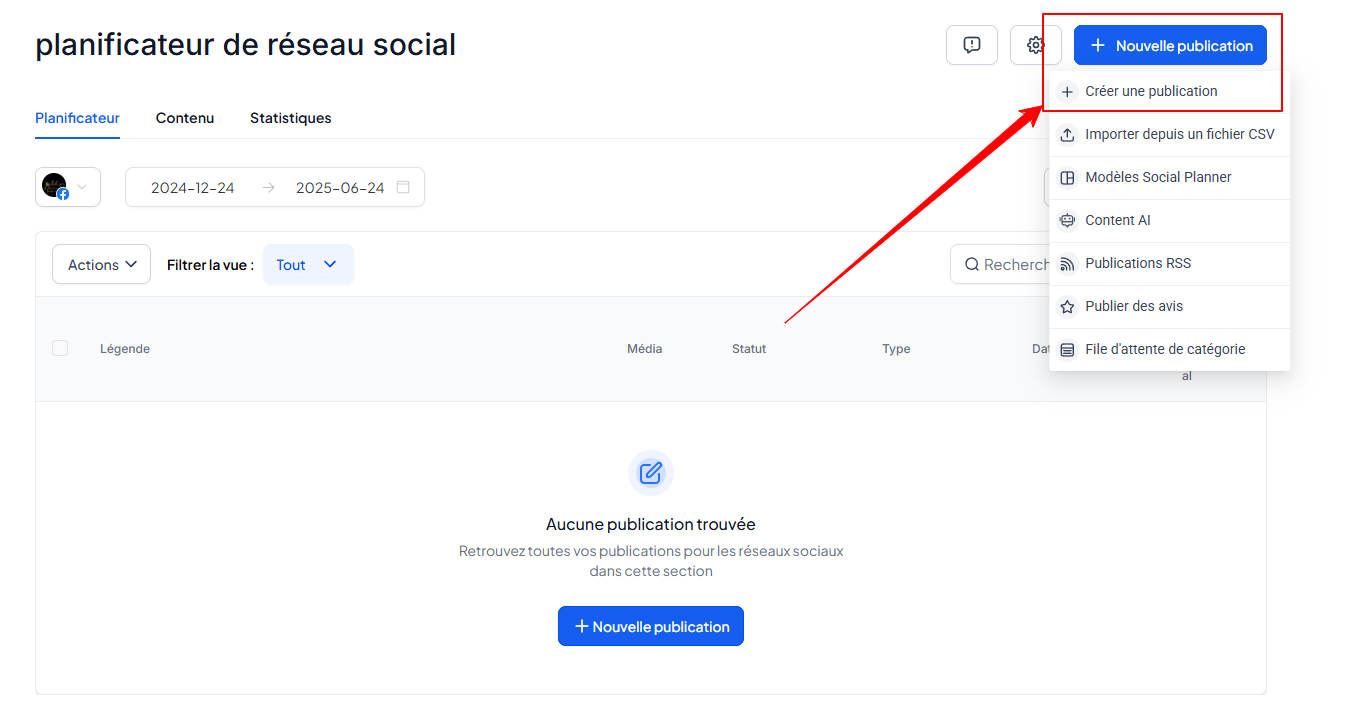
In Marketing > Social Planner, click New Post > Create a Post
Fill in the content: text, image, link, etc.
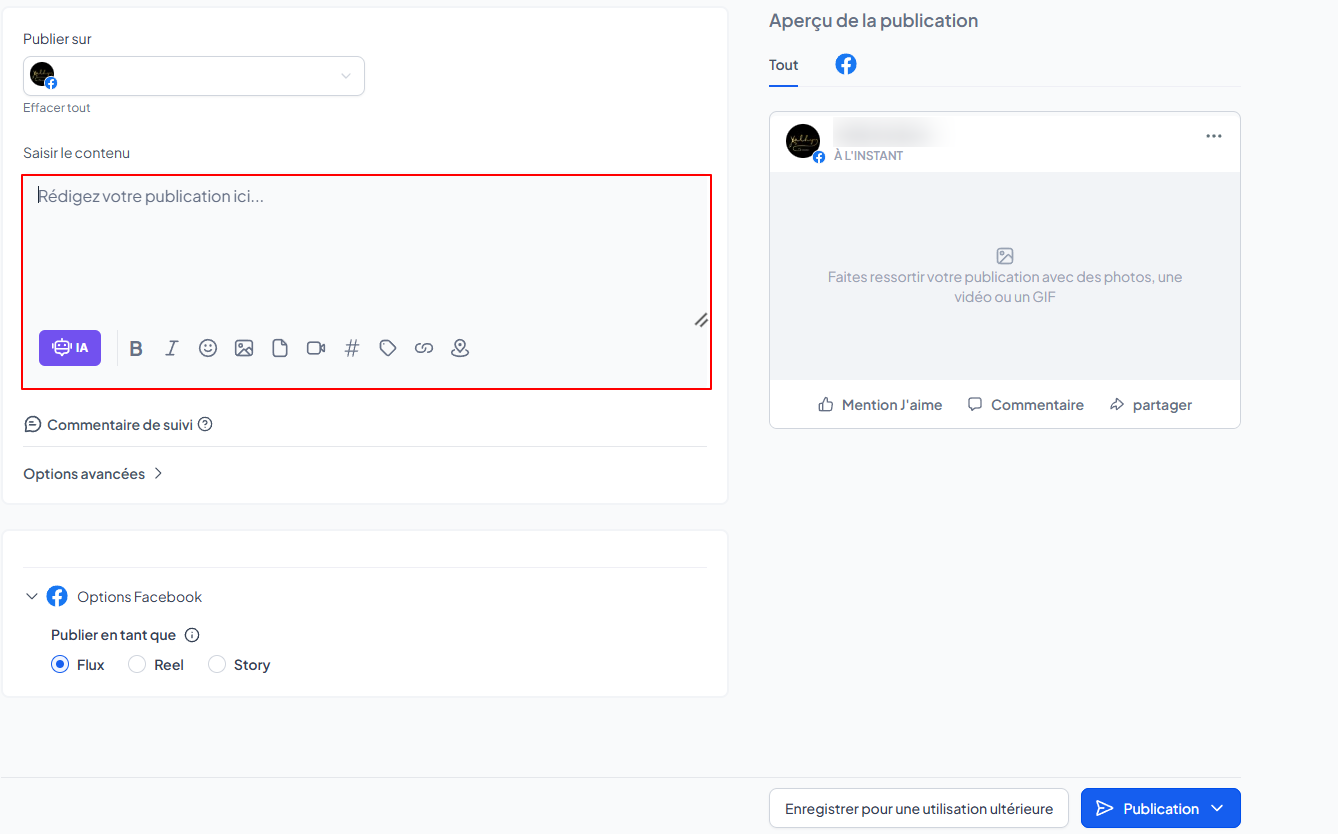
Choose your social networks and the date/time of publication
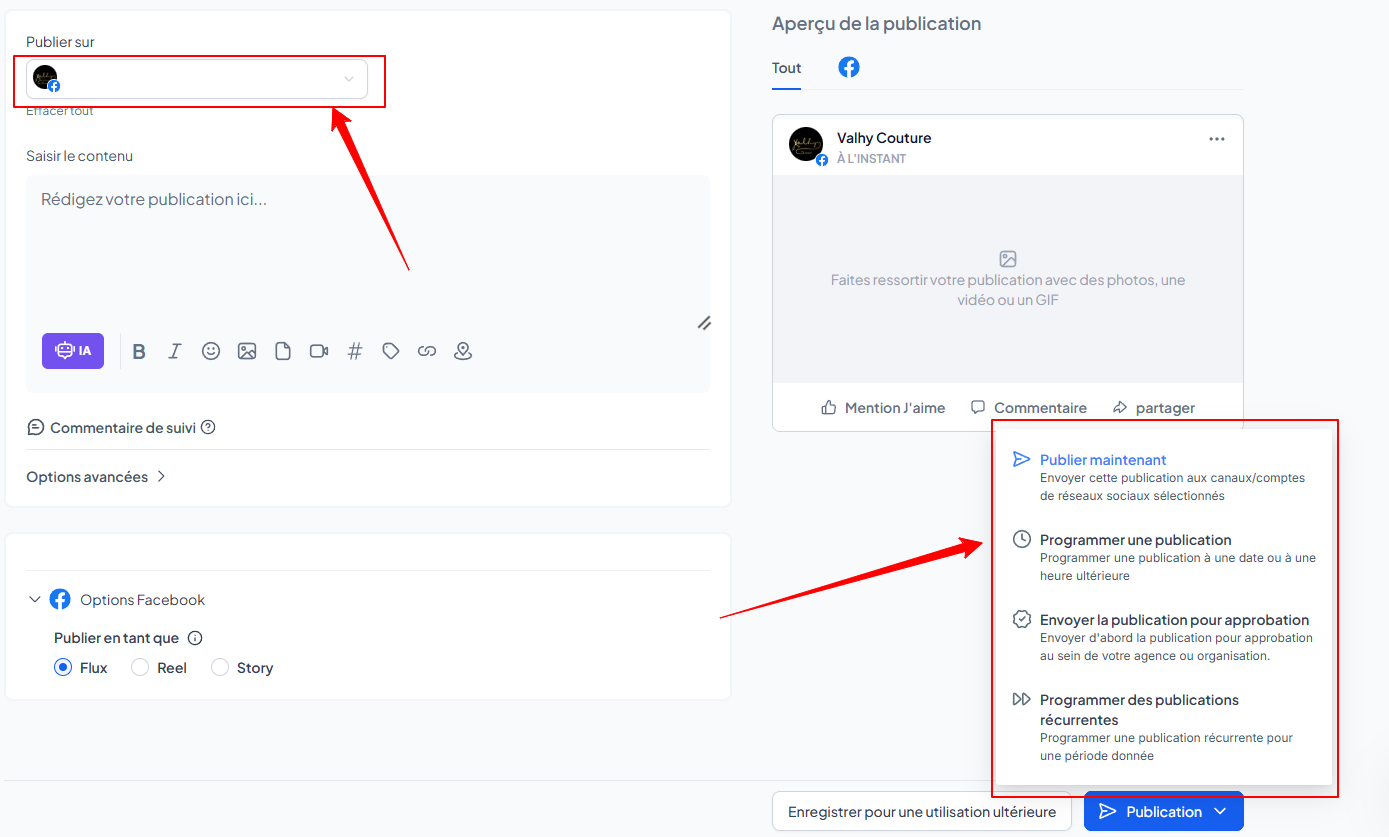
Available options:
Post now
Schedule for later
Send for approval
Schedule recurring
3. Add other social accounts
Do you manage multiple pages or profiles? Here's how to connect them:
Click on the icon for your connected account.

Click on + New Account.
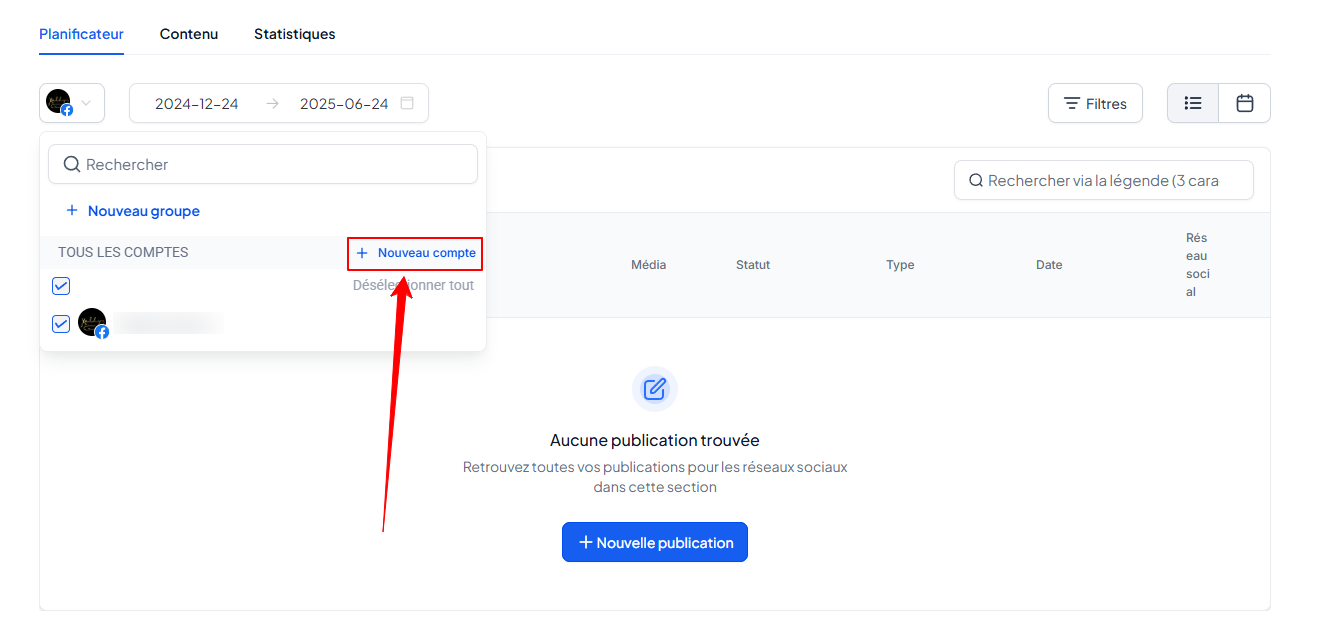
Add a new social network
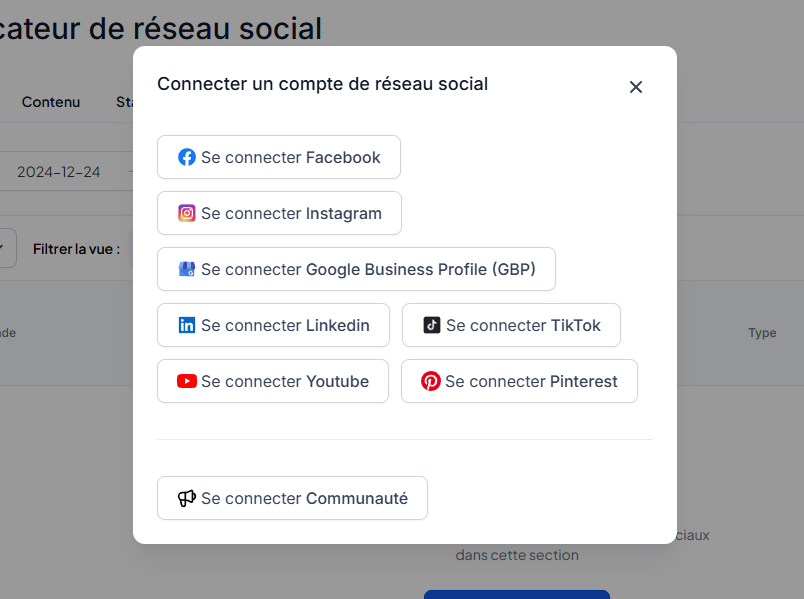
Repeat the process for each account you want to add
You can now manage all your networks from a single dashboard!
💡TIP: It is now possible to connect multiple accounts for the same social network. For example, you can have 5 Facebook Pages and 3 professional Instagram accounts connected to the same CrocoClick account. Ideal for Community Managers 👩💻
Conclusion
CrocoClick's Social Planner simplifies your life: content creation, organization, brand consistency... it's all there. Plan your posts in advance, save time, and stay visible where your customers expect you to be!