How do you create an event within a community?
Easily create and publish community events onCrocoClick to engage your members and strengthen your presence
Written By CrocoTeam
Last updated 7 months ago
Community events allow you to organize in-person meetups, online workshops, or celebrations to strengthen member engagement. Follow these simple steps to create and publish an event in your group.
Step 1: Access the community
Log in to your CrocoClick account.
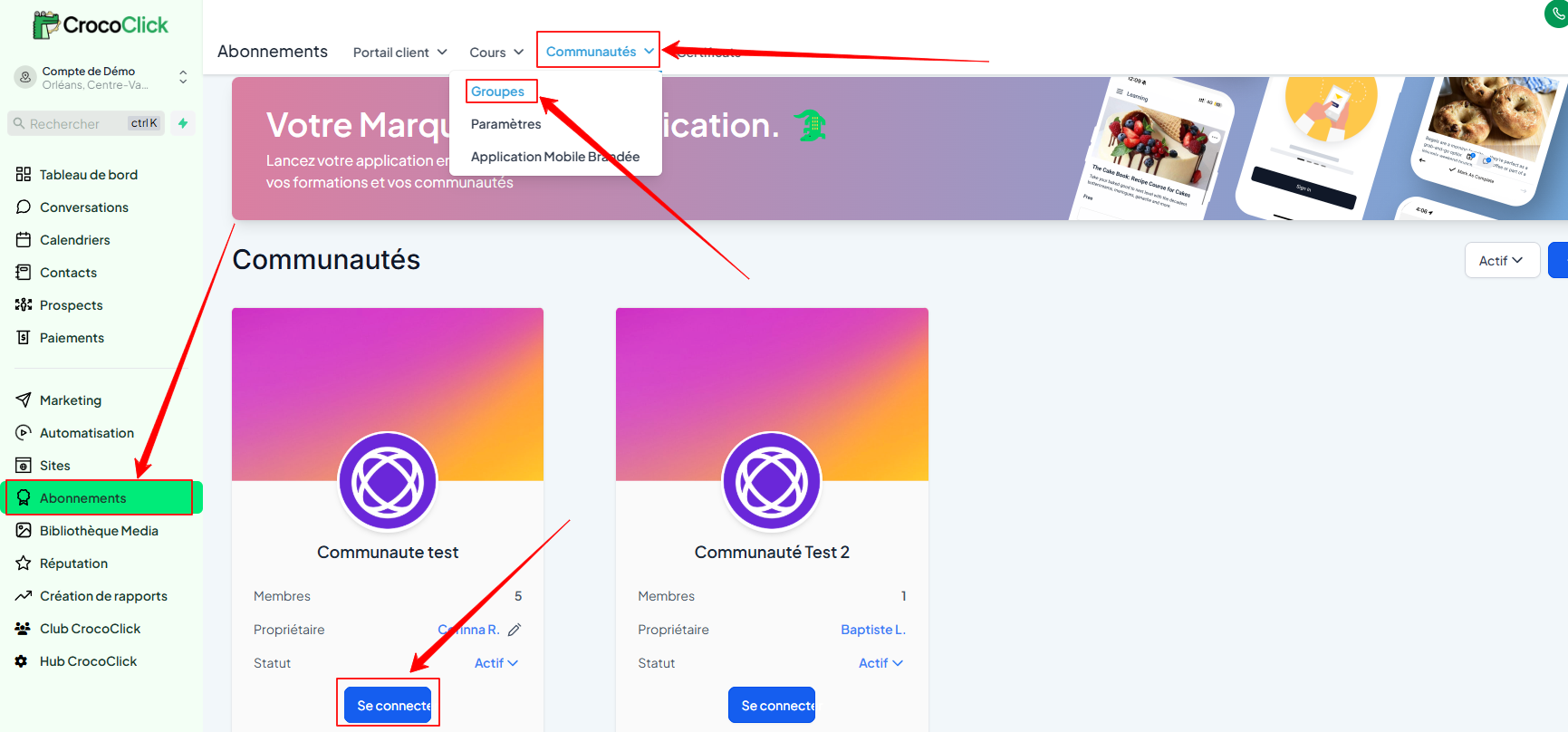
In the main menu, go to Subscriptions > Communities > Groups, then select your community.
You can also open your community's URL directly.
Step 2: Add a new event
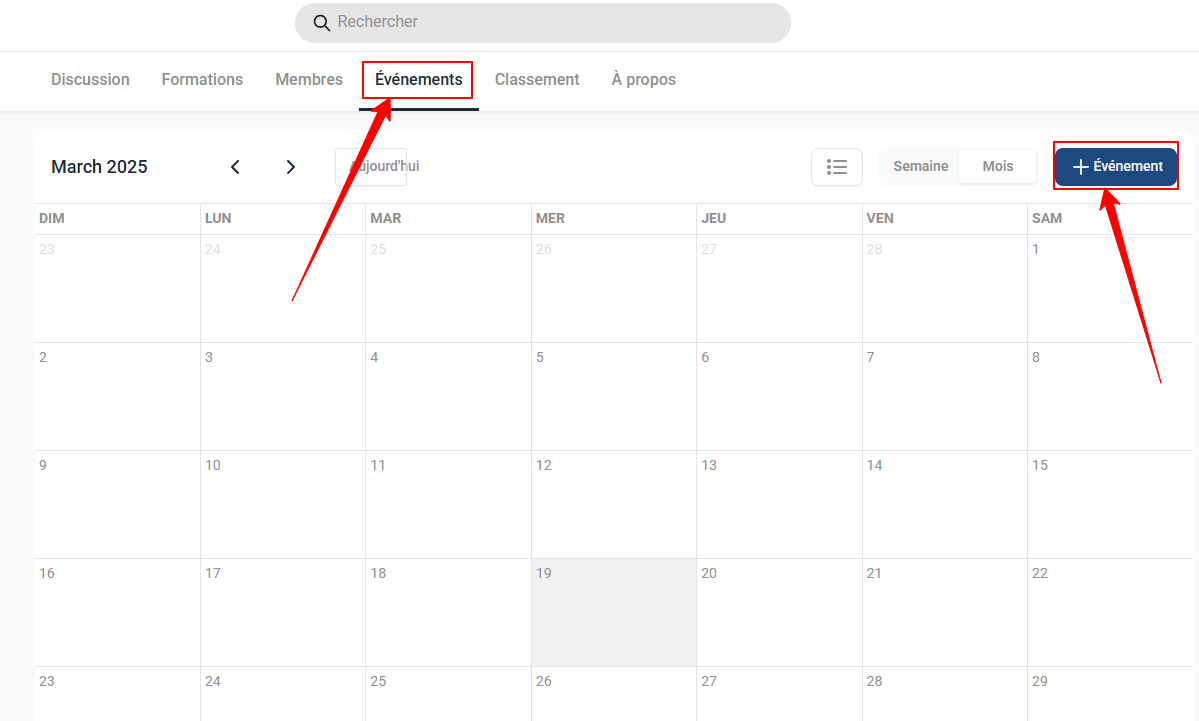
Click on the Events tab at the top of the page.
In the calendar view, click on + Event.
Step 3: Fill in the event information
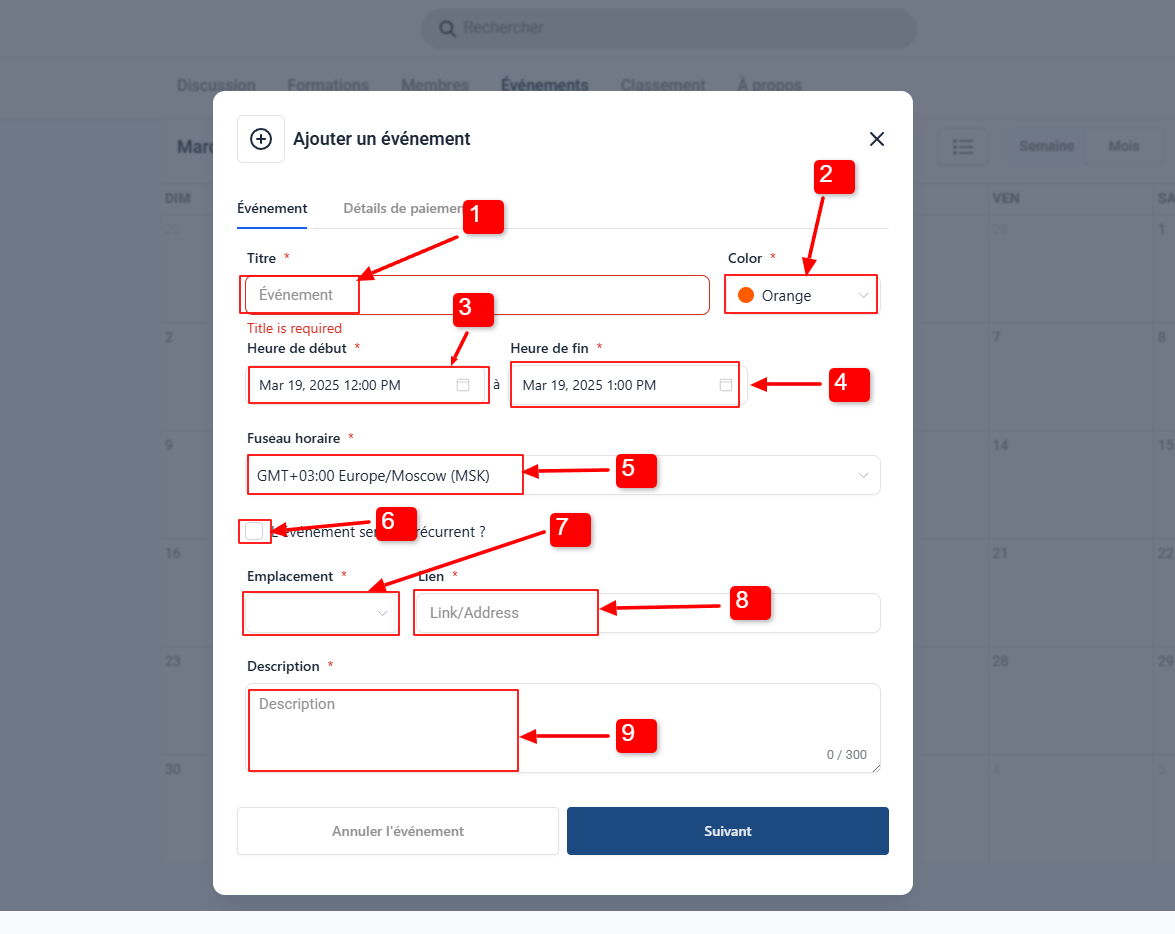
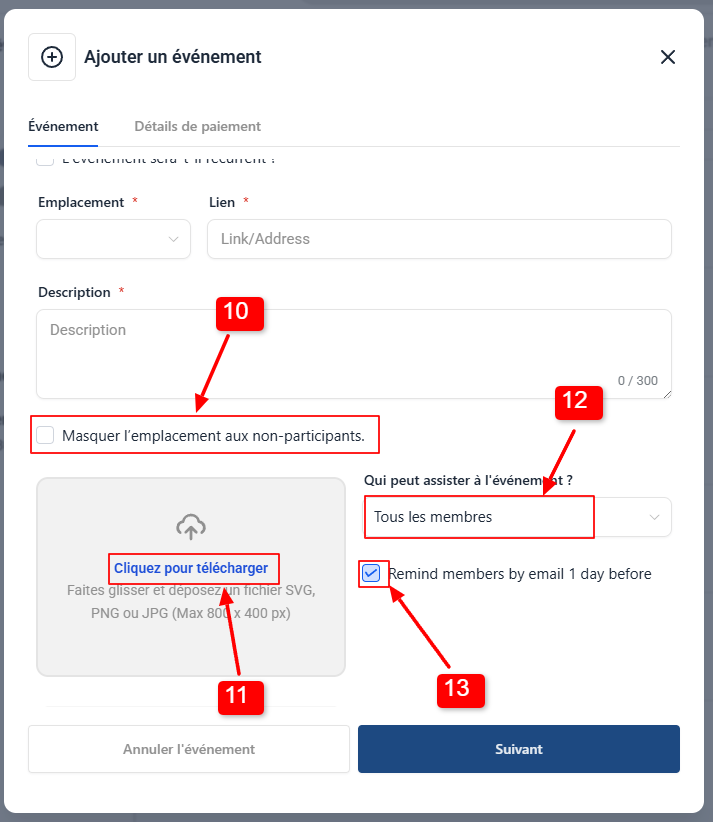
Click Next to proceed to payment setup.
Step 4: Configure payment (optional)
Paid: Specify the Price, Currency, then enable/disable direct payments.
Free: Leave free for your members.
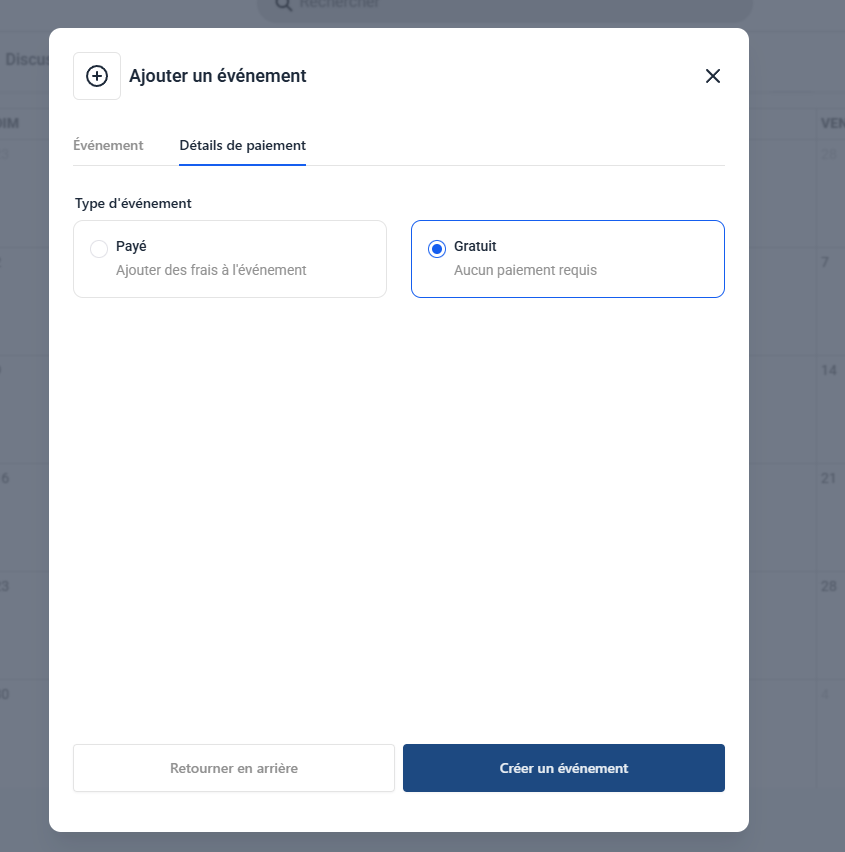
Step 5: Save and notify
Click Create Event to publish your event.
Authorized members will automatically receive an email with a registration link.
Conclusion
Creating an event in your CrocoClick Community allows you to bring your members together around engaging activities—whether online or in person—while strengthening your brand and community cohesion. With a simple and fully customizable process, you can plan, promote, and manage your events in just a few clicks.