Add a consent box to CrocoClick forms / surveys
Add a consent box to your CrocoClick forms to ensure compliance and collect user consent.
Written By CrocoTeam
Last updated 7 months ago
The consent box is an essential element in your forms and surveys. It allows you to obtain explicit consent from users when collecting personal data, thereby ensuring compliance with privacy regulations. You can easily add it in the Form Builder and customize it according to your needs.
1. Open the Form Builder
Log in to your CrocoClick account.
Go to the Sites > Forms section.
Open the Form Builder to create or edit a form (or survey).
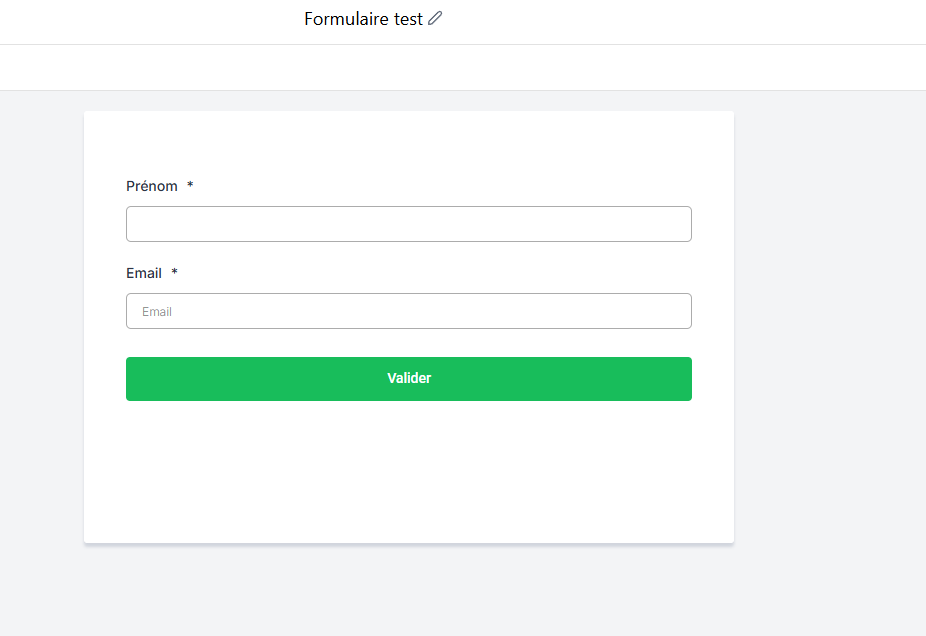
2. Add the consent box
Manual addition:
Click on the "T&C" element in the element library to add it to your form if necessary.
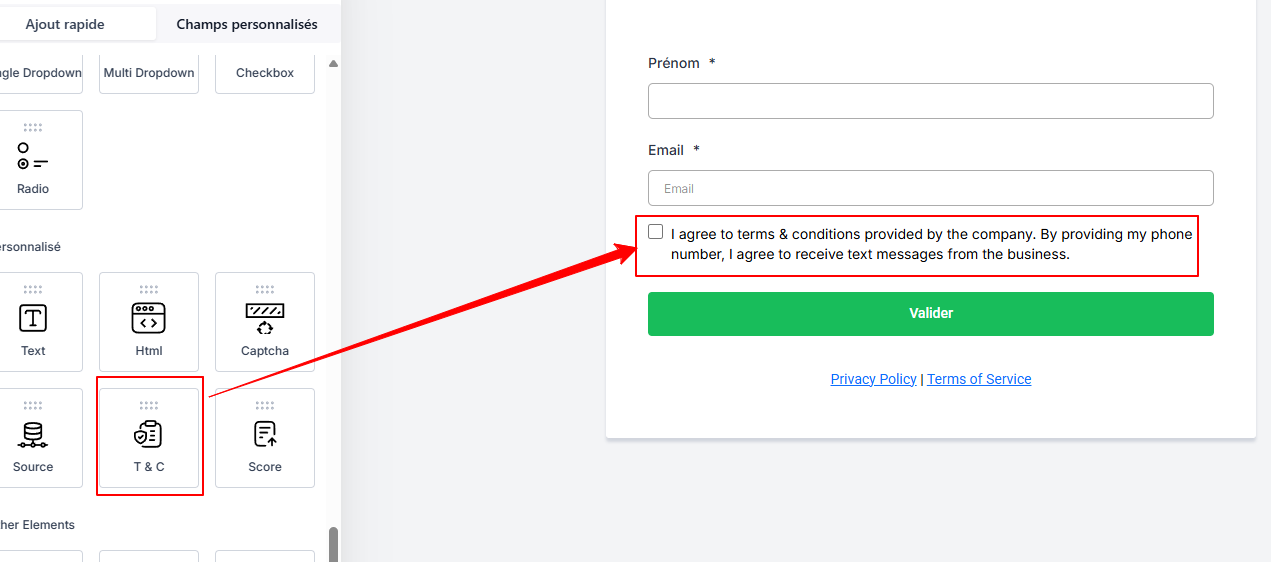
Automatic addition:
When you add a phone field to your form, the consent box is added automatically.
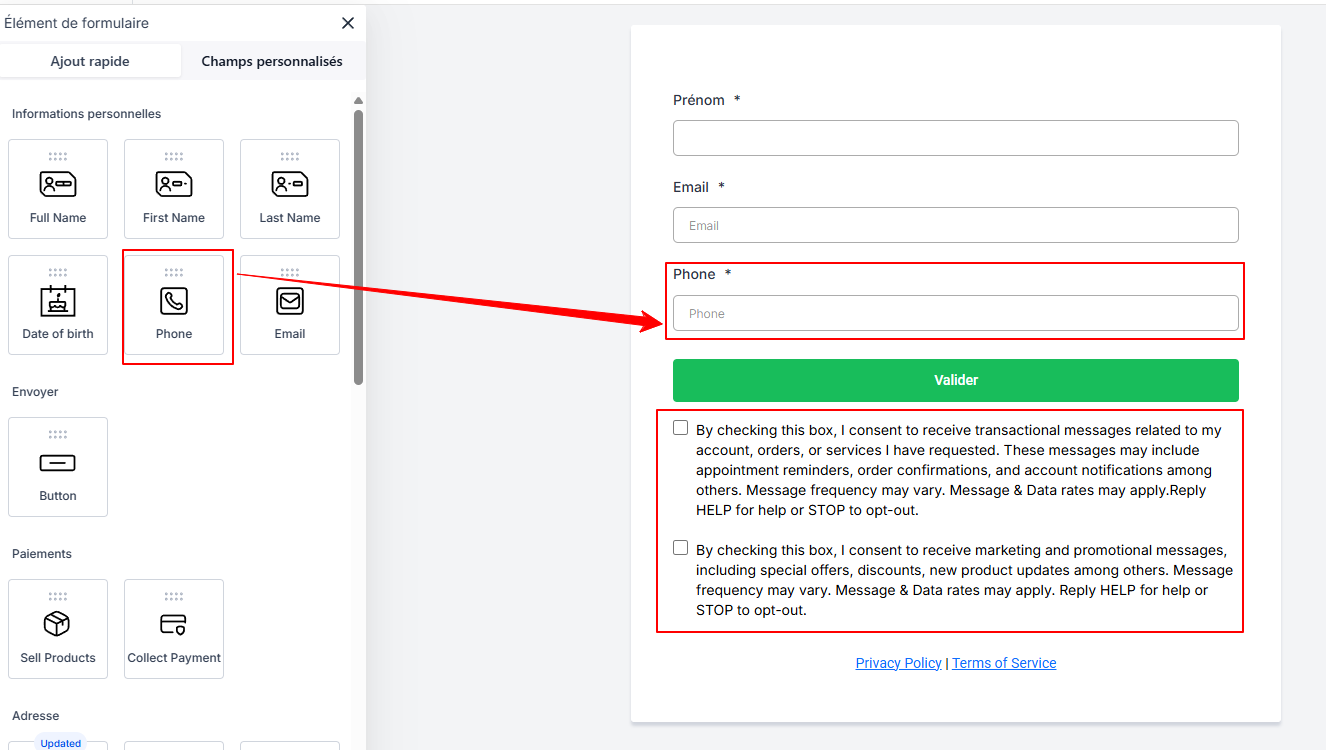
3. Customize the text and settings
Customize the text of the consent box to clearly explain to users what they are consenting to.
You can even add links by clicking on the "..." after selecting the text you want to add a link to.
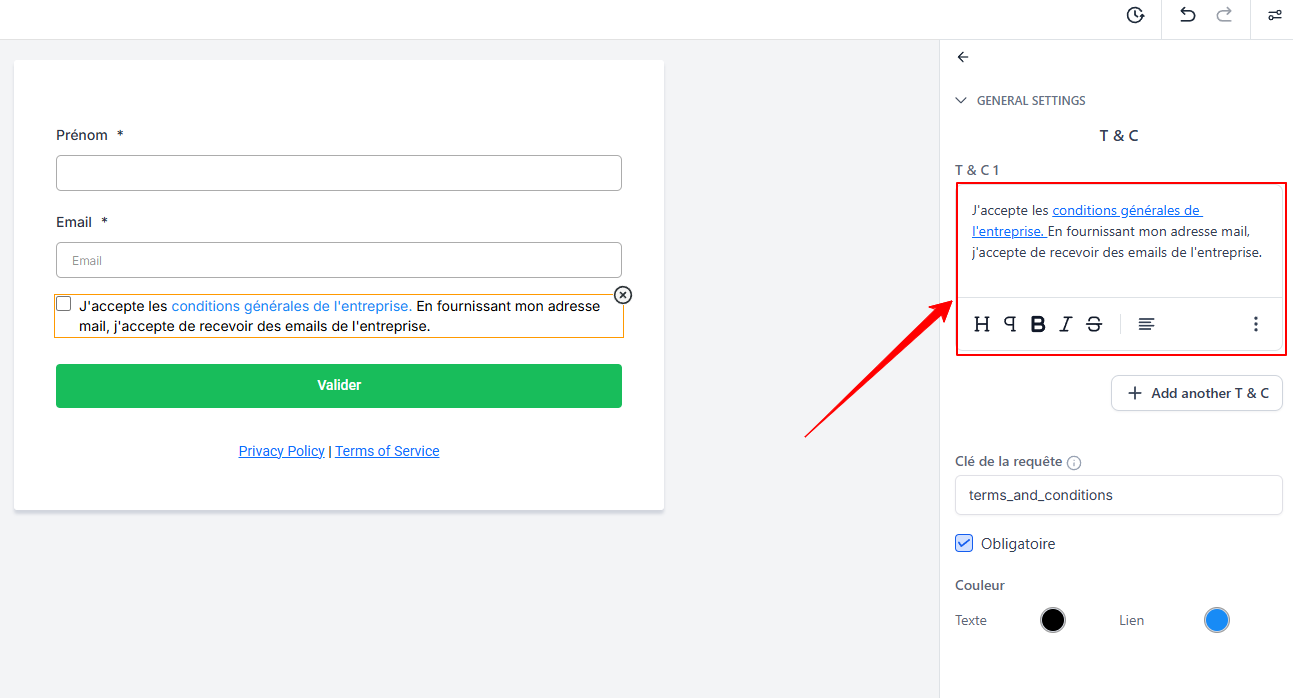
Adjust the visibility, position, and design of the element according to your brand identity.
4. Preview and save
Preview your form to verify that the consent box is displayed correctly.
Click Save to save your changes.
Conclusion
By adding a consent box to your forms and surveys, you ensure that your data collection complies with current standards and strengthen your users' trust. This feature, which is easy to integrate and fully customizable, allows you to manage your forms with complete peace of mind.