Create your first Funnel
Set up a personalized sales tunnel, create a capture form and link the funnel to a domain.
Written By CrocoTeam
Last updated 8 months ago
Are you ready to turn your visitors into loyal customers? The funnel is the essential tool for capturing leads, selling a product, or offering a discovery call.
Good news: with CrocoClick, creating an effective funnel takes just a few minutes. Follow the guide 👇
1. Create a funnel
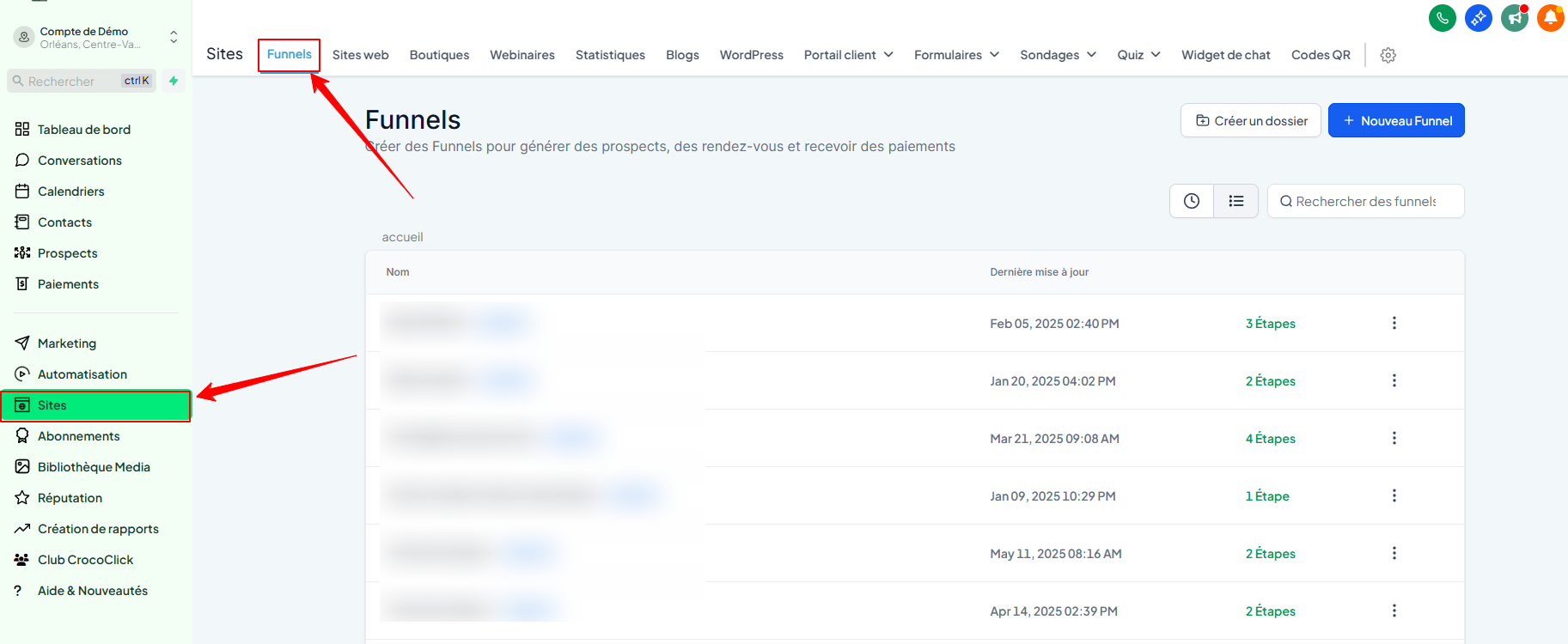
Go to Sites > Funnels
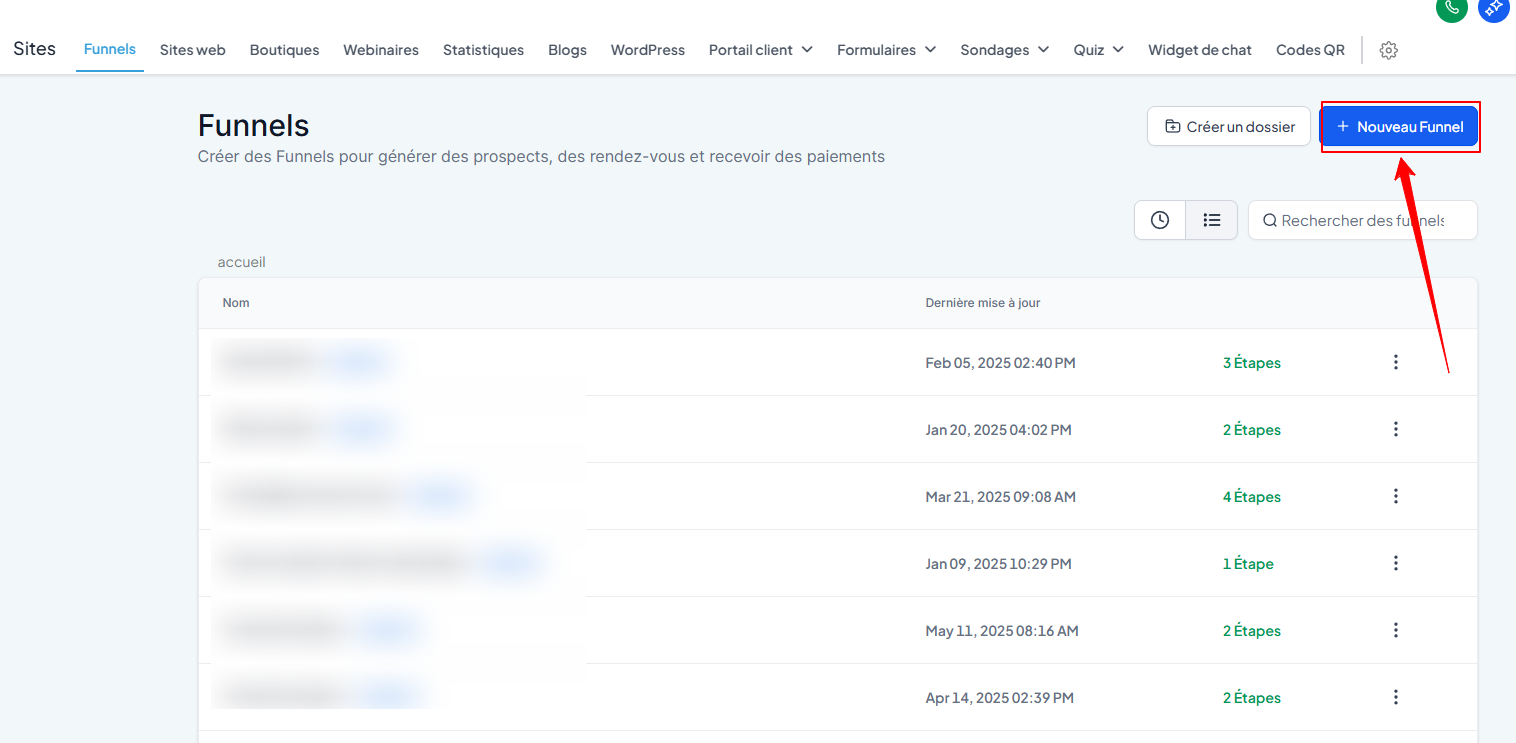
Click on + New funnel
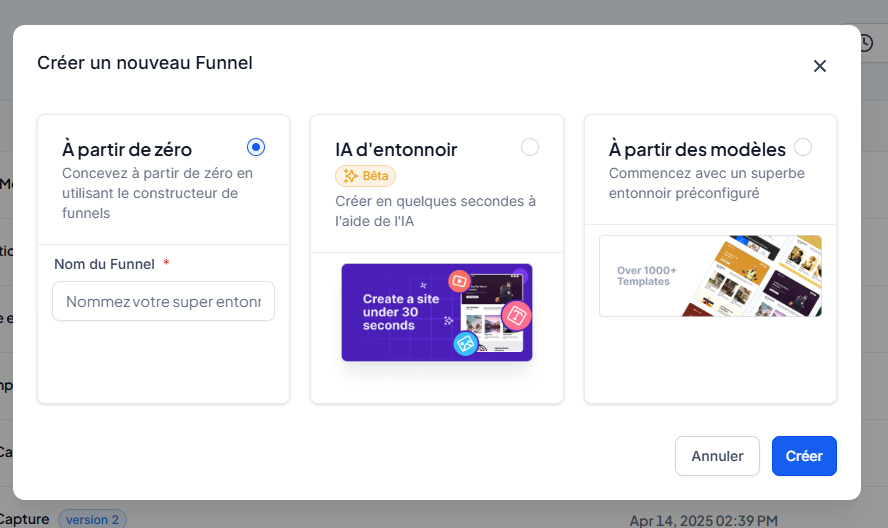
Choose from 3 options:
Blank funnel (from scratch)
AI funnel (automatically generated)
From a template (recommended for beginners)
2. Use a funnel template
Click on + New funnel > From a template > Continue
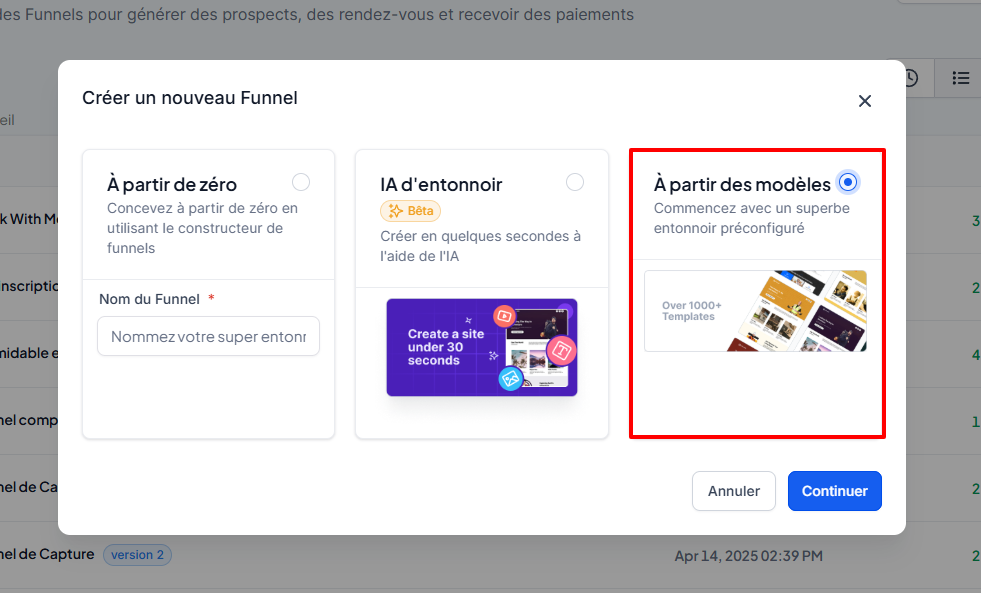
Browse templates in the library (search, filters, previews, etc.)
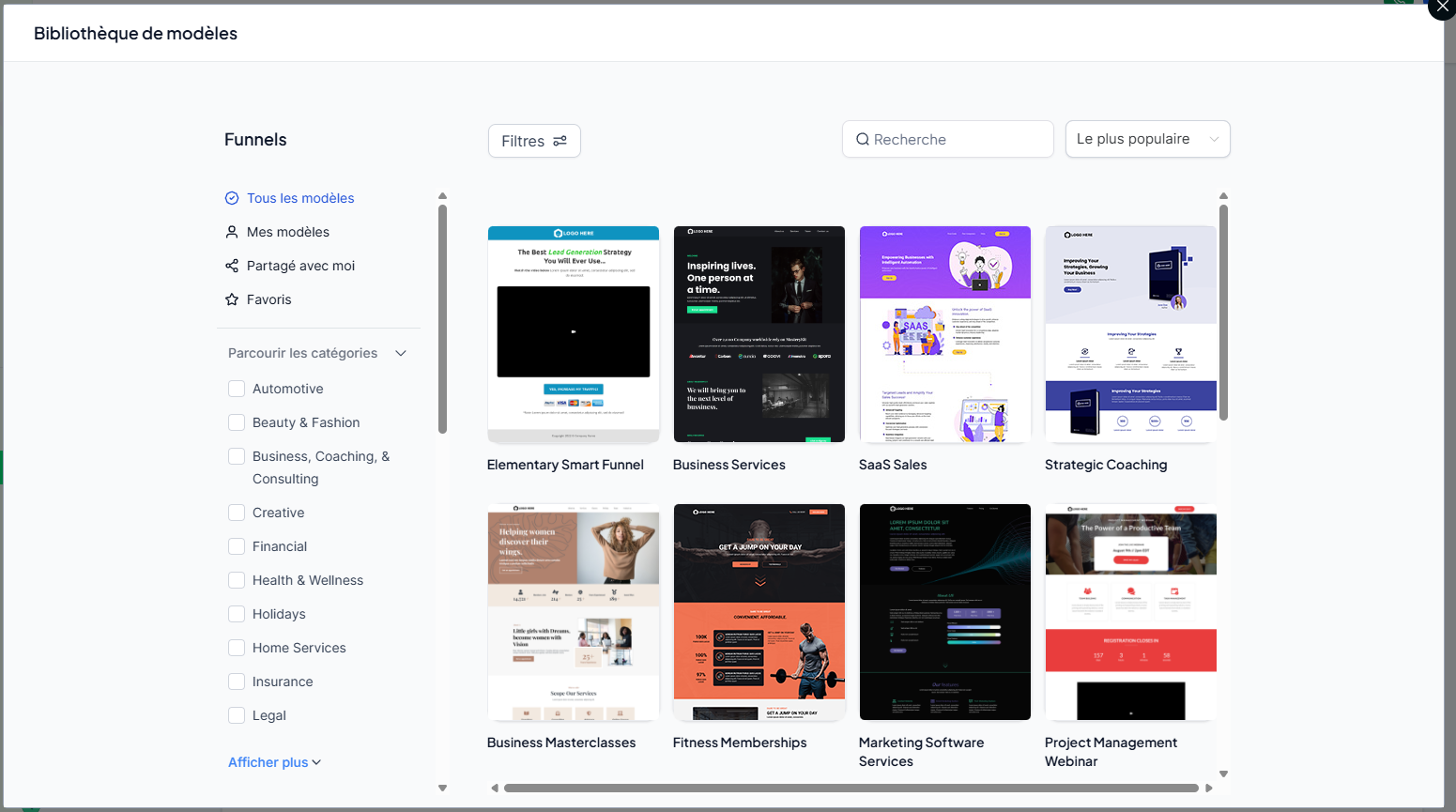
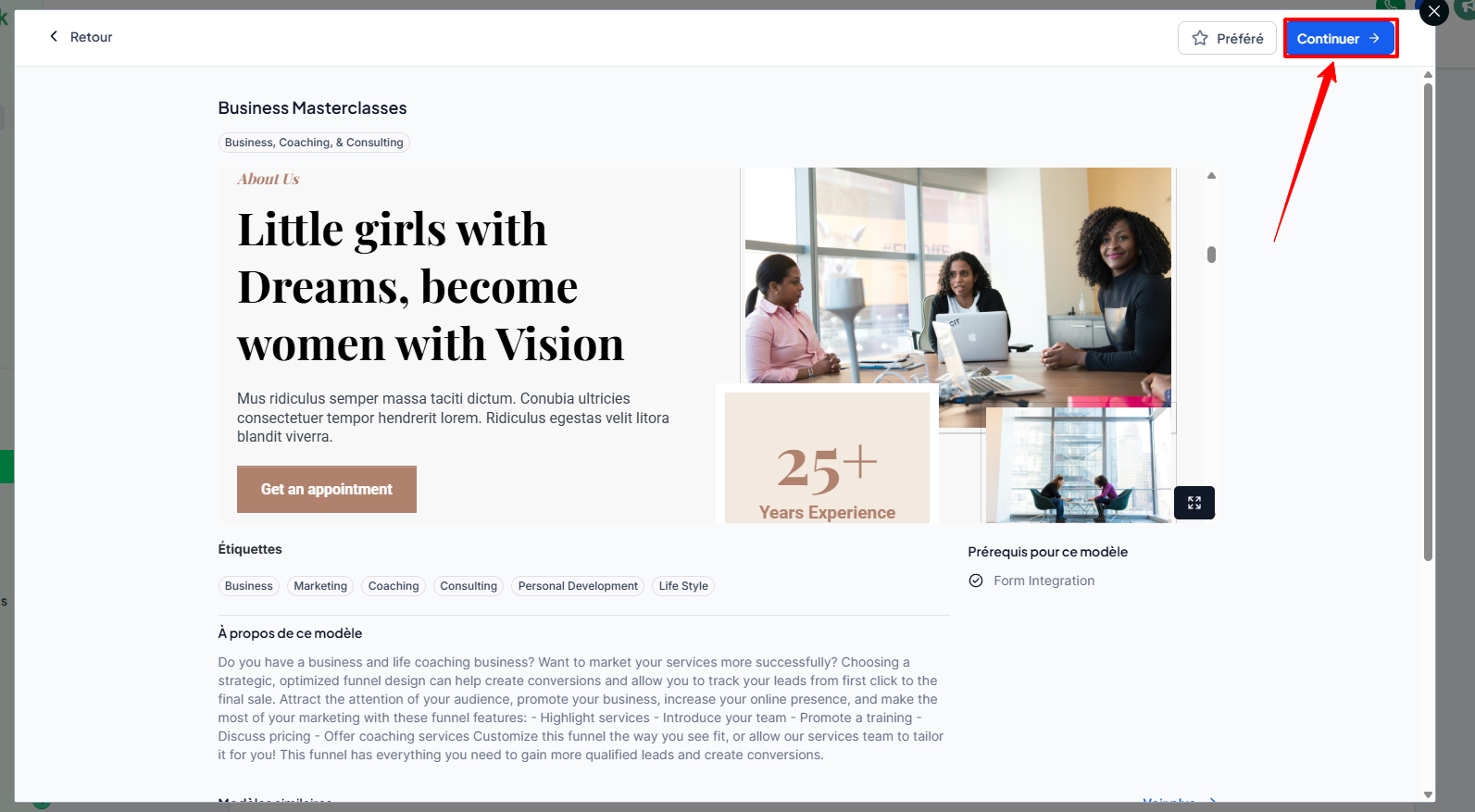
Select the desired template, then click Continue
The template opens in the funnel editor: customize the colors, text, images, etc.
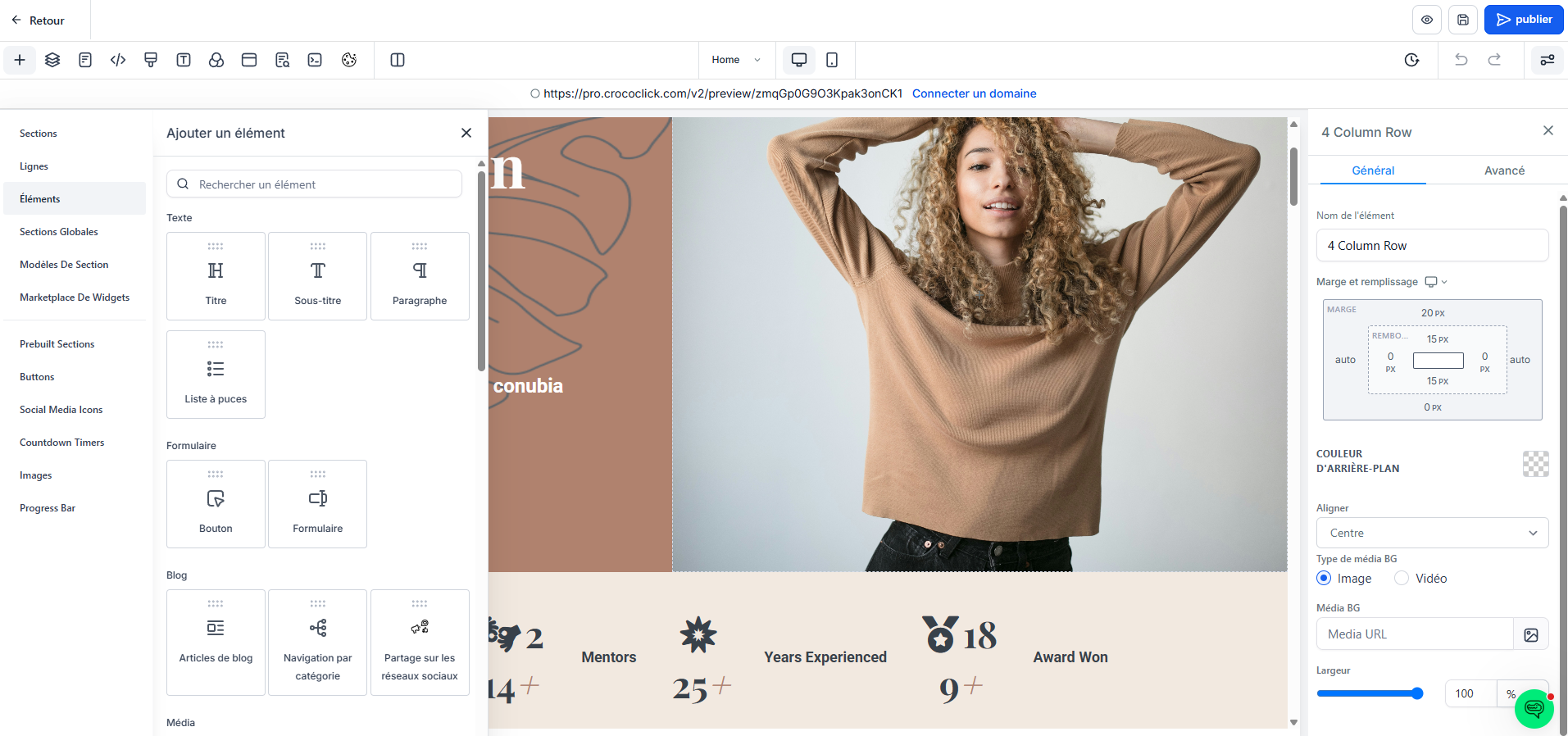
Click Save
💡 TIP: To learn how to use the CrocoClick page editor, see our article: Introducing the page builder (funnel or website)
3. Add a form to collect contacts
In the editor, open the Form or go directly to Sites > Forms
Click on Create a form
Add the necessary fields (name, email, phone number, etc.)
Customize the design if needed
Click Save
You can then insert this form into a step of your funnel.
Here is a quick tutorial on creating a capture form ⬇️
4. Modify an existing funnel
Go to Sites > Funnels
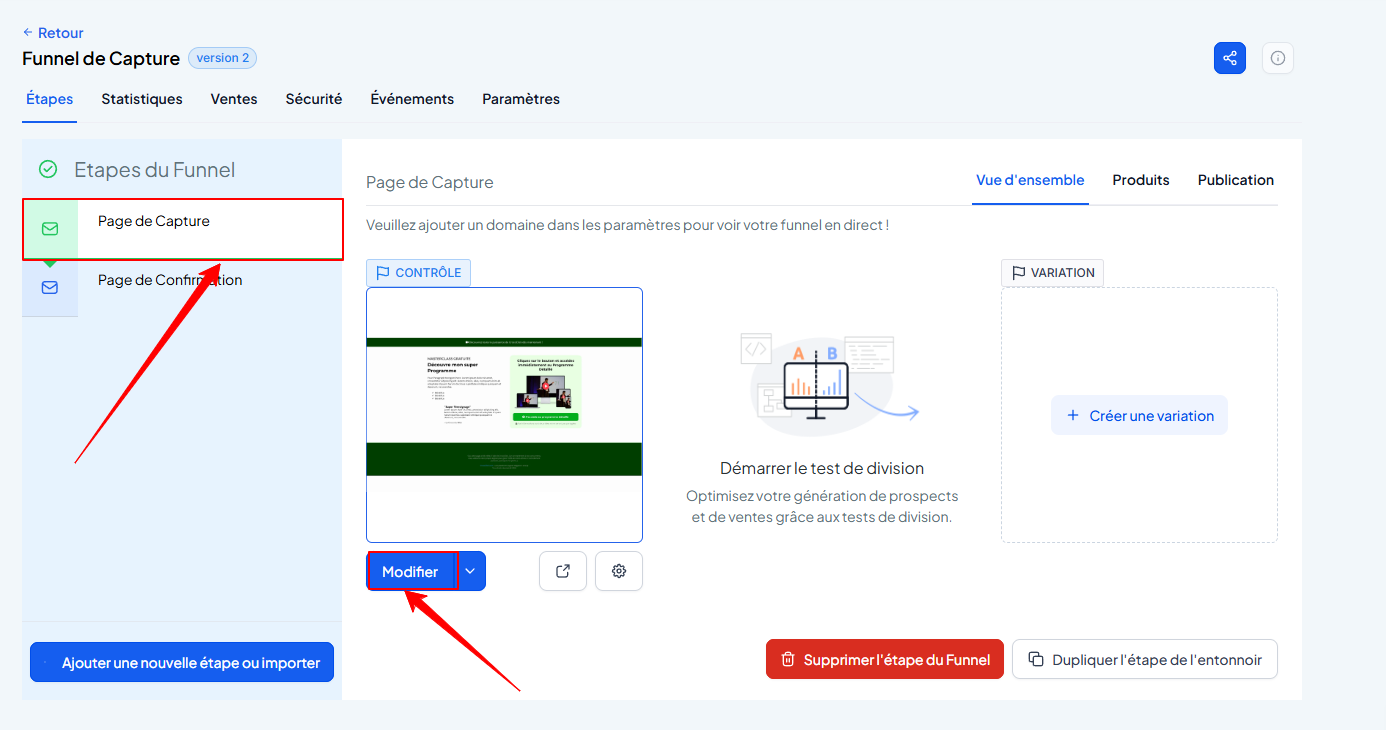
Click on a funnel you have already created
Click on the page of your choice, then click on edit to make your changes
5. Add a domain name to your funnel
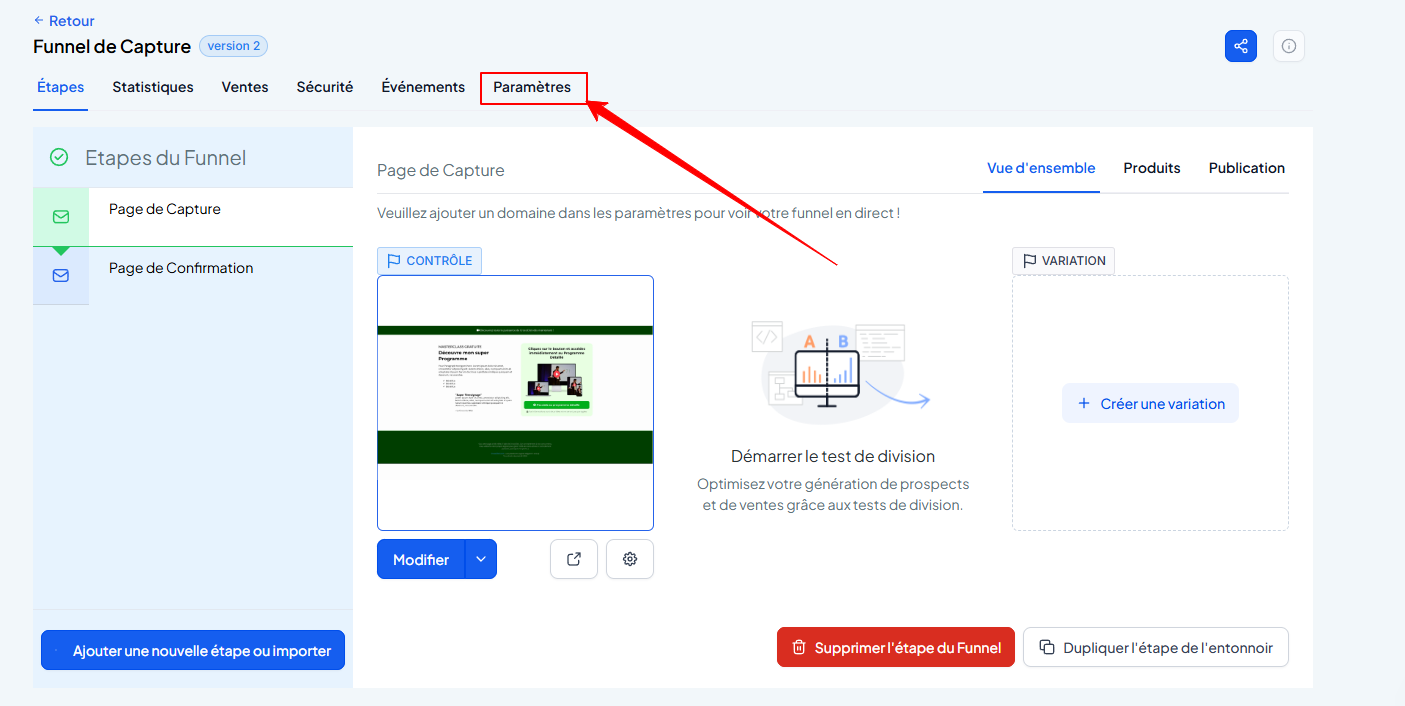
On your funnel, click Settings
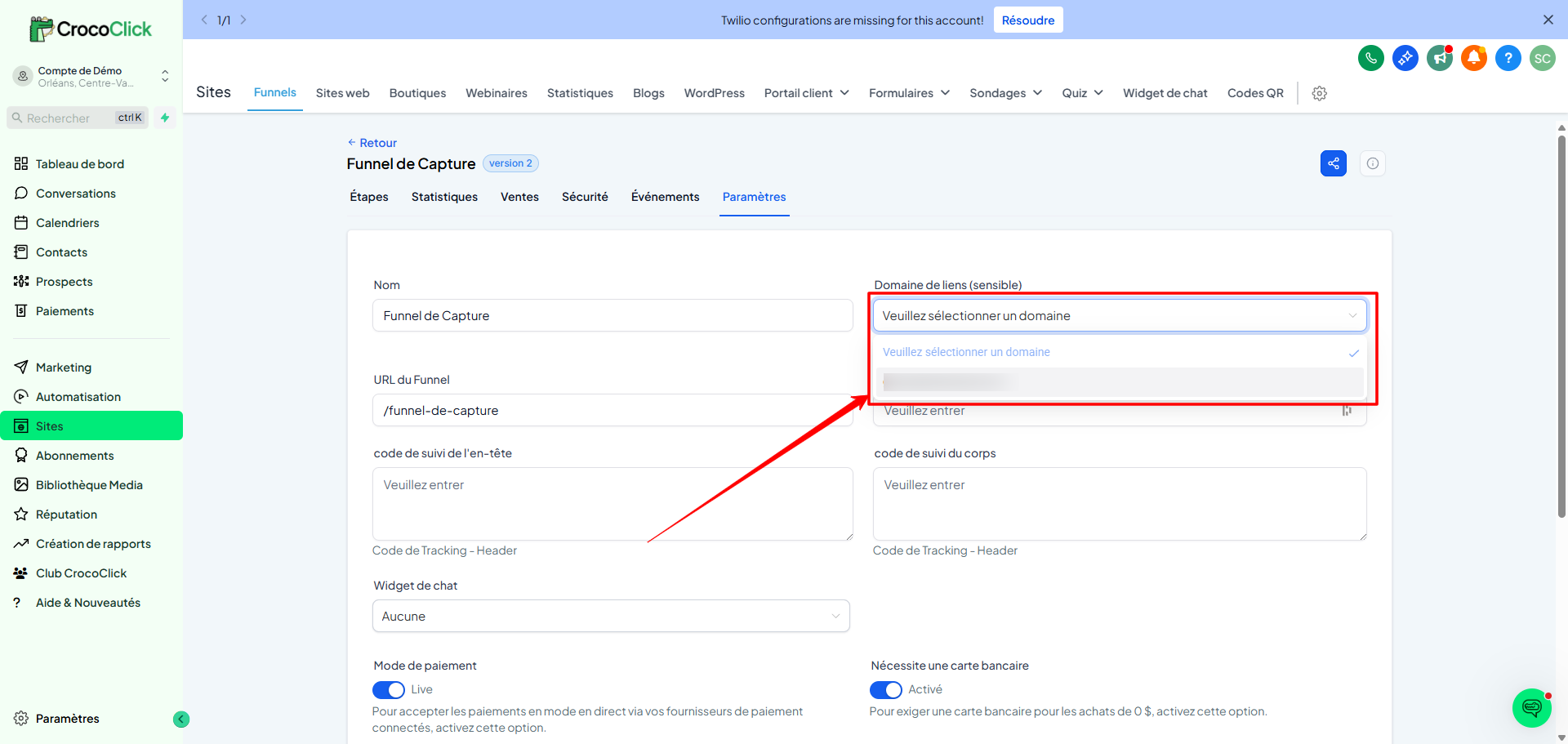
In Link Domain, select the domain of your choice
💡 TIP: If you haven't yet connected an email domain to CrocoClick, follow the steps in our articleInstalling and Configuring a New Web Domain or Subdomain
Conclusion
Creating a funnel in CrocoClick means opening an automated channel to turn your visitors into qualified leads. By starting with a template, adding a form, and customizing everything to your liking, you're ready to convert.