Understanding your CrocoClick Funnel statistics
Learn how to read and analyze your funnel statistics to identify friction points and boost conversions.
Written By CrocoTeam
Last updated 8 months ago
Funnel statistics aren't just numbers: they're signals.
Signals that tell you whether your funnel is working... or leaking.
Here's how to read them easily to optimize your marketing system in CrocoClick.
🎯 Why analyze funnel statistics?
Before modifying your page or relaunching a campaign, ask yourself this question:
Is the problem with traffic... or conversion?
Funnel statistics allow you to:
Identify where prospects are dropping off.
Compare your rates with expected standards (e.g., 20–40% opt-in on a good landing page for a free lead magnet).
Make rational, not emotional, decisions.
📍Where can you access your funnel statistics?
In CrocoClick:
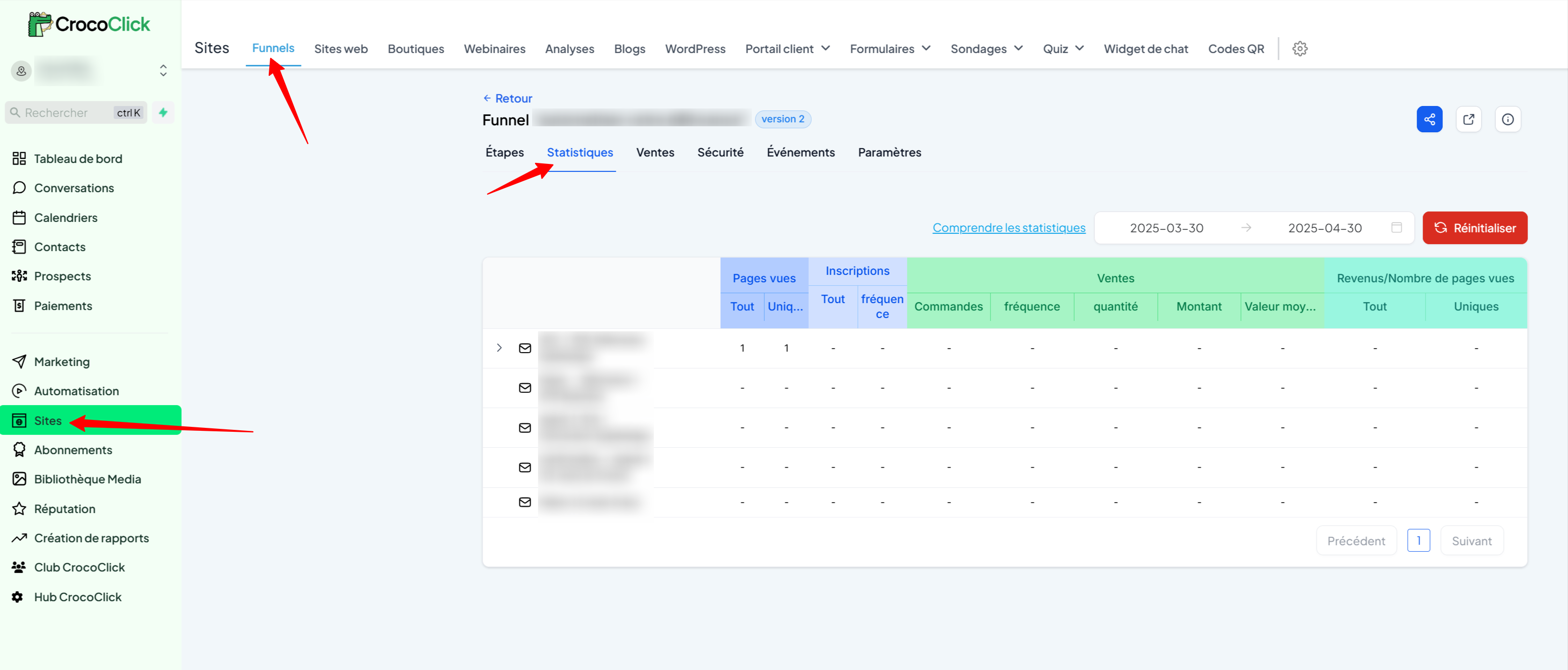
Click on Sites in the left sidebar
Go to Funnels in the top menu
Click on one of your funnels
Go to the Statistics tab
You will then see a summary of all the key indicators:
🔍 Details of indicators to know
👁️ Page Views
All: total number of visits, including the same people multiple times.
Unique: number of distinct visitors.
💡TIP: This is the starting point. If your funnel is not converting, first check whether it has received enough traffic (at least 100 unique visitors).
📥 Sign-ups (Opt-ins, form submissions, etc.)
All: how many people completed a form, quiz, or 2-step order form.
Rate/Frequency: percentage of unique visitors who completed the action →
(Opt-ins ÷ Visiteurs Uniques) x 100
💡TIP: A good opt-in rate is generally between 20% and 40% for a free registration, depending on your promise and your audience.
💸 Sales
Orders (Count): total number of orders placed.
Rate (Frequency): percentage of unique visitors who made a purchase →
(Achats ÷ Visiteurs Uniques) x 100Quantity: total number of products or services sold (an order may contain several products sold)
Amount: total amount generated by these sales.
Average value (Average amount): average amount spent per order
(Montant ÷ Commandes) x 100
💡TIP: A purchase rate of 1 to 5% is often a good sign. Below that? You probably need to review your offer or your sales page.
📈 Revenue per view
All: average value generated by each visit →
(CA total ÷ vues totales)Unique: average value per unique visitor →
(CA total ÷ visiteurs uniques)
This figure is key to comparing the profitability of your different pages or funnels.
❓ FAQ – Frequently asked questions
"I can't see all my stats, is this normal?"
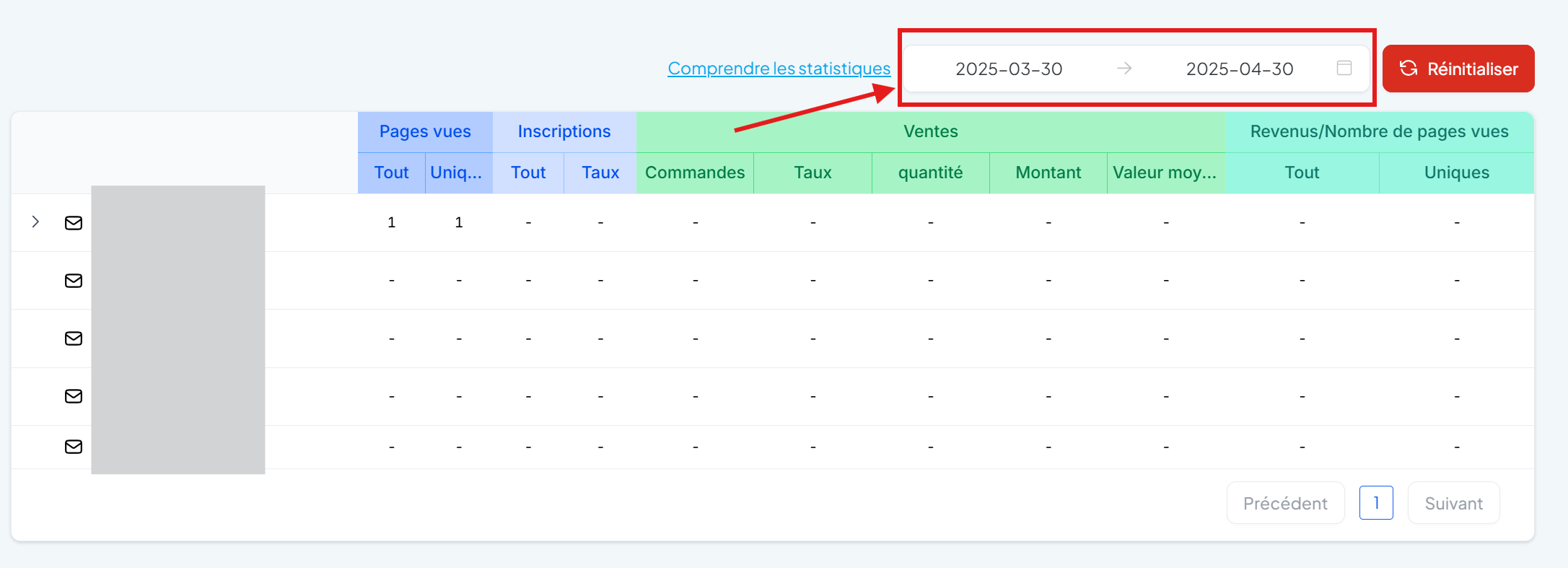
Check the date range displayed at the top of the page: By default, CrocoClick displays data for the last 30 days. If you are looking at an older funnel, nothing may be displayed until you select a specific date.
Another possibility is that you have reset the statistics. In this case, the previous data is deleted, and only the results after the reset are visible.
"I've tested my funnel. How do I reset the statistics?"
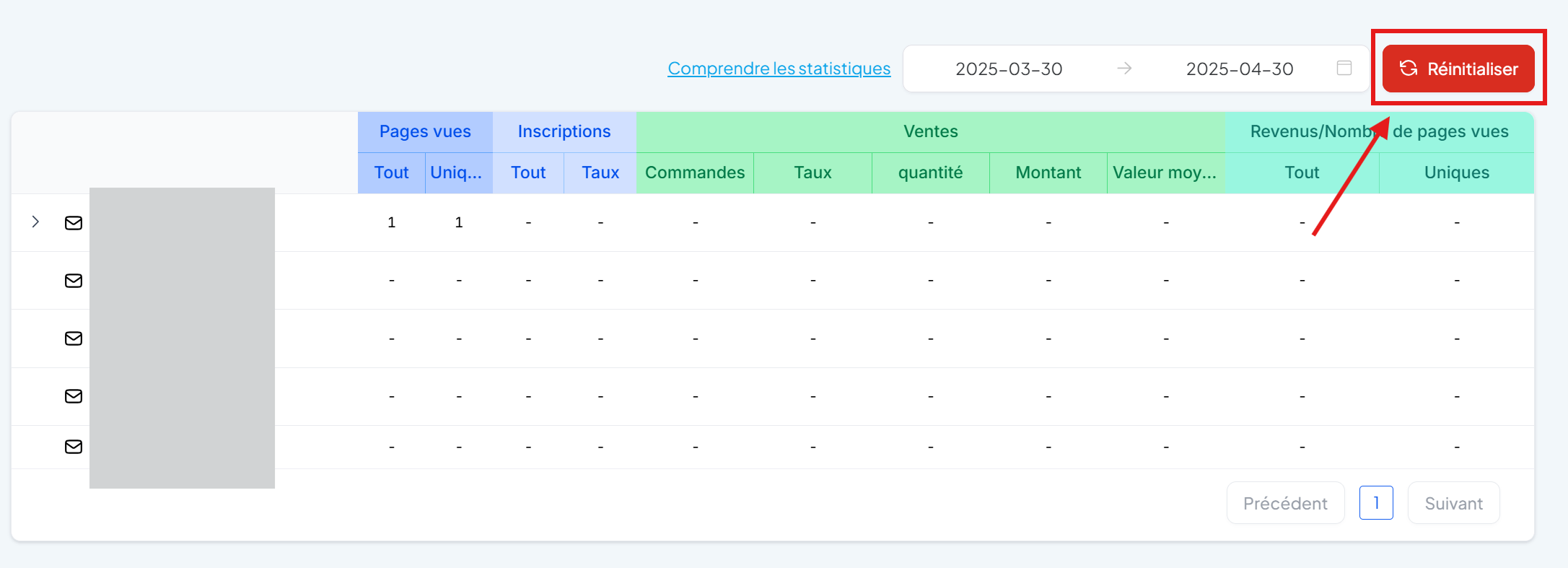
Click on the red "Reset" button at the top right of the Statistics tab.
Confirm by clicking "Delete" to erase all data and start from scratch.
💡 TIP: This is useful if you have run internal tests or if you want to restart the analysis after a strategic change in your funnel.