How can I make a published page inactive or hide a page or funnel temporarily on CrocoClick?
Easily deactivate a page or funnel on CrocoClick with our quick and easy solutions.
Written By CrocoTeam
Last updated 6 months ago
Would you like to temporarily disable a page or a funnel on CrocoClick? Here are two simple and effective ways to do so, depending on your needs.
1. Disable an entire funnel
If you want to deactivate all pages in a funnel, simply disconnect the domain associated with the funnel.
Steps to follow:
Go to the Funnel section: Go to the Funnel tab in your CrocoClick dashboard.
Open the funnel settings: Click the Settings button for the funnel you want to deactivate.
Disconnect the domain:
Look for the Domain section.
Disconnect the domain by clicking "Delete."
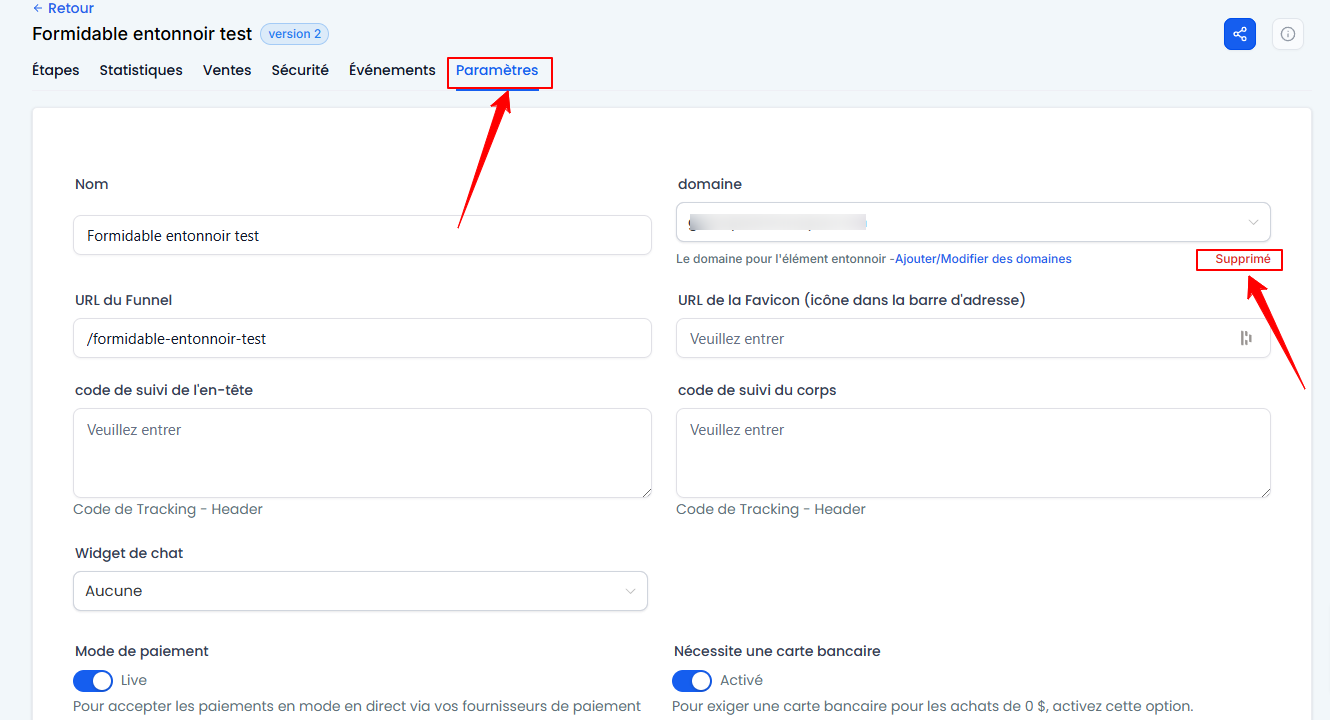
Save your changes: Click Save.
💡TIP: Disconnecting the domain will deactivate all pages in the funnel and make them inaccessible.
2. Hide a specific page with a redirect
If you want to temporarily hide a single page without affecting the rest of the funnel, you can use a countdown timer with an automatic redirect.
Steps to follow:
Add a countdown timer to the page:
Go to the editor for the page in question.
Add a countdown timer from the available widgets.
Set the countdown duration.
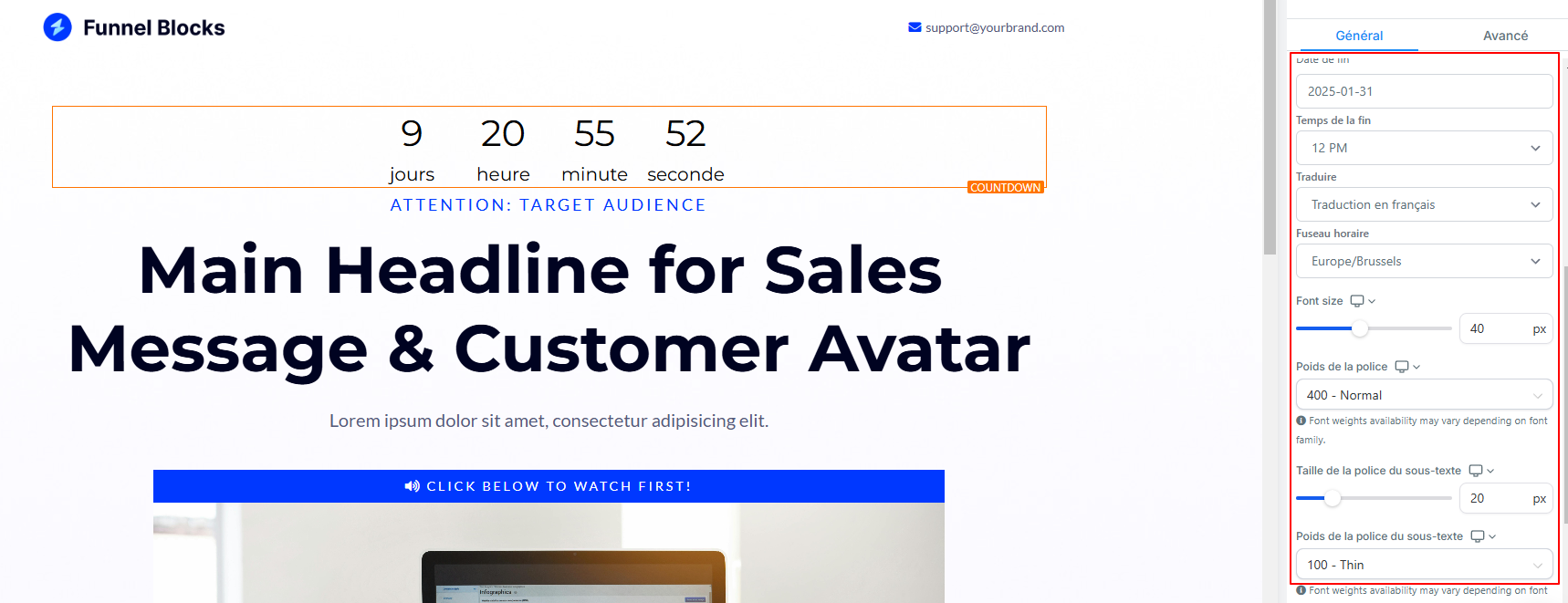
Add a redirect:
In the countdown settings, select the Redirect option.
Enter the URL of the page to which visitors will be redirected once the countdown expires.
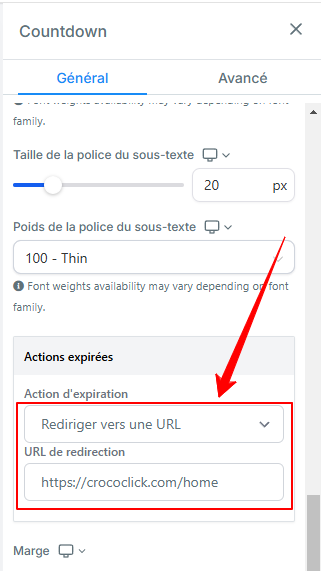
💡 TIP: This way, when the countdown reaches zero, visitors will be automatically redirected to another page.
Which method should you choose?
To disable an entire funnel: Use the domain disconnection method.
To hide a specific page: Add a countdown with a redirect.
These options let you easily manage your pages and funnels, whether you’re making changes or temporarily suspending access.