How to set up your Customer Portal (Community, Training, Affiliate Portal) in French
It's easy to make your CrocoClick customer portal available in French. Put your Commutations and Formations in French at last!
Written By CrocoTeam
Last updated 8 months ago
If you want to set your customer portal to French on CrocoClick, just follow these simple steps:
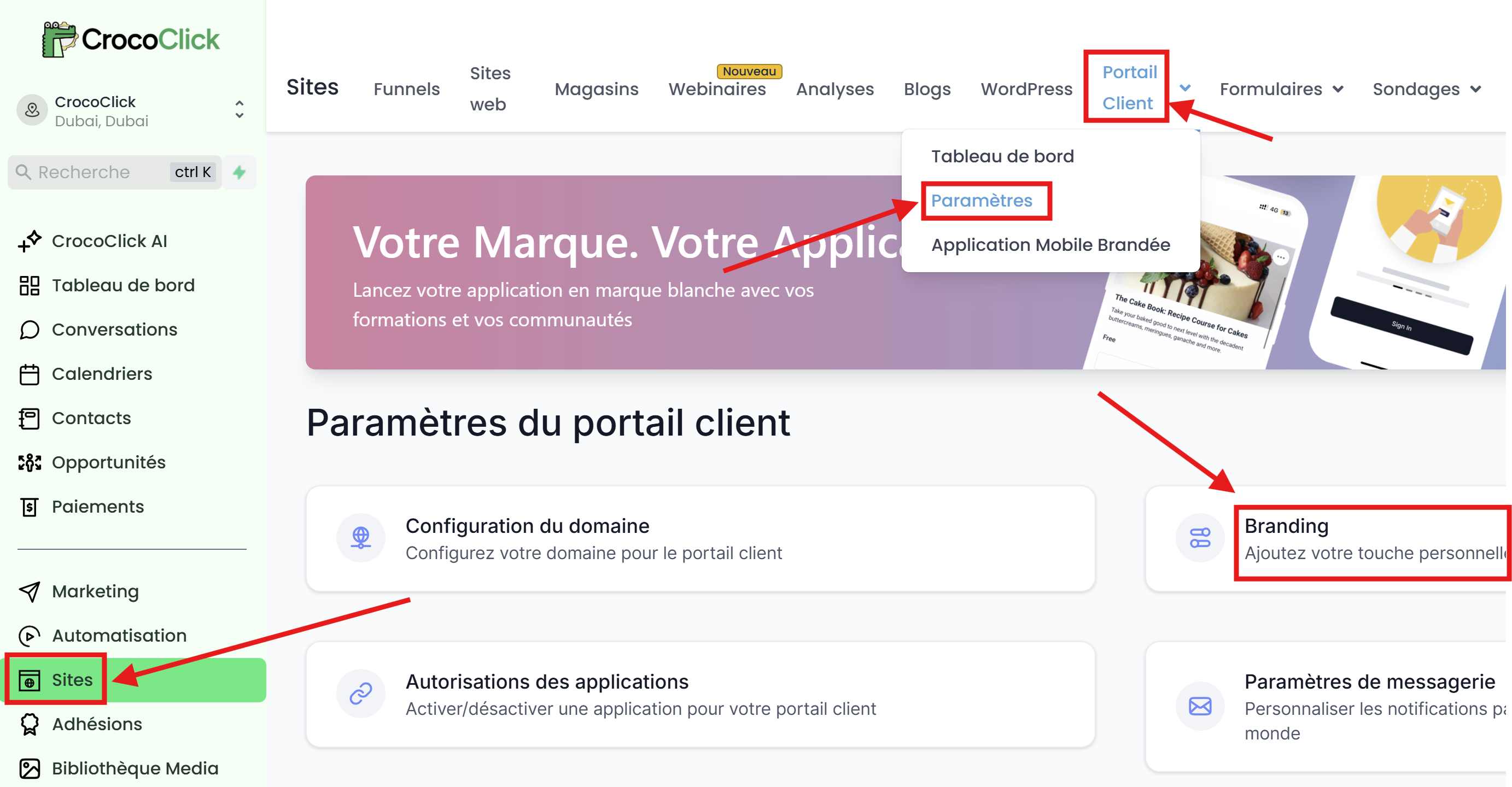
Step 1: Access the Customer Portal settings
Log in to your CrocoClick account
Go to the Sites section.
Click on Customer Portal.
Then go to Settings.
Once in Settings, click on the Branding tab.
Step 2: Access advanced settings
In the "Branding" section, you will find an "Advanced" tab by scrolling down.
Click on this Advanced tab.
Go to the Tracking Code section and click on the "Header Code" text box.
Copy and paste the code below into this section:
<!-- Google Tag Manager -->
<script>
  (function(w,d,s,l,i){w[l]=w[l]||[];w[l].push({'gtm.start':
  new Date().getTime(),event:'gtm.js'});var f=d.getElementsByTagName(s)[0],
  j=d.createElement(s),dl=l!='dataLayer'?'&l='+l:'';j.async=true;j.src=
  'https://www.googletagmanager.com/gtm.js?id='+i+dl;f.parentNode.insertBefore(j,f);
  })(window,document,'script','dataLayer','GTM-KP7CW3J5');
</script>
<!-- End Google Tag Manager -->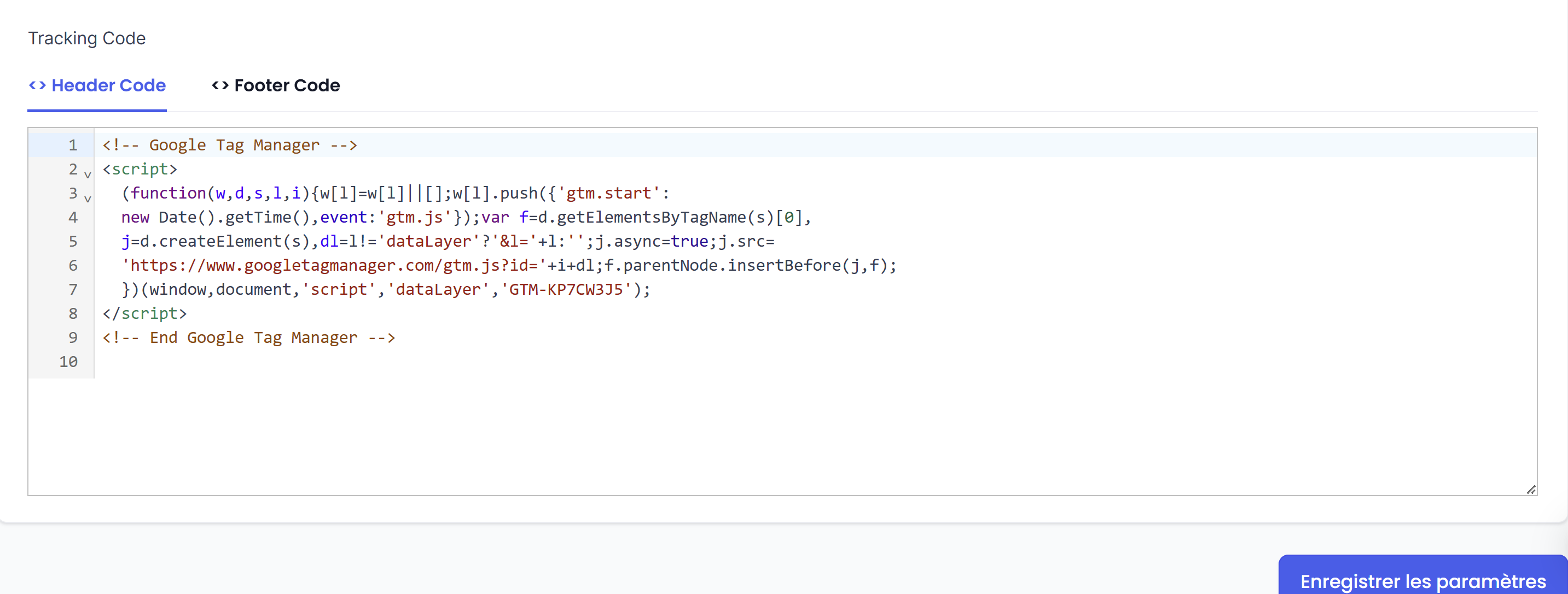
Step 3: Save your changes
Once you have copied the code into the "Header Code" field, click on the "Save" button at the bottom of the page to confirm the changes.
That's it! Your customer portal is now in French. Feel free to test it by logging into your account to see the result.
💡TIP: Note that this script is used to configure certain elements to be localized, meaning that the space will be in French if your web browser is in French (and in English if your browser is in English).