How to use CrocoClick pop-ups
Create effective pop-ups on CrocoClick to attract attention, promote your offers and increase visitor engagement.
Written By CrocoTeam
Last updated 6 months ago
Pop-ups are a great way to grab your users' attention, promote special offers, or encourage them to sign up for your newsletter.
These are windows that appear over the website page and can be triggered by clicking a button, after a certain amount of time, or when a user attempts to leave the page.
With CrocoClick, you can easily create and customize pop-ups to maximize visitor engagement on your websites and funnels.
How to Create a Pop-up Window
1. Access the CrocoClick Page Editor
To get started, log in to CrocoClick and go to the page where you want to add a pop-up.
For example, you can go to Sites > Funnels and edit one of the pages in one of your funnels.
2. Access the Pop-up Settings
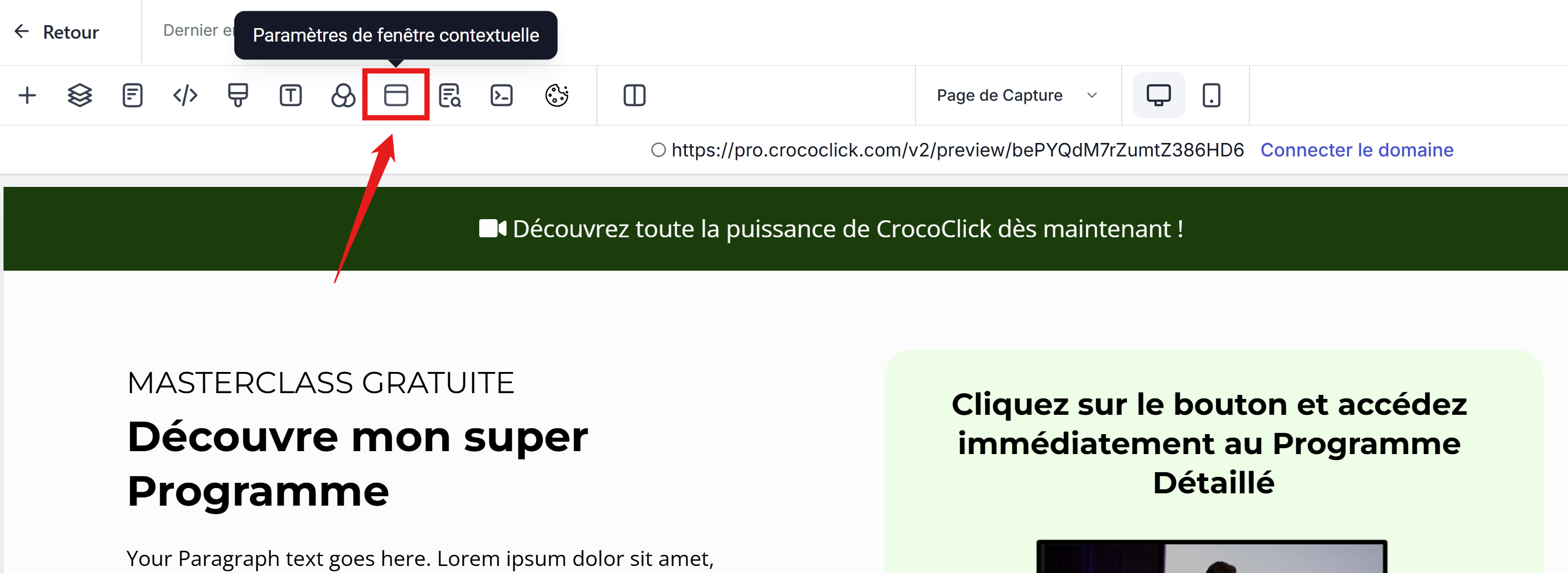
To do this, simply click the corresponding button in the top menu bar
3. Customize the pop-up by adding blocks
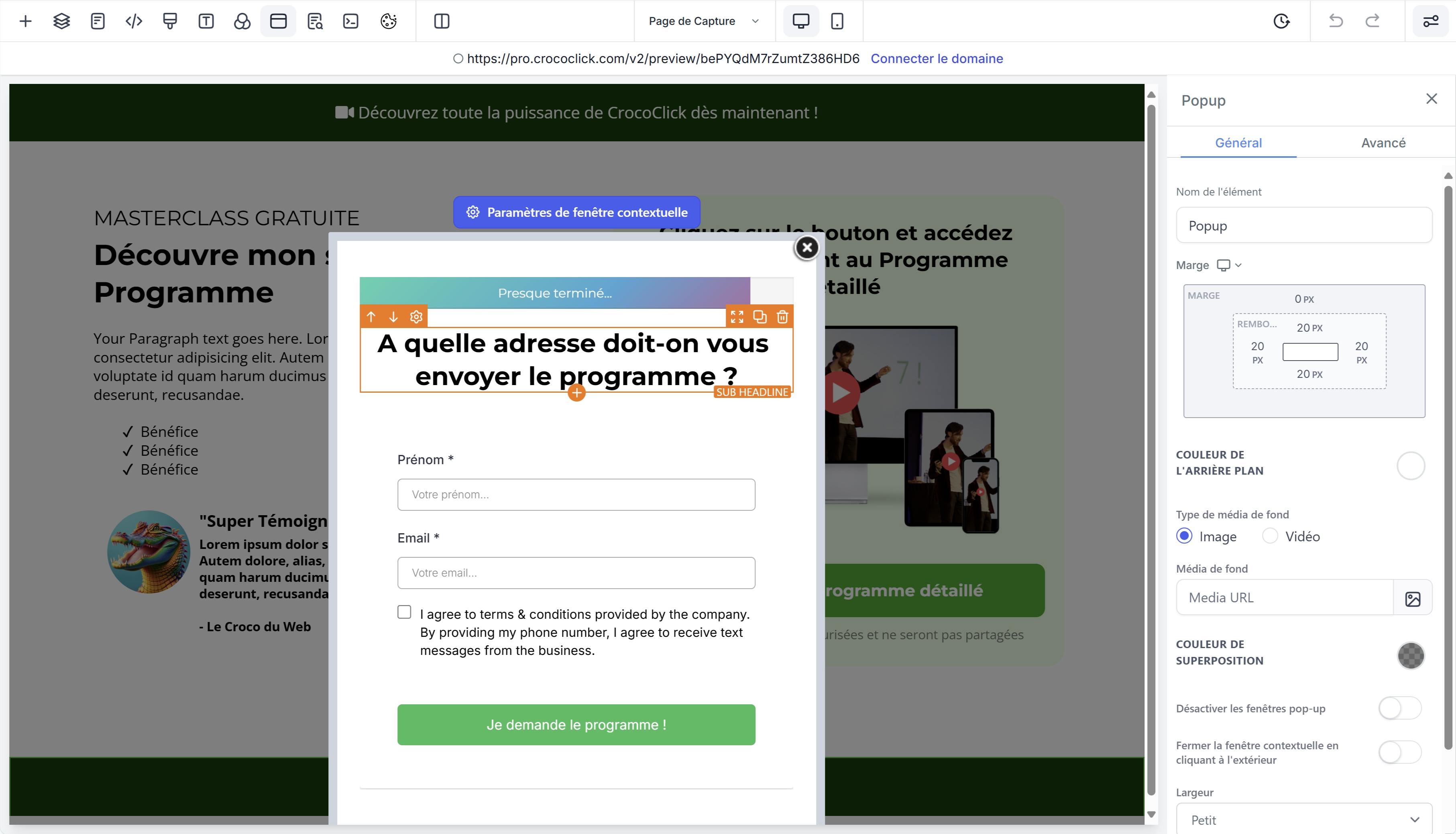
Just like on the page itself, you can add blocks to your pop-up window by clicking the "+"
For example, you can add:
A Progress Bar
A title
A form
By clicking on the blue "Pop-up Settings" link, the right-hand menu will display information about your pop-up.
You can then define your pop-up’s behavior, style, and width.
How do I trigger my pop-up?
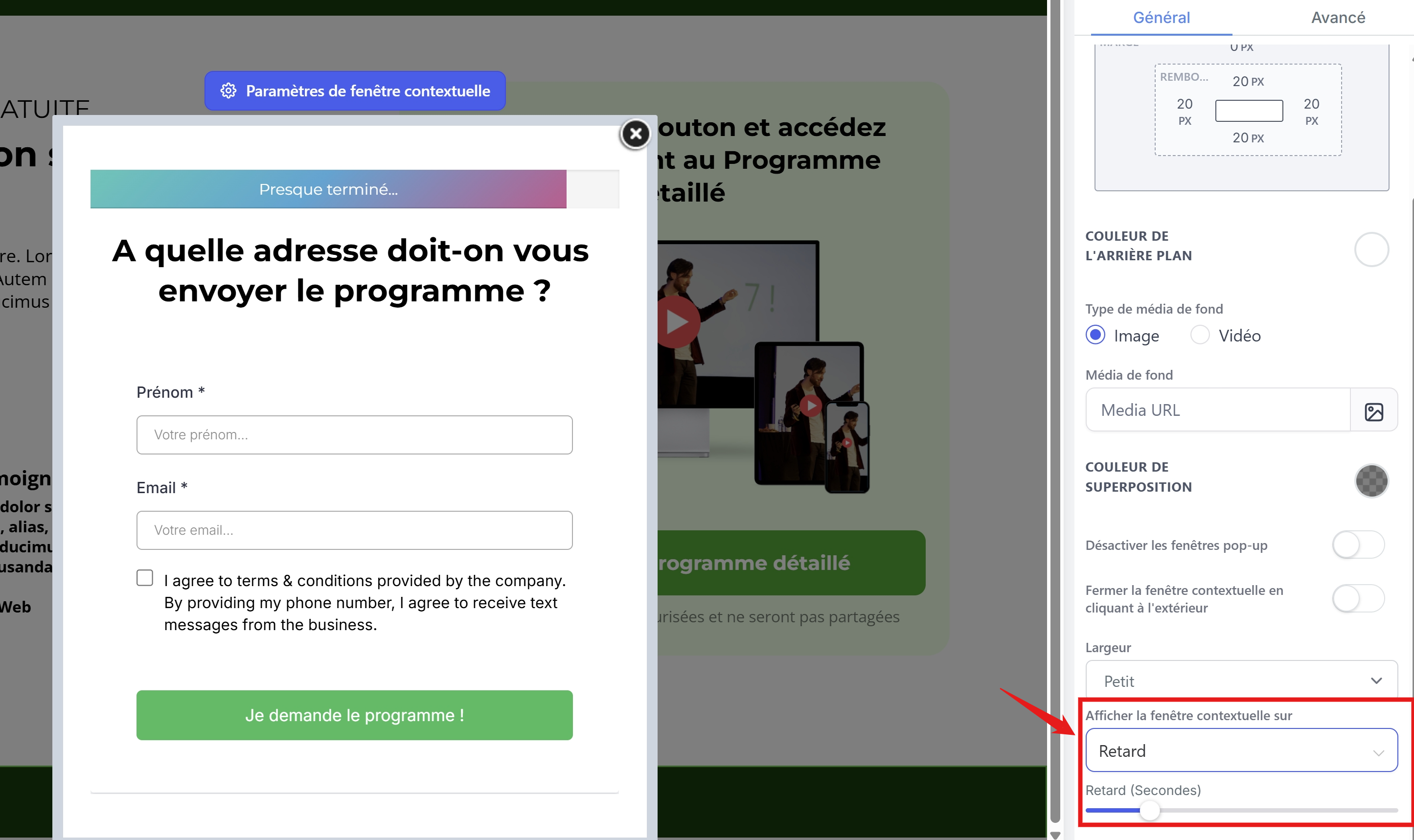
To trigger your pop-up window, you can enable the option in the settings to trigger the window after a certain amount of time (delay) or when the user attempts to leave the page (exit).
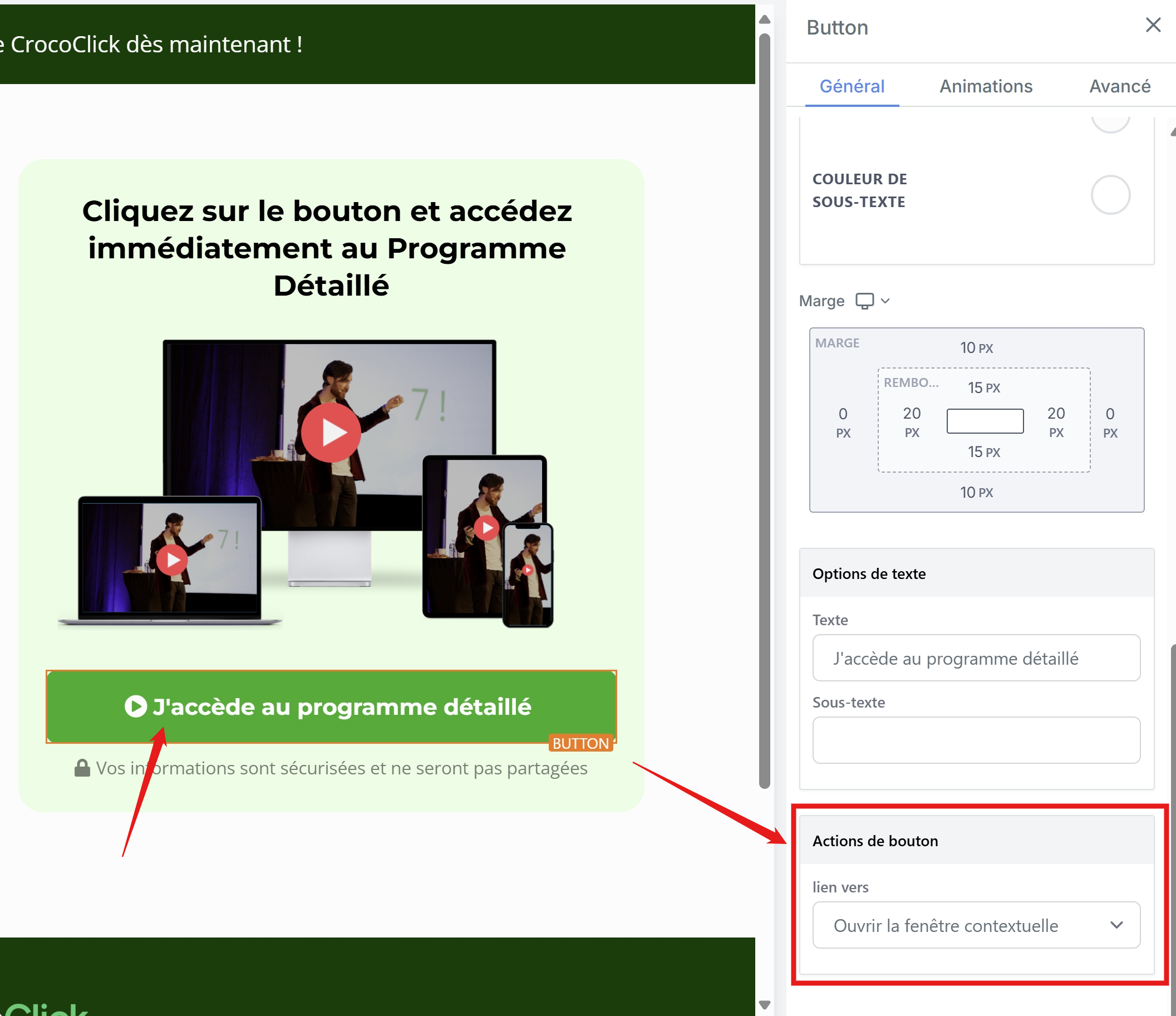
Alternatively, you can trigger the window when a button is clicked. To do this, go to your button’s settings and select the button action “open pop-up window”
Conclusion
By following these steps, you’ll be able to use CrocoClick pop-ups to capture your visitors’ attention and improve conversions on your site. Happy customizing!