Connect Google Postmaster Tools to monitor your e-mail reputation
Find out how Google Postmaster Tools analyzes your email reputation, spam rates and authentication, and how to connect it to CrocoClick to optimize your deliverability.
Written By Baptiste Lorreyte
Last updated 8 months ago
Google Postmaster Tools is one of the most important tools for understanding how Gmail perceives your emails, your domain reputation, your IP reputation, your spam rates, and the quality of your authentication (SPF, DKIM, DMARC).
If you regularly send emails via CrocoClick—newsletters, campaigns, automated sequences, etc.—Google Postmaster becomes your health dashboard.
In this article, you will discover:
What Google Postmaster Tools is
Why it is essential for your emails
How to set it up
How to connect it to CrocoClick
How to interpret its data to improve your deliverability
💡 TIP: To learn more, visit read our article on how to optimize your email deliverability with CrocoClick
What is Google Postmaster Tools?
Google Postmaster Tools is a free platform offered by Google that allows email senders to:
Monitor their domain reputation
Analyze their IP reputation
Understand their spam rates
Verify authentication (SPF, DKIM, DMARC)
Identify deliverability errors
In short: Google shows you how it sees your emails. This is an essential source of information for understanding why your emails arrive in the main inbox, in the promotions folder... or in spam.
💡 Postmaster only analyzes emails sent to Gmail addresses.
Why use Google Postmaster Tools?
Your reputation is the number one factor in deliverability.
If your domain or IP is poorly rated by Google, you may experience:
❌ Fewer emails in the inbox
❌ More emails placed in the Promotions tab
❌ A higher risk of ending up in Spam
❌ Lower open rates
Google Postmaster Tools allows you to:
✅ Monitor your domain & IP reputation: You know if Gmail "trusts" your sending infrastructure.
✅ Track spam complaints: If too many people mark your emails as spam → your reputation drops.
✅ Verify authentication: SPF, DKIM, and DMARC must be "valid" to protect your mailings.
✅ Detect problems before they become serious: You can take action before your reputation drops to the point of blocking your campaigns.
🚀 How does Google Postmaster help senders?
With Postmaster, you can:
🔍 Understand the cause of a drop in deliverability
Has your domain gone from "High" to "Medium"?
You can see the source right away: spam rate, errors, authentication, etc.
📈 Optimize your campaigns
By monitoring what Google likes (or dislikes), you naturally improve your open rates.
🛠️ Diagnose sending errors
High bounce rates, blocks, IP errors... everything is visible.
💡 Build a strong reputation
A good reputation = emails that arrive more easily in the main inbox.
How to set up Google Postmaster Tools?
1. Log in to Google Postmaster Tools
👉https://postmaster.google.com
Log in with your Google account.
2. Add your sending domain
E.g.:votre-domaine.com
This is the domain used to send your emails via CrocoClick.
⚠️ Your domain must be correctly configured: SPF, DKIM, DMARC.
3. Verify domain ownership
Google will give you a TXT record to add to your DNS.
Once added → click "Verify."
4. Wait for the data to appear
The data usually appears after 24 to 72 hours, sometimes longer if the sending volume is low.
How to connect Google Postmaster to CrocoClick?
CrocoClick can automatically display your Postmaster data in your interface. Here's how.
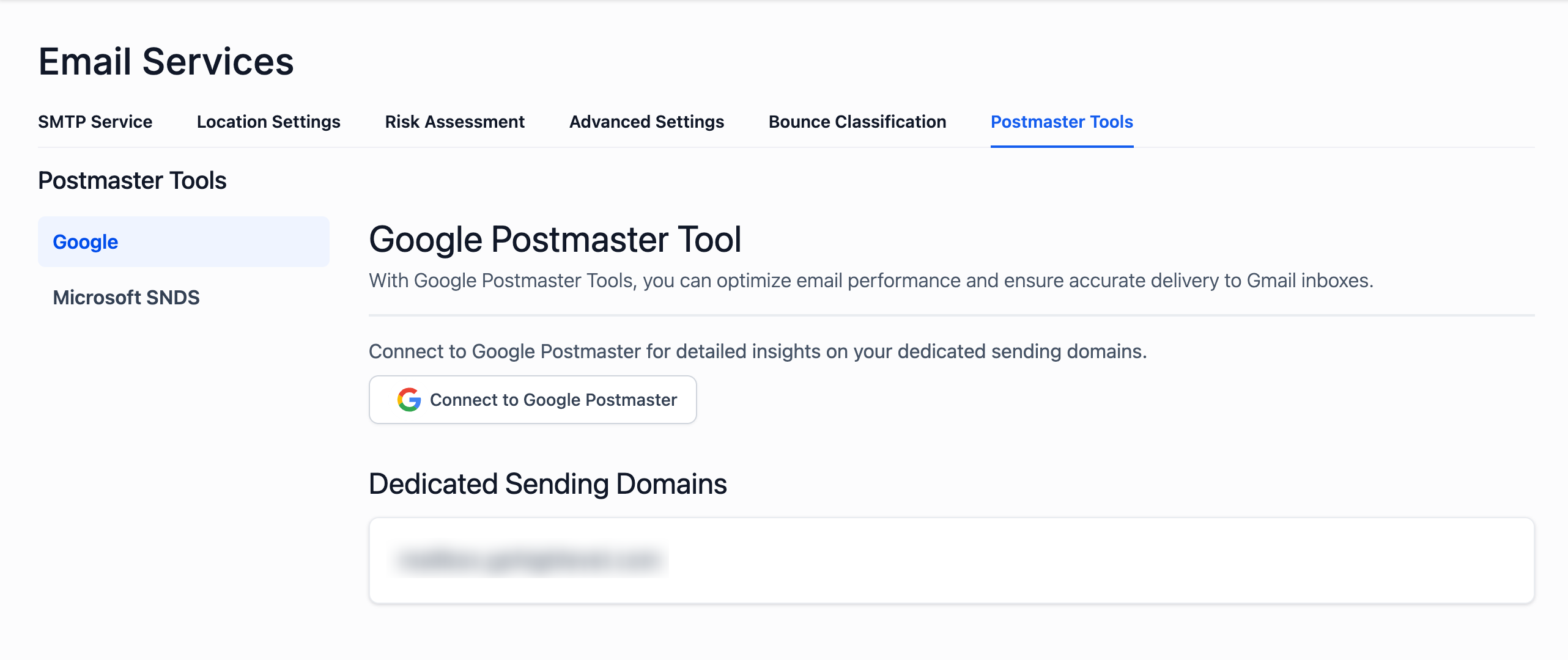
Step 1: Open the email settings
→ Settings
→ Email Service
→ Postmaster Tools
→ Google Postmaster Tool
Step 2: Click on "Connect to Google Postmaster"
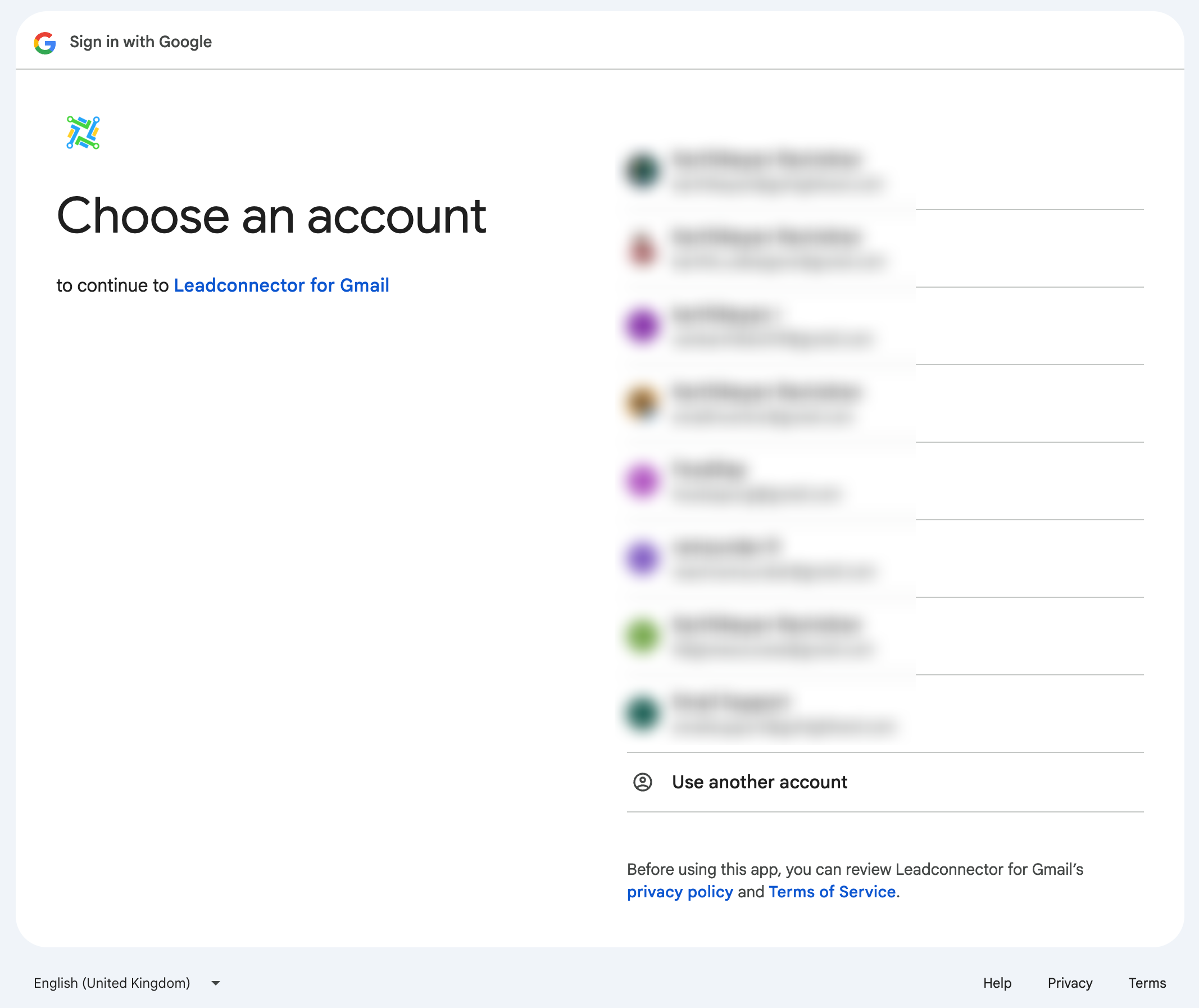
Step 3: Connect your Google account
Use the account that owns the domains added in Postmaster.
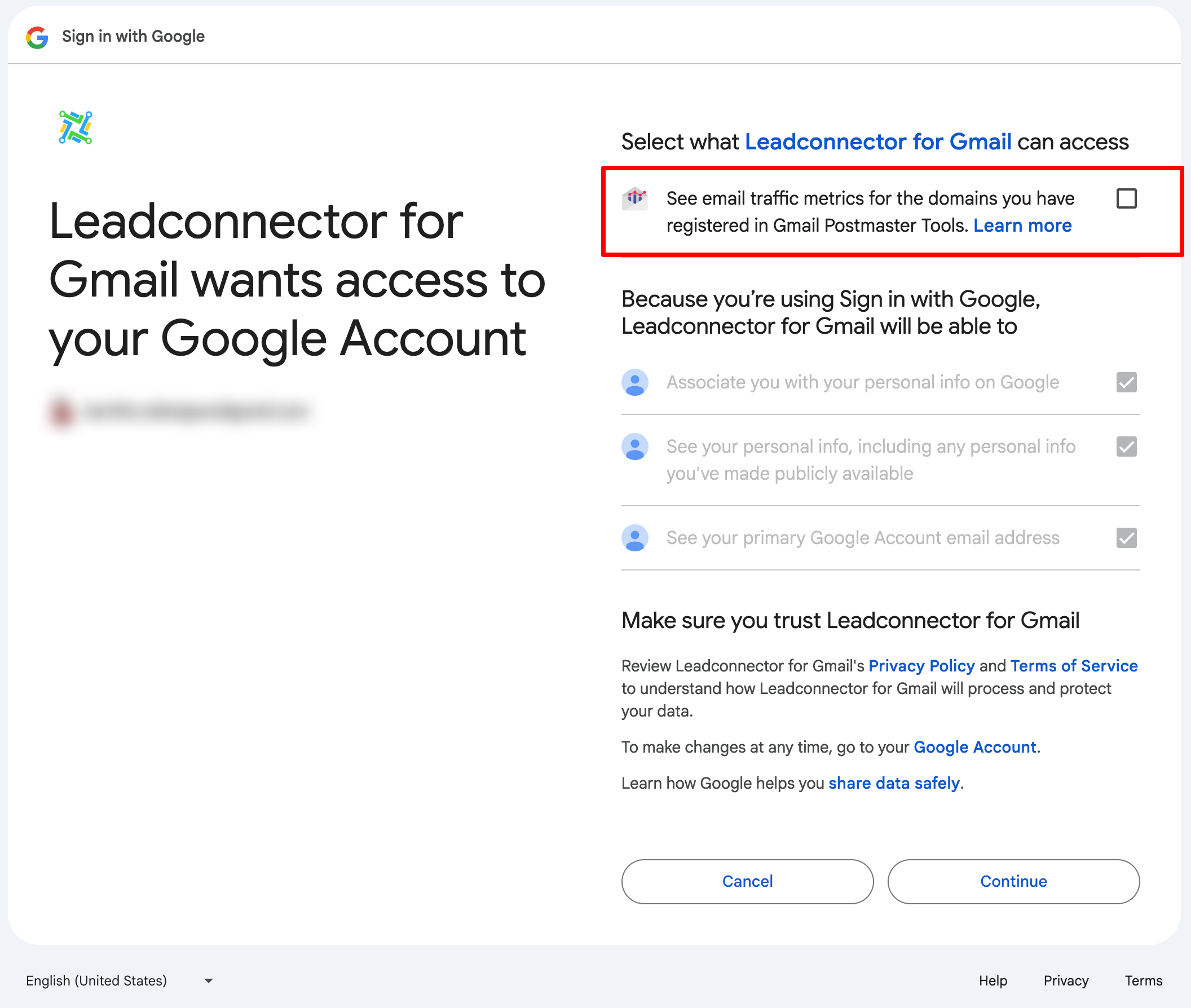
Step 4: Authorize access
Check:
✔️ "See email traffic metrics for the domains you have registered in Gmail Postmaster Tools."
Then click Continue.
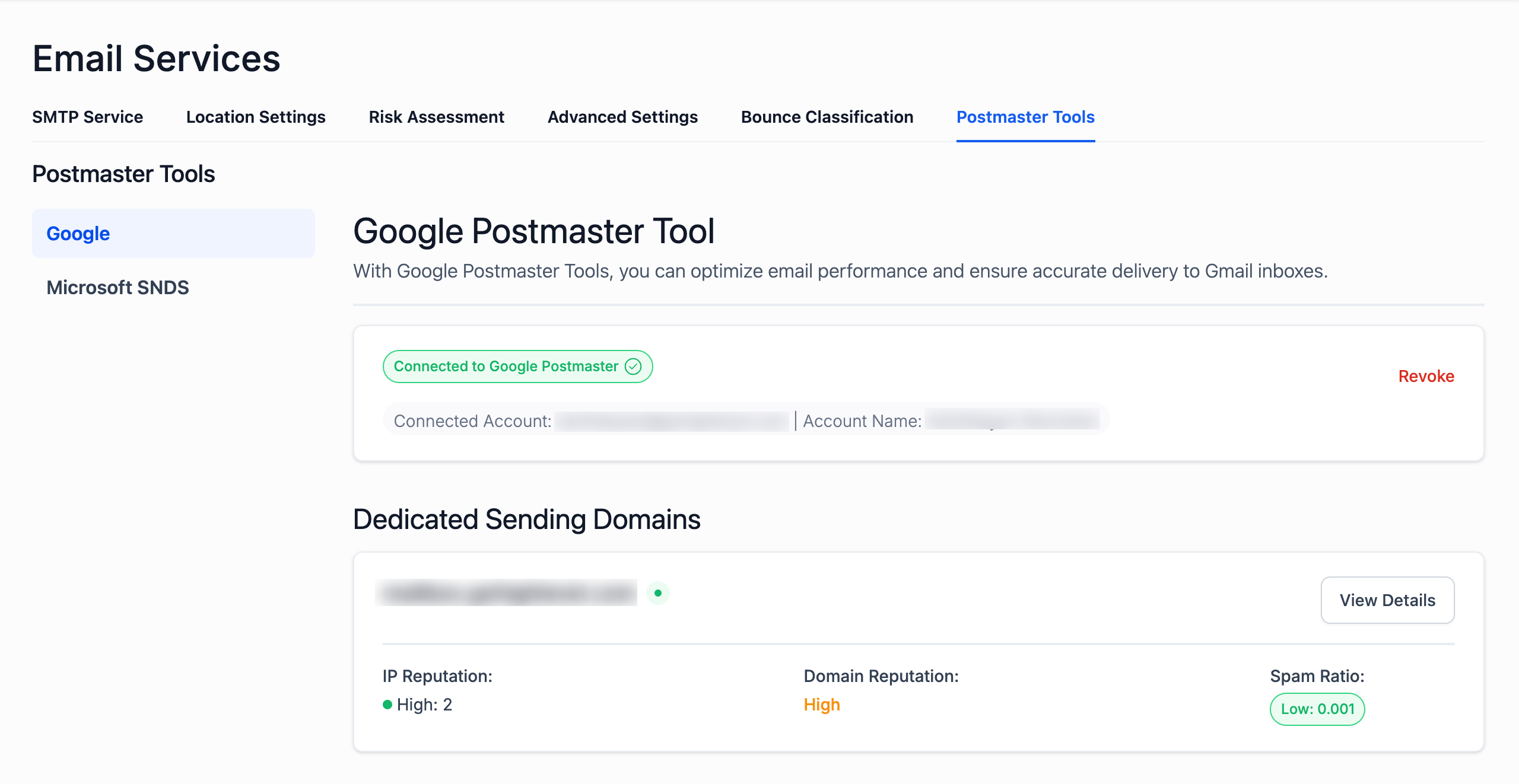
Once logged in, the domains you have verified will appear in CrocoClick.
Step 5: Analyze your data in CrocoClick
CrocoClick automatically retrieves:
domain reputation
reputation of IPs used
spam rate
authentication errors
deliverability errors
user reports
What indicators does Google Postmaster Tools provide?
Postmaster provides access to several essential dashboards:
📌 1. Domain Reputation
Defined as:
High
Medium
Low
Bad
The higher the reputation → the more likely your emails are to arrive in the main inbox.
📌 2. IP Reputation
Same scale as above. Mainly impacts dedicated IPs and not shared addresses due to the resilience and stability of shared addresses.
📌 3. Spam Rate
Percentage of emails marked as spam by Gmail users.
A high rate causes your reputation to drop very quickly.
📌 4. Authentication (SPF/DKIM/DMARC)
Tells you whether your emails pass technical checks correctly.
📌 5. Delivery Errors
Lists errors preventing your emails from being delivered.
📌 6. Encryption
Indicates whether your emails are sent via a secure connection.
📌 7. Feedback Loop
Shows actual spam reports from your recipients.
In summary
Google Postmaster Tools is THE essential dashboard for:
Monitor your reputation
Understanding your placement in Promotions or Spam
Diagnosing your open rate declines
Sustainably improving your deliverability
And the good news is: CrocoClick can automatically retrieve your Postmaster data to help you keep a constant eye on your reputation.