Gamification-related automation in CrocoClick communities
Set up gamification automation based on community ranking, with points allocation and advanced filters.
Written By CrocoTeam
Last updated 7 months ago
This guide explains how to trigger automations related to gamification levels in community groups. It shows you how to award points or react to a change in ranking (leaderboard). It also helps you avoid errors when the user is not a member of the correct group.
1. Trigger: Ranking level changed
Objective: Launch an automatic action when a user reaches a new level in a community group ranking.
How to do it
Go to Automations > Workflows
Create or edit a workflow
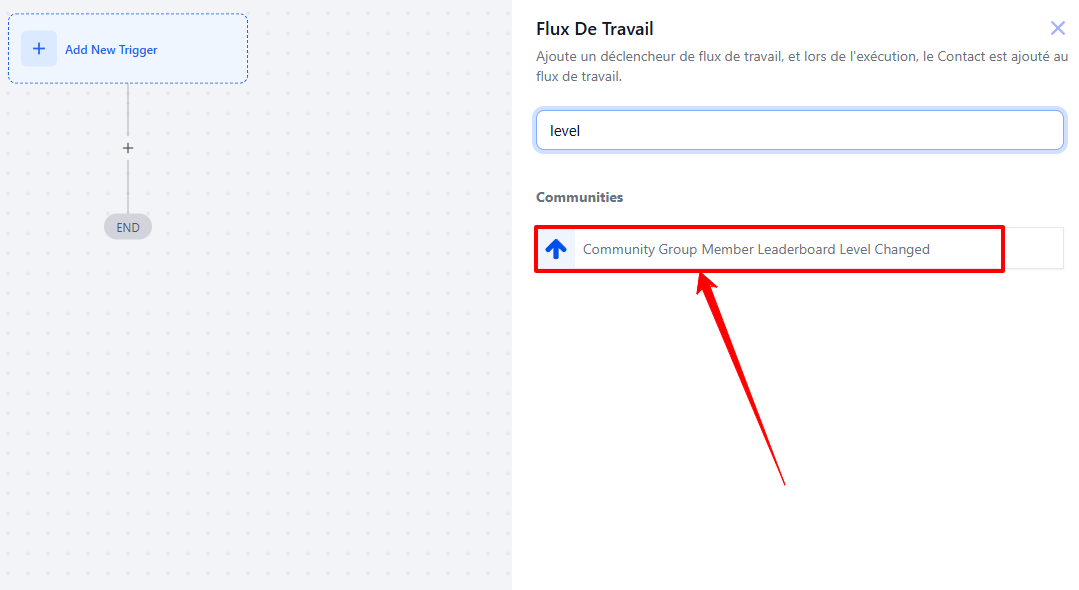
Select the "Community Group Member Leaderboard Level Changed" trigger
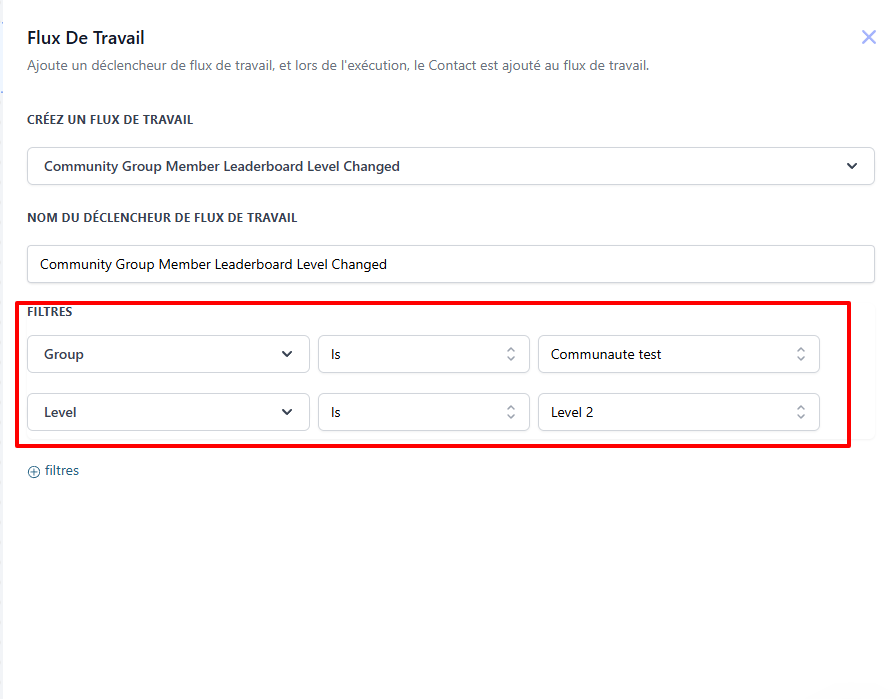
Configure the filters:
Choose the relevant group
Define the levels to be taken into account (e.g., transition from level 1 to 2) (optional)
Examples of use:
Send a congratulatory email when a member reaches a new level
Unlock a bonus or reward
2. Action: Award points to a member
Objective: Automatically reward a member by awarding them gamification points when they perform a specific action.
How to do it
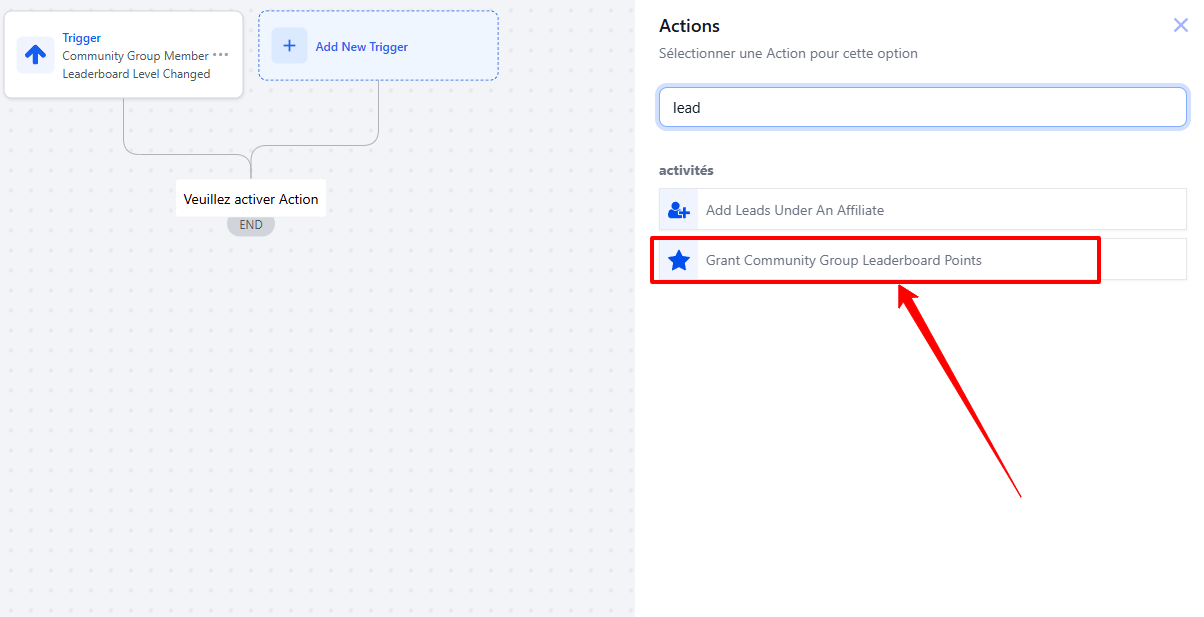
In the workflow, add an action
Select "Grant Community Group Leaderboard Points"
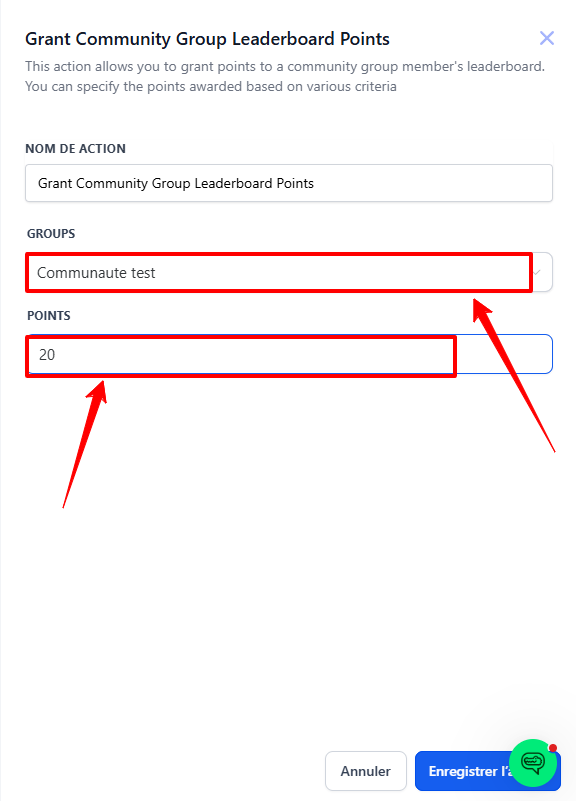
Configure:
The number of points to award
The relevant group (via a drop-down menu)
💡 TIP: If the person is not a member of the selected group, the automation will fail.
✅ Examples of use:
Add points when a member comments on a post, participates in a live event, or completes a module
Motivate members to get involved in the community to move up in the rankings
Conclusion
With these automations, you can strengthen engagement in your communities by linking concrete rewards to your members' actions. Combine the right triggers and actions to create an interactive, fun, and motivating experience.