Understanding the difference between "Templates" and "Campaigns" Email
Discover the difference between email templates and email campaigns in CrocoClick, and learn when to use each option to send consistent, effective and automated emails.
Written By CrocoTeam
Last updated 8 months ago
In CrocoClick, emails are deliberately separated into two distinct elements:
Email templates → reusable structure
Email campaigns → one-off mailings to a specific audience
This distinction allows you to:
save considerable time,
maintain visual and editorial consistency,
structure your emails like a real system.
1. What is an email template?
An email template is a reusable email. It is the basis, the framework on which you will build your mailings.
👉 As soon as you need to use the same type of email several times (newsletter, follow-up, automatic email, etc.), you should create a template.
An email template can contain:
Your logo and color palette
Fixed blocks:
header
footer
links to your social media accounts
Recurring images, buttons, or calls to action
A template is never sent directly. It serves as a basis for:
an email campaign
or automation
💡 We recommend creating a template for each recurring use:
Newsletter
Shopping cart reminder
Promotional announcement
Transactional email
Then, all you have to do is duplicate and adapt the content. Simple, clean, effective.
2. What is an email campaign?
An email campaign is a one-time mailing to a defined audience.
👉 It's the email you send at a specific time to specific contacts.
A campaign:
is always based on an email template
allows you to customize:
the subject line
the pre-header
the content
the audience (contacts, smart lists, tags)
the date and time of sending
Concrete example
Email template: "CrocoClick Newsletter"
Email campaign: "Summer promotion – Special offer for subscribers"
Same structure. Different message. Targeted audience.
3. What about Automations?
Automations allow you to send emails automatically, based on a trigger:
Registration
Appointment
Purchase
Inactivity, etc.
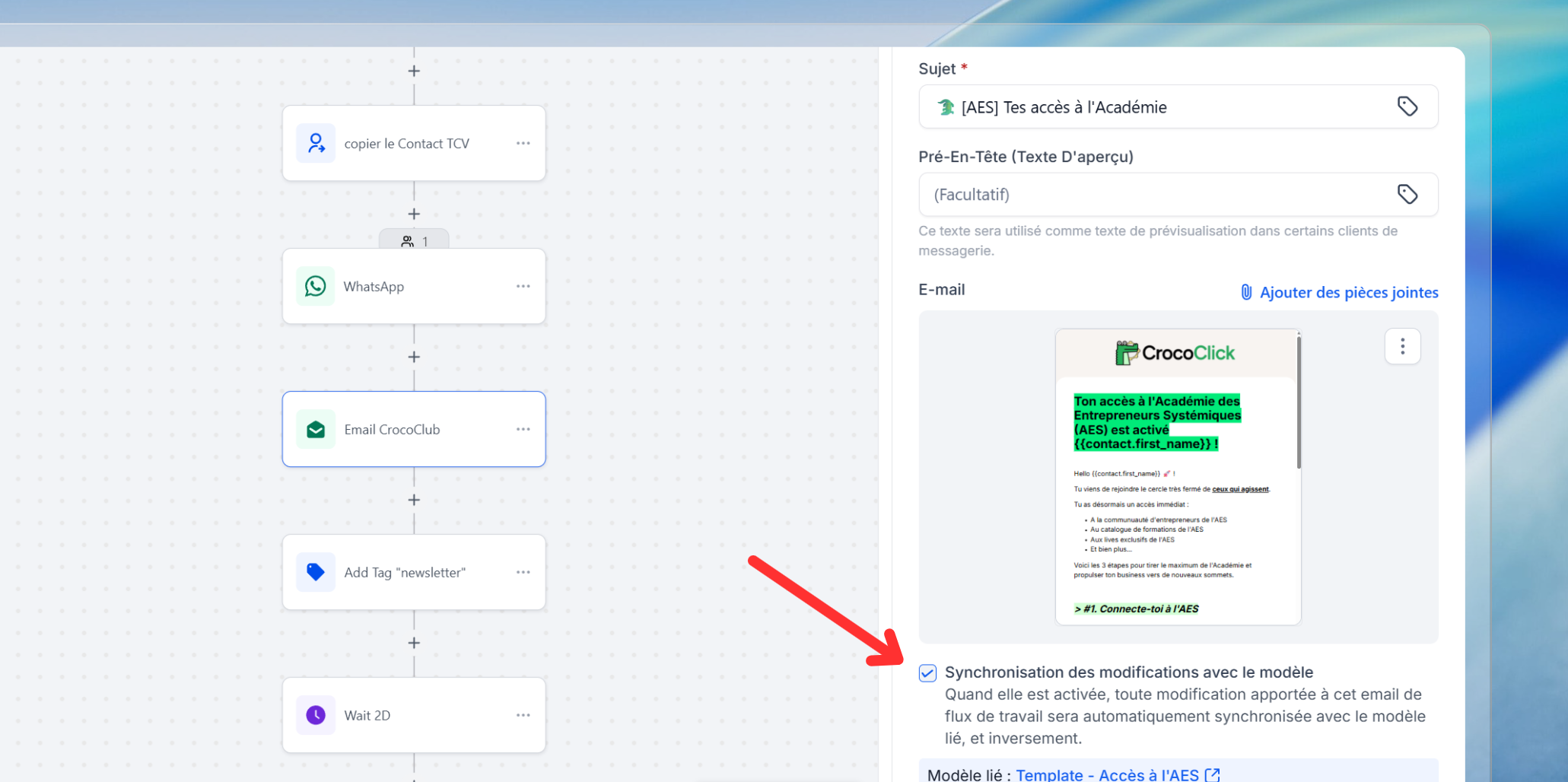
👉 Since these emails are sent repeatedly, CrocoClick only works with email templates in automations.
You can then choose whether or not to "synchronize" your email template with the automation.
If the template is synchronized, then changes to the template in the automation will affect the original template.
If the template is not synchronized, then changes to the template in the automation will not affect the original template, and vice versa.
Simple rule
Automation = Mandatory email template
Email campaigns are only used for one-off mailings