Manage and update your WhatsApp Profile
Update your WhatsApp Business profile directly in CrocoClick to enhance your image and boost trust.
Written By CrocoTeam
Last updated 8 months ago
Your WhatsApp Business profile is your company's showcase: business name, description, address, website, etc.
This information reassures your contacts and encourages engagement. Good news: you can now update it directly from CrocoClick.
STEP #1: Access your profile
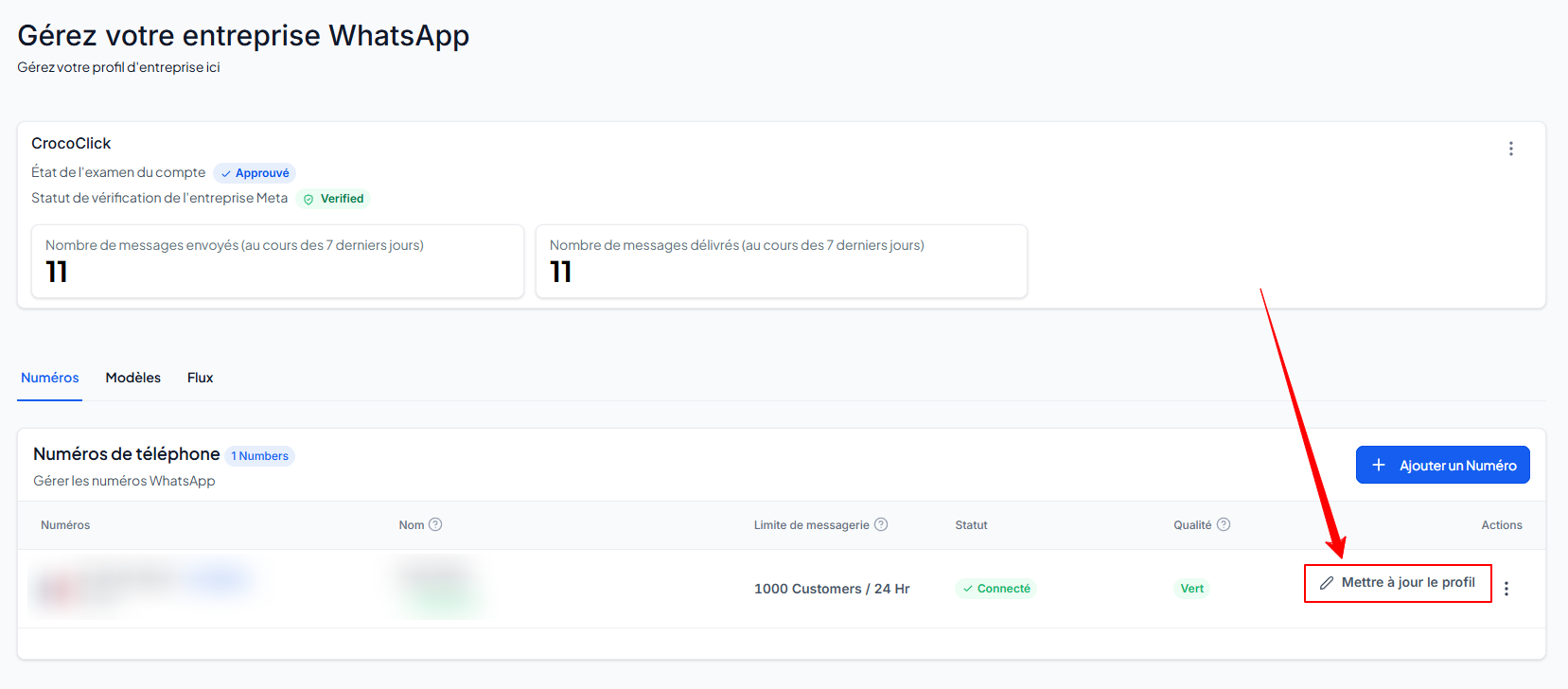
Go to Settings > WhatsApp.
In the Numbers tab, click Update Profile next to the relevant number.
STEP #2: Edit the information
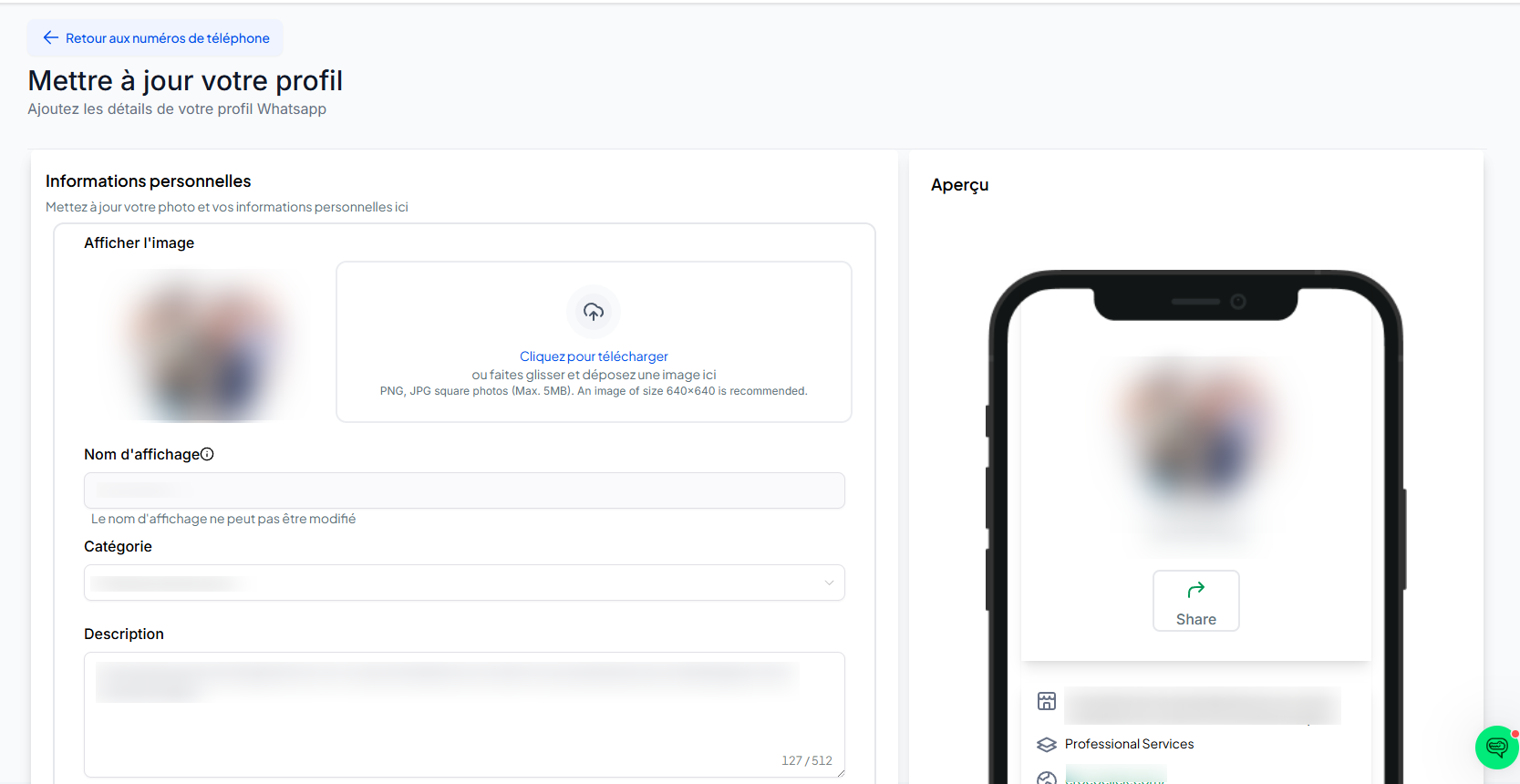
Click on each field (name, description, address, URL, etc.) to edit it.
The preview on the right shows what your customers will see in WhatsApp.
STEP #3: Save
When everything is correct, click Save. Your profile will be updated immediately on WhatsApp.
Conclusion
Maintaining a complete and up-to-date WhatsApp Business profile builds trust, improves the customer experience, and supports your marketing efforts.
With CrocoClick, updating takes just a few seconds: open the settings, edit, preview, save... and your digital storefront will always be aligned with your brand image.
💡TIP: If your customers see your number but not your company name, it's often a business validation issue. By validating your business in Meta Business Manager, your name should appear in chats.