Using trigger links to trigger automation
Discover how to use trigger links in automations to personalize your marketing actions.
Written By CrocoTeam
Last updated 6 months ago
A trigger link is a clickable link that, when clicked by a contact, records the action and automatically triggers predefined steps in an automation.
When included in emails or SMS messages, it allows you to respond immediately to a user’s behavior, such as sending a follow-up message, adding a tag, or sending an email. By using trigger links, you can track interactions accurately while optimizing your campaigns.
Examples of use:
Add a tag to identify interested contacts.
Send an email or SMS to confirm an appointment.
Move an opportunity in your CRM pipeline.
Notify your team via an internal alert.
Send a satisfaction survey after an appointment.
Step 1: Create your trigger link
Before you begin, make sure you’ve already created a trigger link. Here’s how:
Go to the Trigger Links section:
Go to Marketing > Trigger Links > Links.
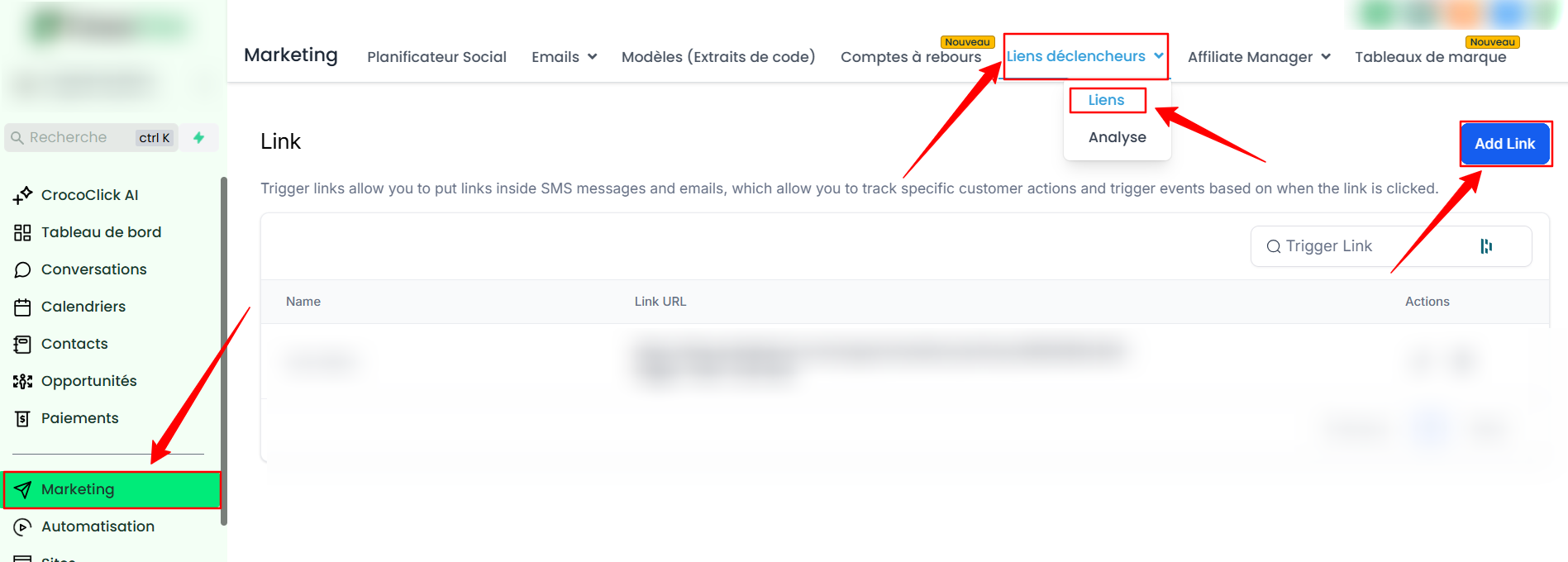
Create a new link:
Click + Add Link.
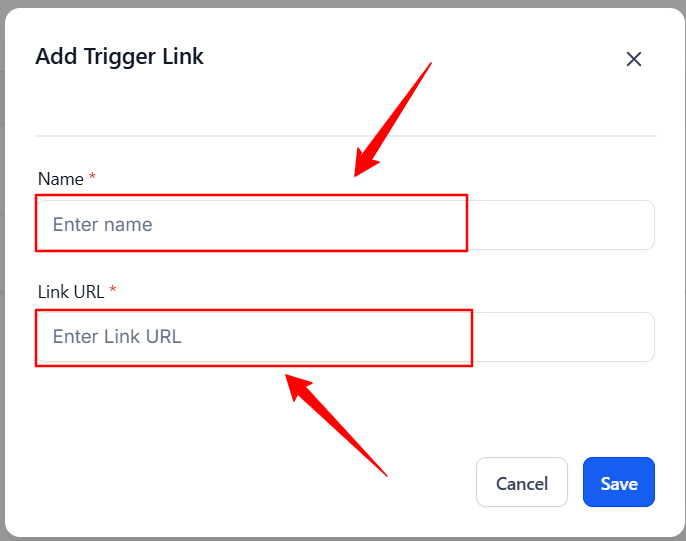
Name your link and add a target URL or a custom value if needed.
Click Save.
Step 2: Set up your automation with a trigger link
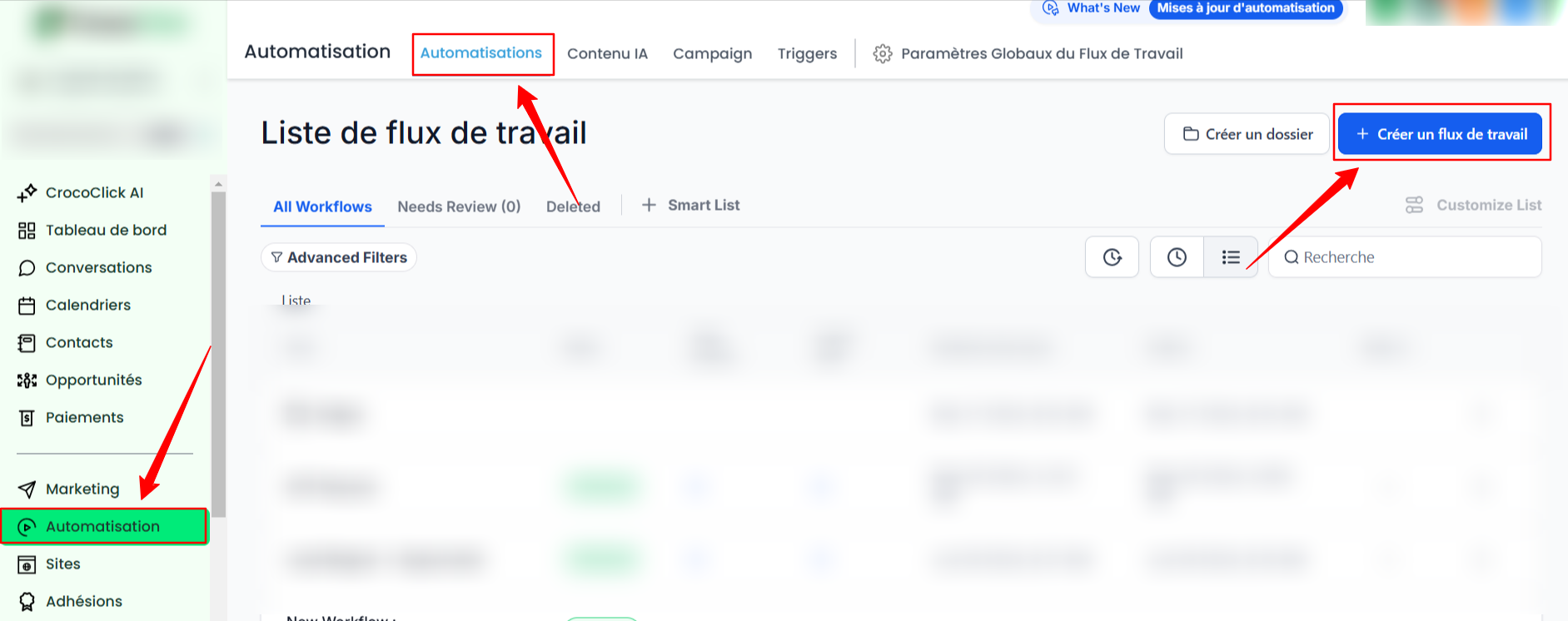
Go to the Automation section:
Go to Automation > Automations > + Create a workflow.
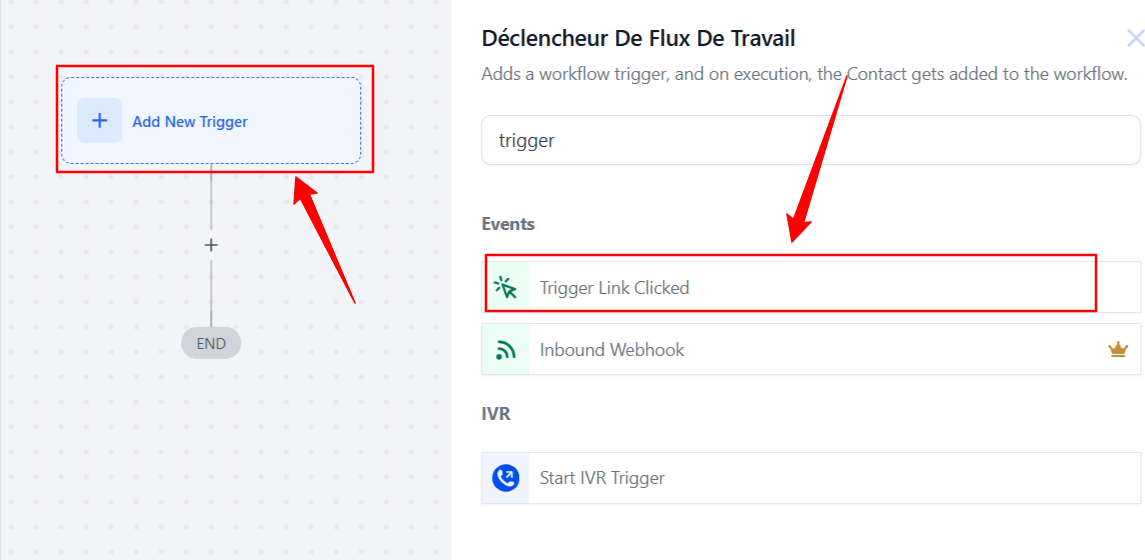
Add a trigger:
Click + Add new trigger.
Select Trigger Link Clicked as the trigger.
Select the trigger link you created.
Conclusion
Integrating trigger links into your CrocoClick automations simplifies your marketing processes while improving your efficiency. With personalized actions based on your contacts’ clicks, you can deliver a tailored experience and maximize engagement.