How to configure and install Chat Widgets on your sites
With the CrocoClick chat bubble, engage your visitors at the key moment: instant support, integrated AI, unified WhatsApp and live chat. Improve the customer experience, reduce abandonment and turn more prospects into loyal customers 24/7.
Written By CrocoTeam
Last updated 6 months ago
The CrocoClick Chat Bubble is one of the most powerful tools for turning a casual visitor into a qualified lead.
It allows you to chat in real time, provide instant help, and automate part of your customer support—directly from your website or sales pages.
What is a Chat Widget?
The CrocoClick Chat Widget is a chat bubble that can be integrated into your websites or sales funnels.
It allows your visitors to start a real-time conversation via:
Live Chat
Email/SMS
WhatsApp
All conversations are then centralized in your CrocoClick Unified Inbox.
👉 Result: You engage your visitors when they need it most, without them leaving your page.
Key Benefits
Instant support
Your prospect has a question → they click → they get an answer.
👉 Result: more trust, less hesitation to buy.
Premium customer experience
No more impersonal forms or emails that go unanswered for 48 hours.
👉 Result: your customers feel supported and valued.
Boosted conversion
The chat pops up right at the critical moment (cart, checkout, product page).
👉 Result: fewer cart abandonments, more sales.
Proactive engagement
You can trigger an automatic chat window based on the visitor’s behavior.
👉 Result: You stay in control of the conversation before they leave.
Cost reduction
You can integrate the Chat Widget with CrocoBot AI to let your chatbot handle recurring questions (pricing, hours, processes).
👉 Result: You and your team save time and can focus on high-value leads.
Support scalability
An agent can handle multiple conversations at the same time.
👉 Result: You scale your customer service without blowing your HR budget.
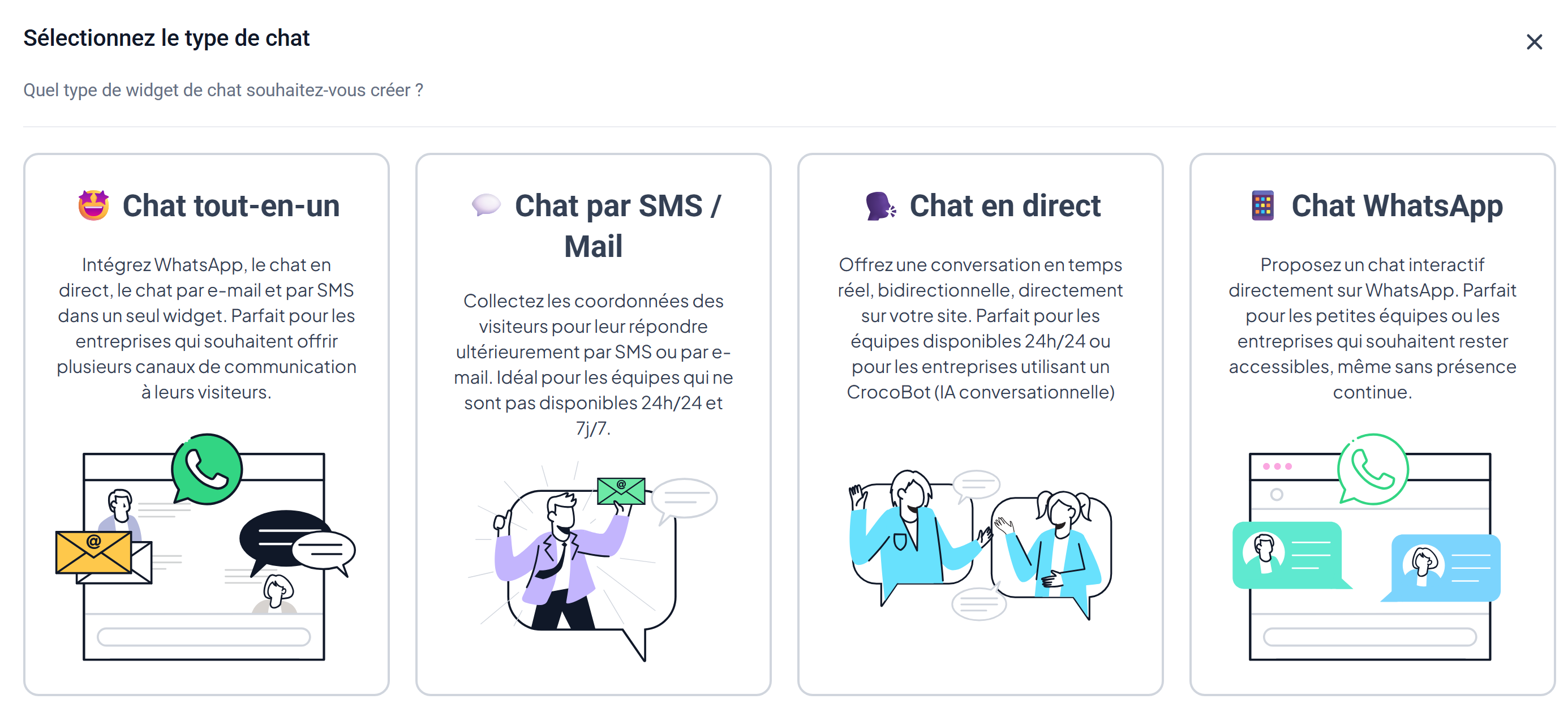
Available Chat Types
Email & SMS Chat
Collects visitor information and lets you respond later via email or SMS. Ideal for small teams.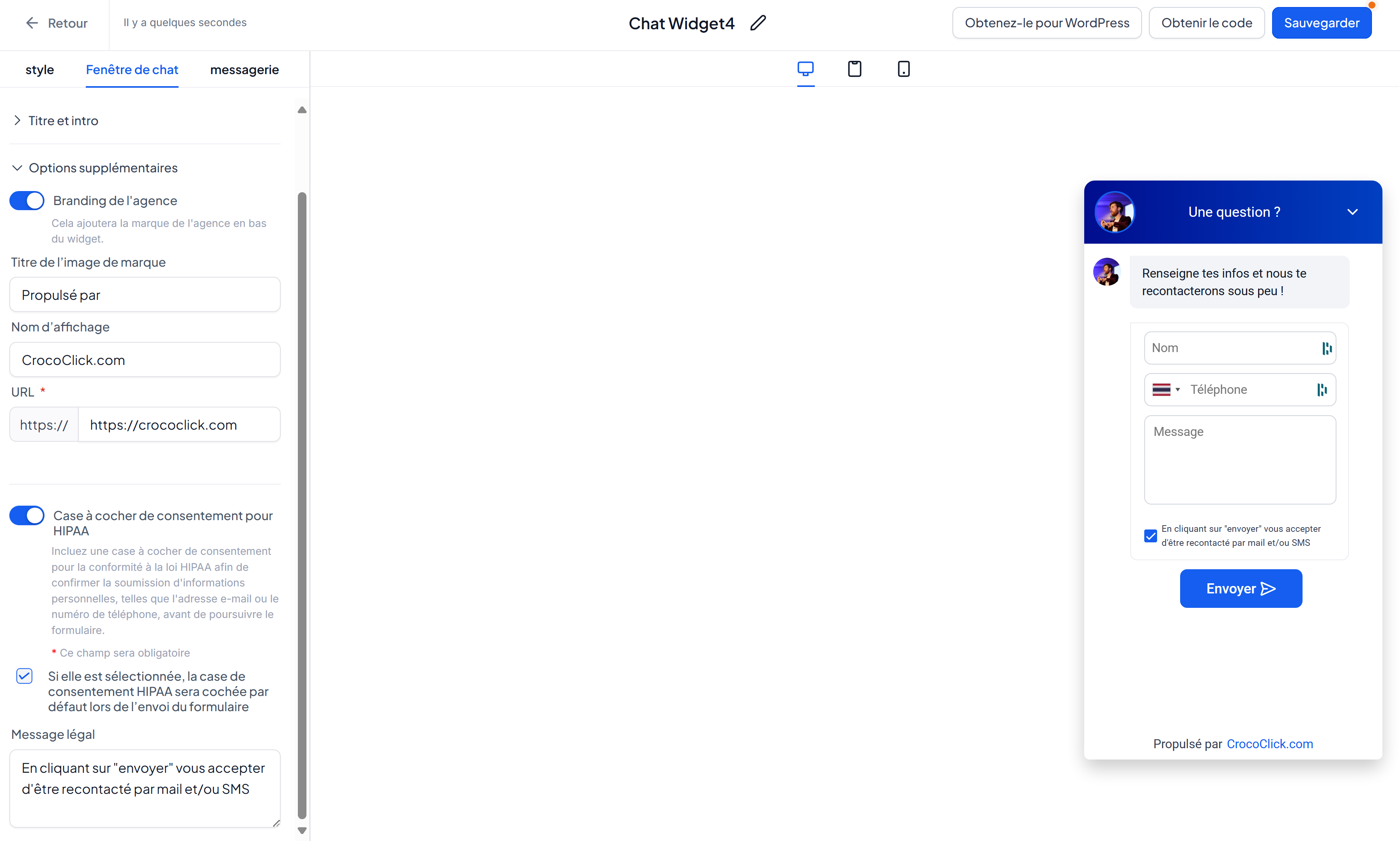
Live Chat
Instant live conversation. Perfect if you have an online team or use conversational AI.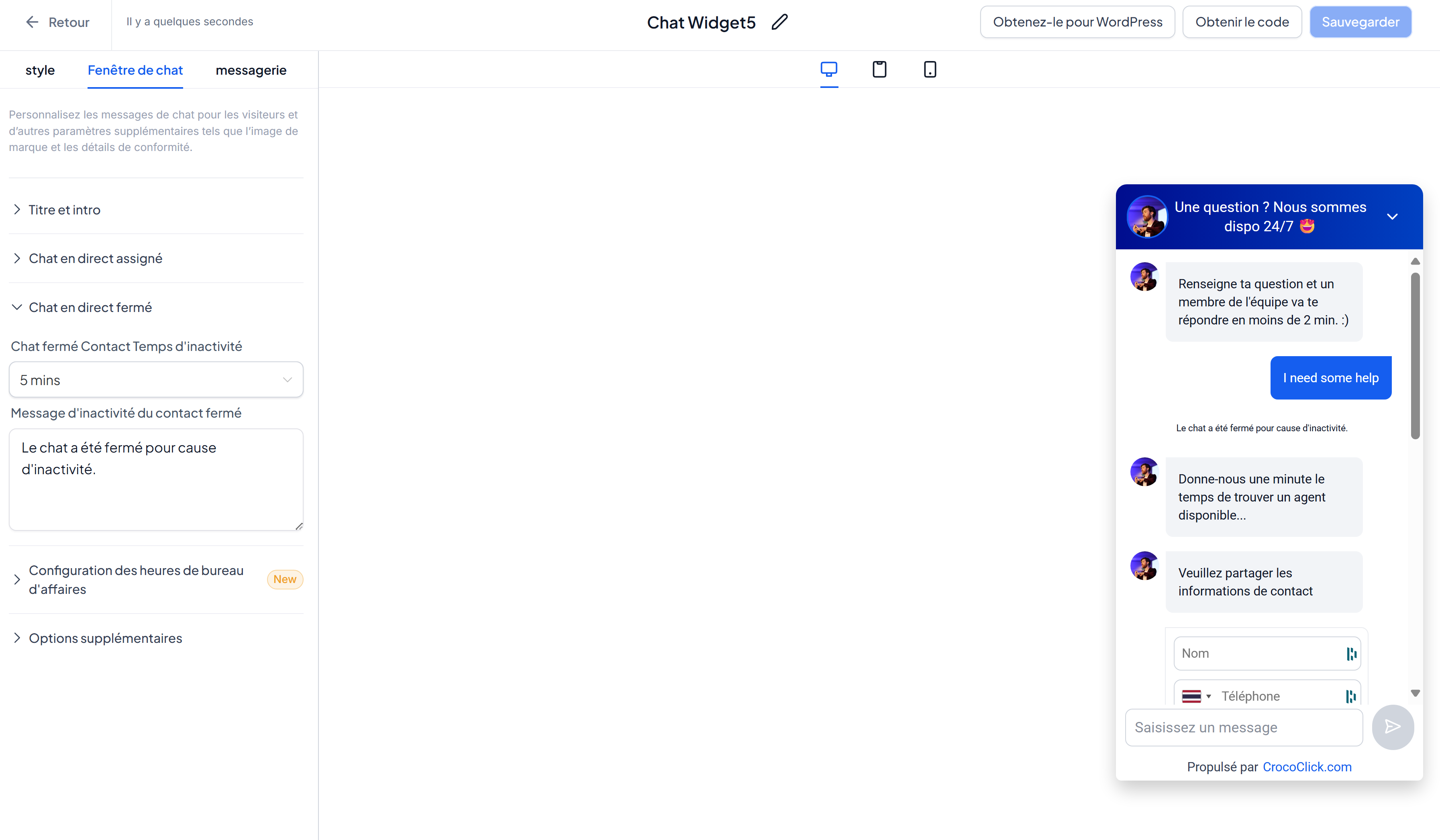
WhatsApp
Chat Integrated chat via WhatsApp (requires a verified number). A good choice if you’re not available around the clock and want an easy-to-use communication channel for your prospects
All-in-One Chat
Combines Live Chat, Email/SMS, and WhatsApp into a single widget. The visitor chooses their preferred channel.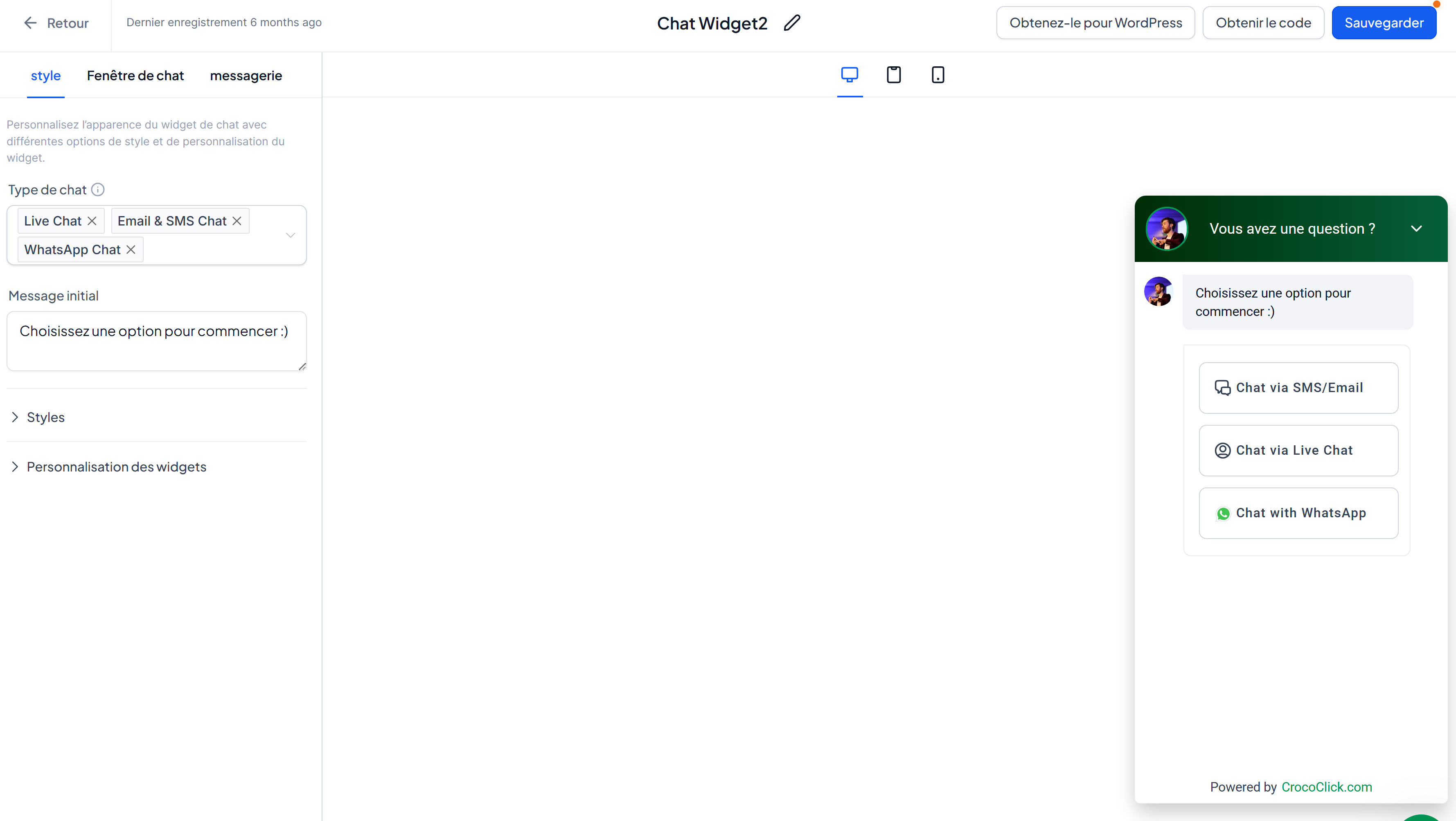
AI Voice Chat (coming soon) AI voice
assistant integrated into the chat bubble. Responds, qualifies, and assists 24/7 without human intervention.
Use Conversational AI in the Chat Widget
Activate CrocoBot AI directly in the chat bubble:
Automatic visitor greeting.
Instant responses 24/7.
Lead qualification even when you’re away.
💡TIP: For advanced configuration, read the article CrocoBot IA - Complete Guide .
How to set up a Chat Widget
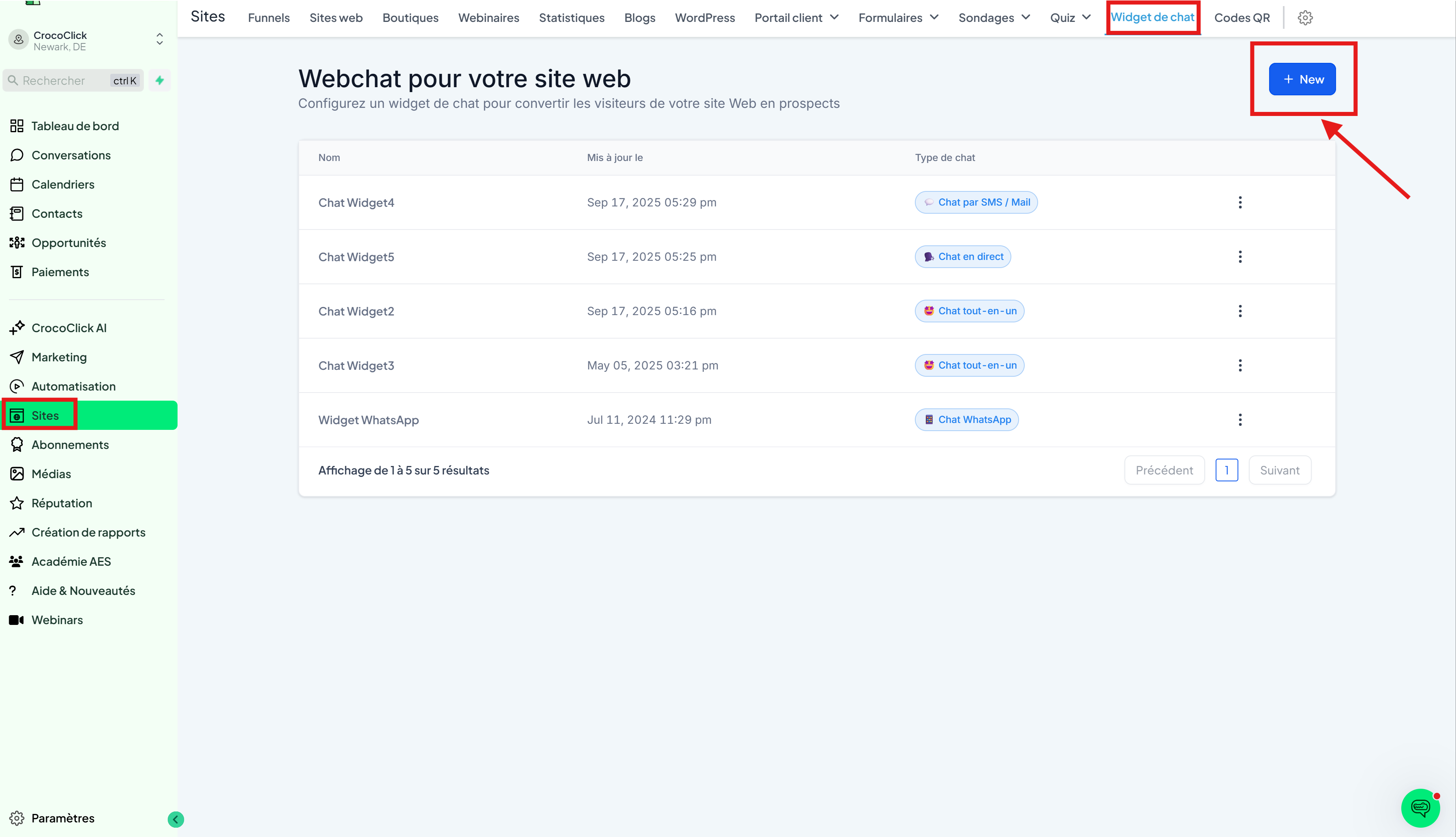
Go to Sites > Chat Widget.
Click New to create a widget.
Choose the desired chat type.
Configure the settings:
Widget: theme, icons, welcome message, avatar, position, and size.
Chat Window: title, intro message, form, brand URL, compliance checkboxes.
Messaging: read receipts, icons, widget language.
Insert a Chat Widget via embed code
Once your widget is configured, click "Get Code" and copy the widget code.

Once on your website/funnel page, click the Tracking Code icon (</>).
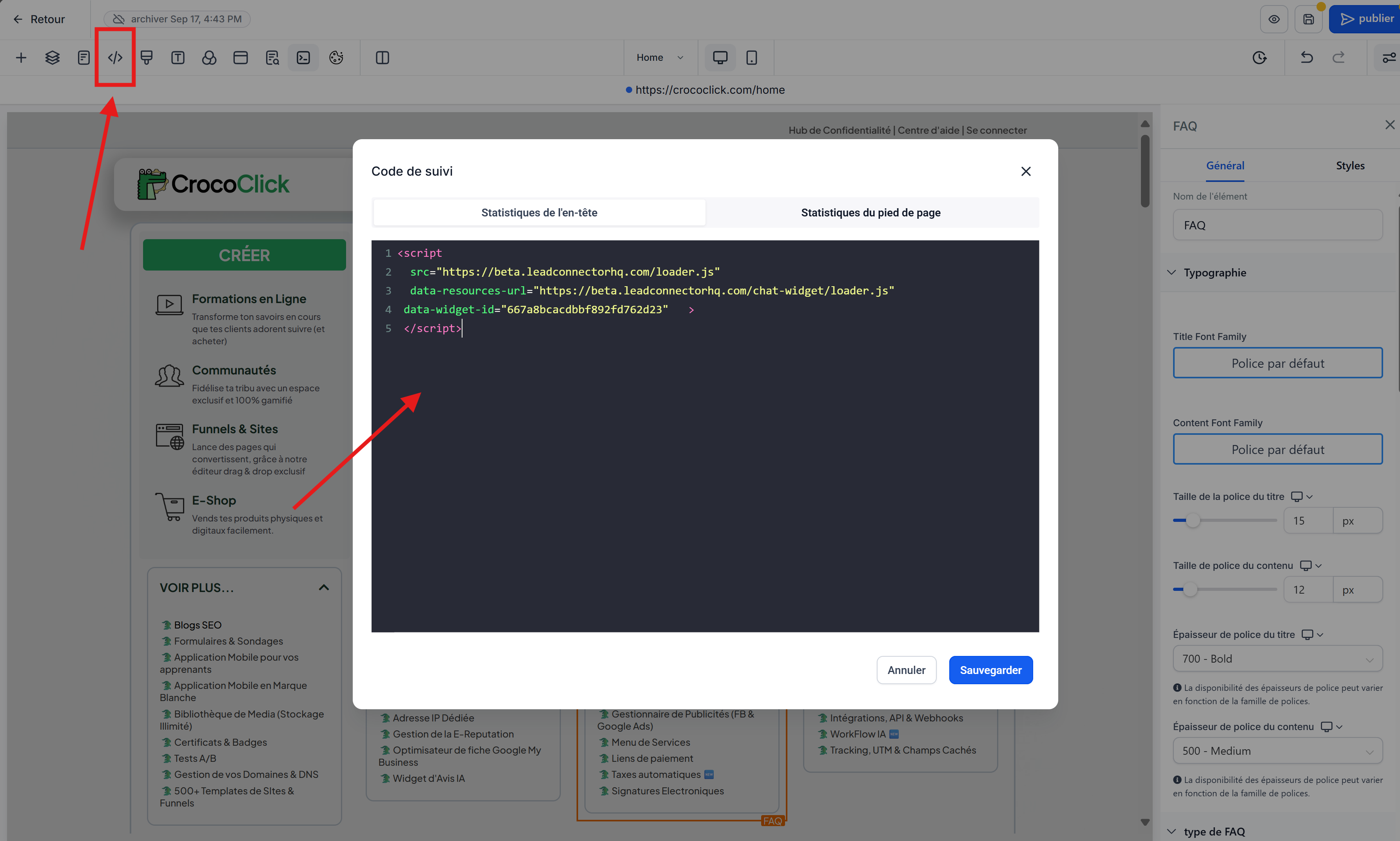
Paste the code.
Save.
Insert a Chat Widget via Settings
Open the site or funnel settings.
In the Chat Widget section, select your widget.
Click Save.
Frequently Asked Questions (FAQ)
Q: Can I customize the chat message based on the page?
No, the message remains the same across the entire site. However, you can create multiple chat widgets to display on different pages.
Q: Can I create multiple widgets in a sub-account?
Yes, you can add multiple chat bubbles to the same site using the "embed code" integration.