How do I send a request for advice to a customer?
Send a notification request to a customer from CrocoClick, manually or automatically, via a workflow or the Reputation tab.
Written By CrocoTeam
Last updated 8 months ago
Sending a request for reviews to your customers is an excellent way to strengthen your online reputation, boost your local SEO, and build lasting trust. In CrocoClick, you can do this manually or automatically, depending on your needs. Here's how to do it.
Why are customer reviews important?
They increase your sales and conversions by reassuring future buyers.
They improve your local SEO (especially via Google)
They build trust with your visitors
They allow you to offer a better customer experience
Prerequisites before sending a review request
Before you get started, make sure you:
Connect your Google Business Profile listing to CrocoClick
Enable the Request Review feature in your sub-account settings
Customize your email or SMS sequences to reflect your brand tone
3 ways to send a review request
1. From Quick Actions (manual)
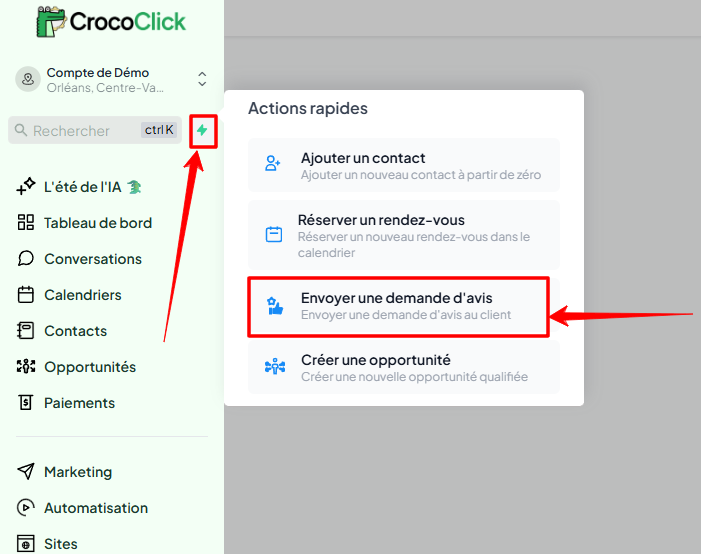
In your dashboard, click on Quick Actions and then on Send a review request. This allows you to contact a customer in just a few clicks.
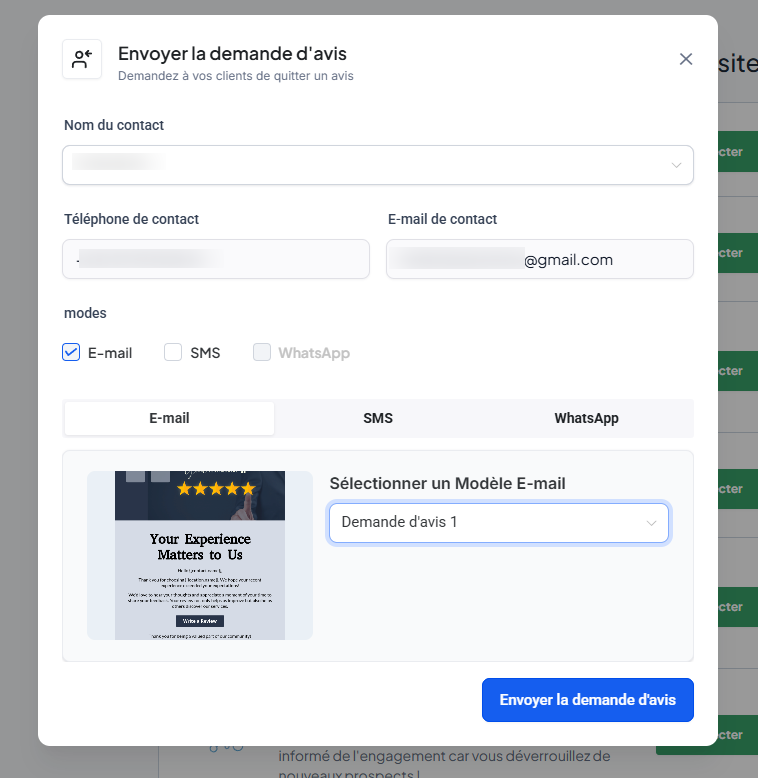
💡 TIP: The message will be sent from the user currently logged in.
2. Via a workflow (automation)
To automate your review requests, use the Send a review request action in a workflow. You can choose to send it by email or SMS.
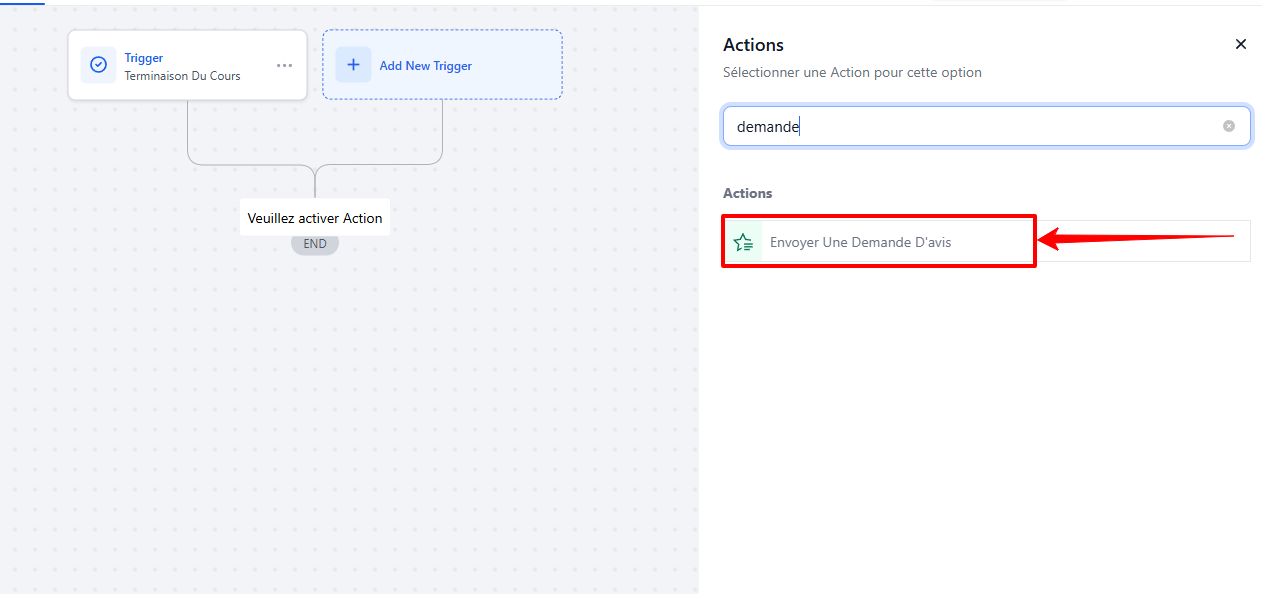
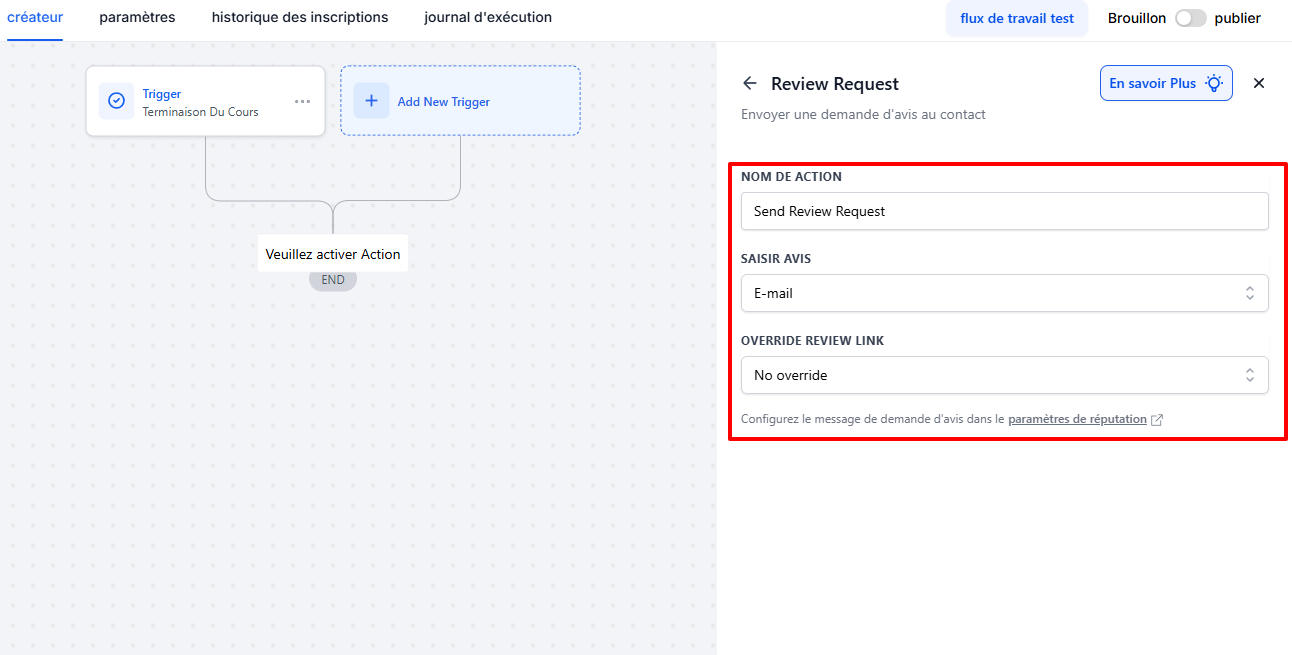
This allows you, for example, to automatically send a review request after an order, an appointment, or any other completed action.
3. From the Reputation tab (manual)
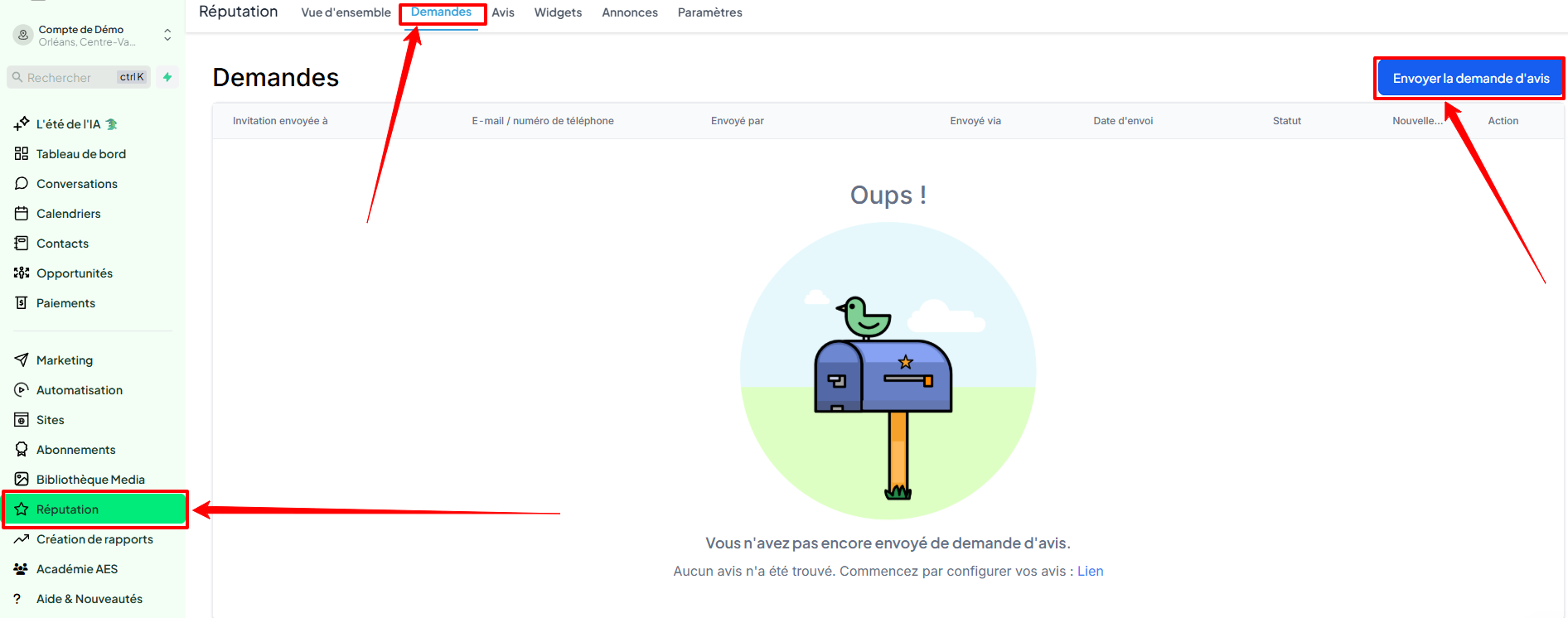
Go to the Reputation tab > Requests. Here you can:
Send an individual review request
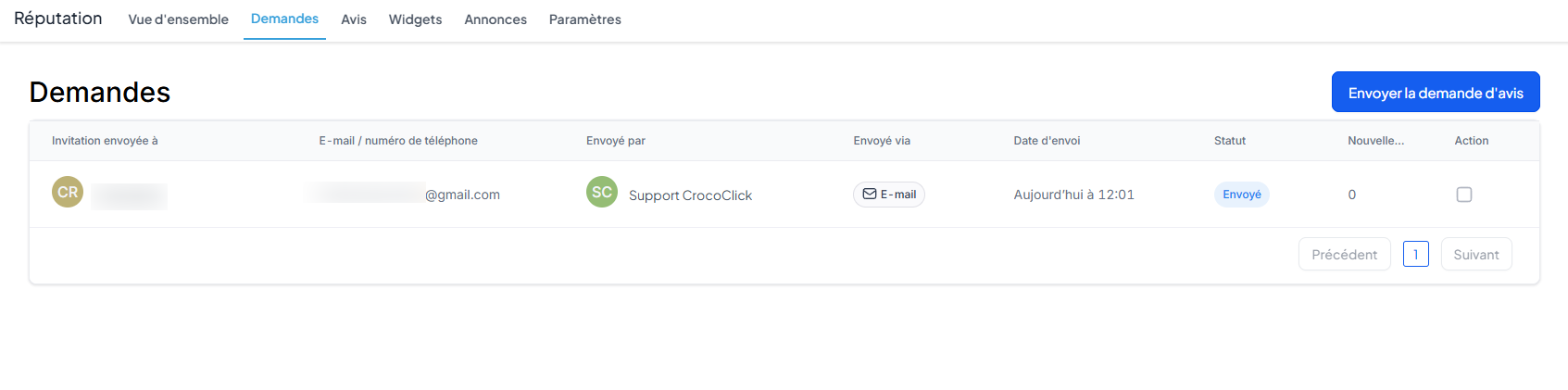
Track review requests that have already been sent
Check their status (sent, delivered, failed, etc.)
Understand the sending statuses
Queued: the request is waiting to be sent
Sent: the request has been sent
Delivered: the request has been received (SMS only)
Failed: the request could not be sent (invalid number, etc.)
Conclusion
By following these steps, you can effectively solicit reviews from your customers and improve your visibility, image, and online sales.