Understanding CrocoClick's Smart Lists & Tags (and when to use them)
Organize your contacts in CrocoClick with tags and smart lists for targeted campaigns and effective segmentation.
Written By CrocoTeam
Last updated 14 days ago
In CrocoClick, tags and smart lists allow you to efficiently organize your contacts and create targeted campaigns.
They help you structure your subscribers according to their specific behaviors, preferences, or actions to optimize your marketing communications.
Unlike platforms with multiple lists, CrocoClick groups all your subscribers into a single database.
Thanks to tags and smart lists, you can easily filter, segment, and automate your interactions in a flexible and precise manner.
What are tags in CrocoClick?
Tags are labels that you apply to your subscribers to create groups based on common characteristics or specific actions. They allow you to classify your contacts permanently and manually.
Example tags:
"Newsletter subscriber": Tag everyone who has subscribed to your newsletter.
"Webinar participant": Tag subscribers who have attended a webinar.
"VIP subscription customer": Identify your customers who have taken out a subscription offer.
These tags will remain attached to the subscriber until they are manually deleted or via automation. Each subscriber can have multiple tags, and there is no limit to the number of tags a subscriber can receive.
💡 TIP: For example, if a subscriber participated in your webinar and purchased your offer, they could have the tags "Webinar participant" and "Subscription customer."
How to add tags in CrocoClick?
METHOD #1: Manually (contact by contact)
Go to the Contacts page in Crococlick.
Select the contact you want to edit and go to the "Actions" section, then add the tag manually.
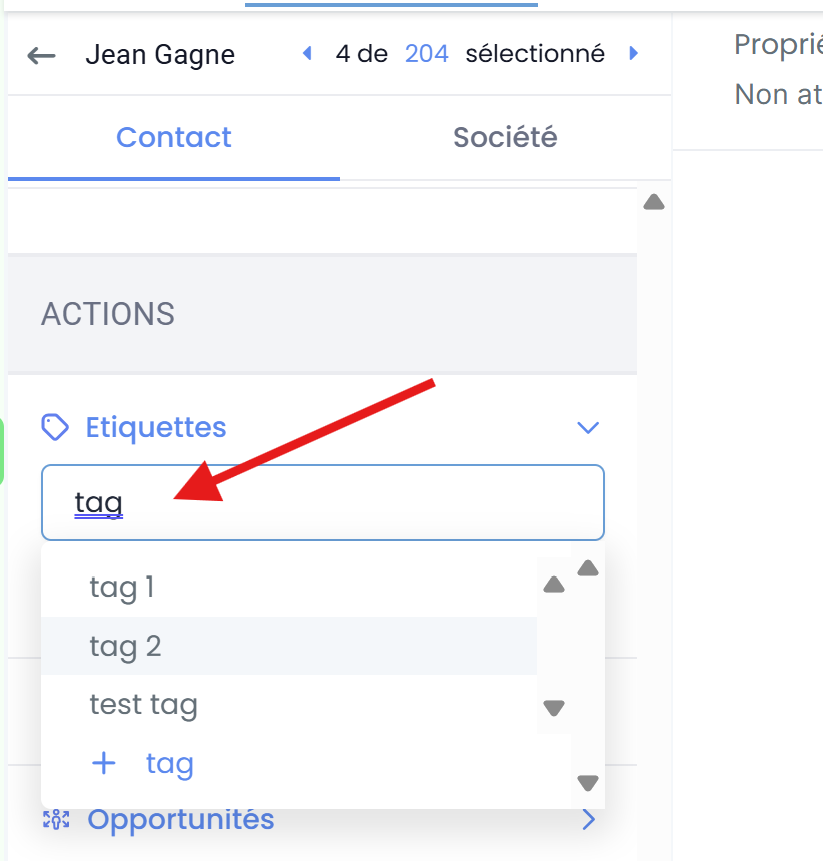
💡 TIP: To create a new tag, enter the tag name and click on +[tag name].
METHOD #2: Manually (in bulk)
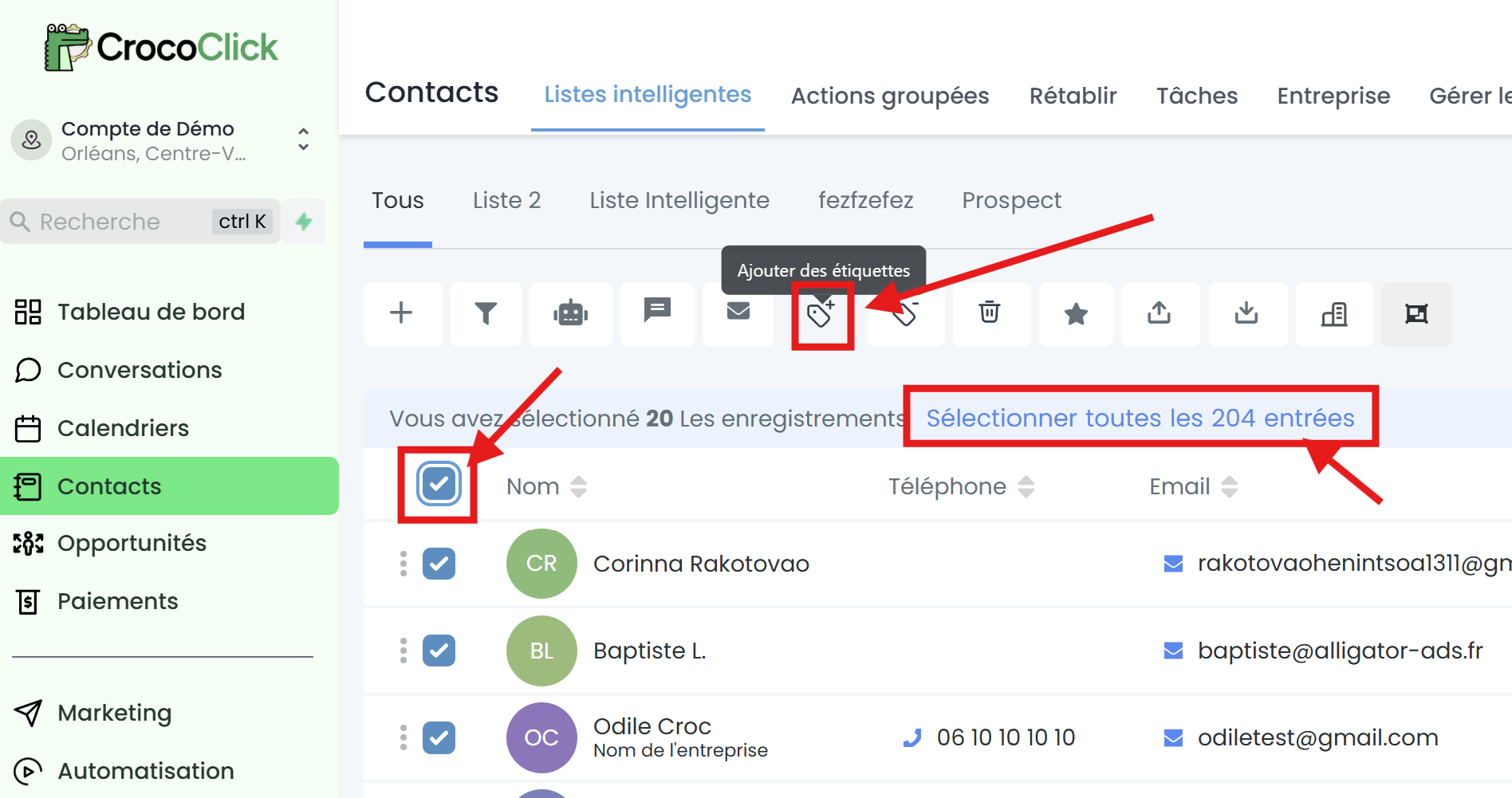
Go to the "Contacts" tab
Check the contacts you want to edit
Click on the "Add tags" icon
Give your action a name (only visible to you) and choose the tag to add
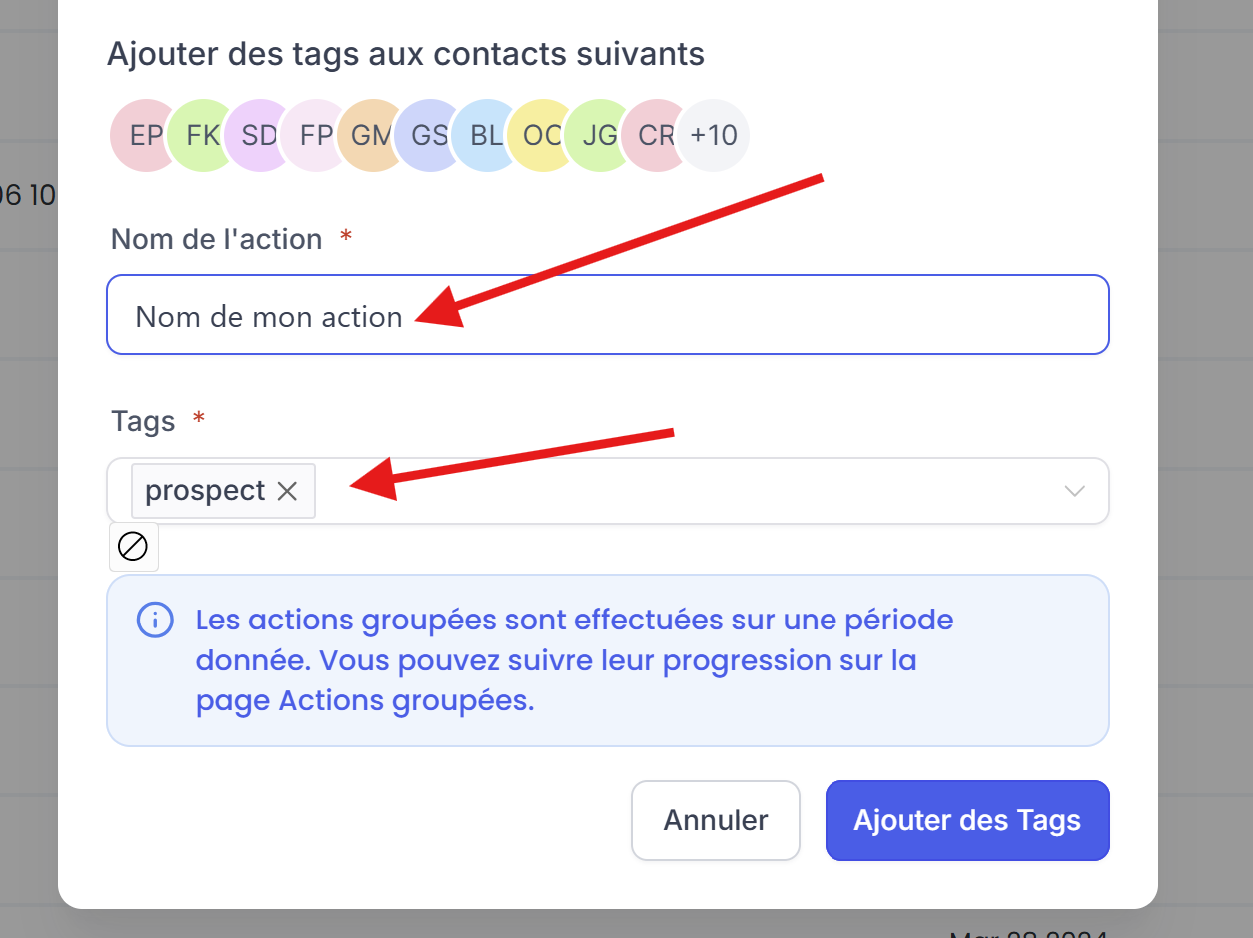
💡 TIP: The tag must have been created beforehand in order to use this method
METHOD #3: Automatically (using automations)
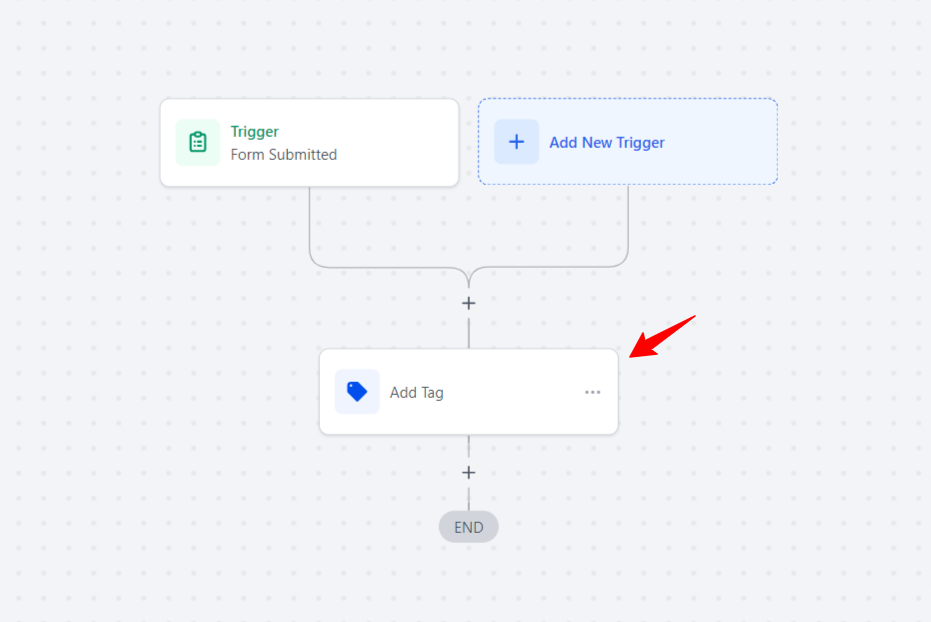
Use automation to add tags based on your subscribers' actions (subscribing to a form, clicking on a link, purchasing a product, etc.)
💡 TIP: For example, when someone fills out a contact form on your website, automatically add the tag "Filled out the contact form."
What are smart lists in Crococlick?
Smart lists automaticallysmart lists group subscribers based on dynamic criteria defined by the user.
Unlike tags, which are fixed, smart lists update in real time when subscribers meet or no longer meet certain criteria.
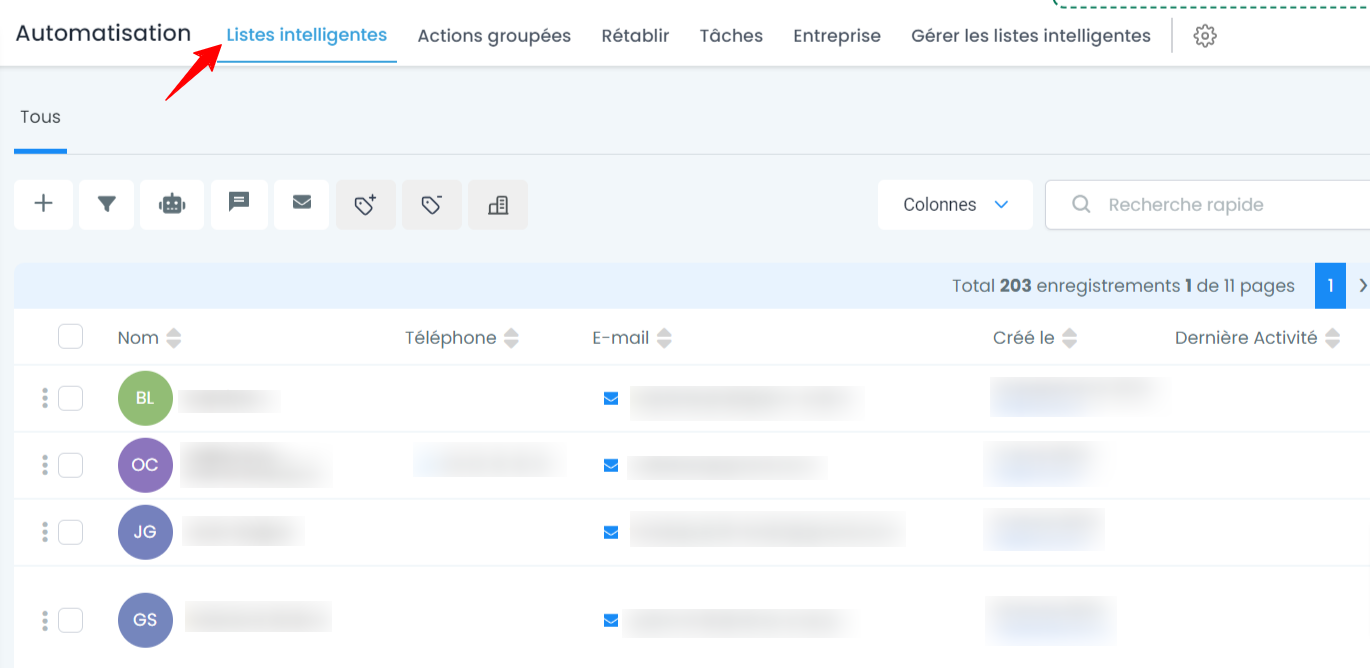
Examples of smart lists:
"Active subscribers": All subscribers who have opened at least one email in the last 30 days.
"March 2024 customers": All subscribers who purchased a product in March 2024.
"Facebook subscribers": All subscribers who signed up via a specific form on Facebook.
Smart lists constantly adapt based on subscriber behavior. For example, if a subscriber no longer interacts with your emails, they can be automatically removed from a list such as "Active Subscribers."
💡 TIP: You can create a smart list for all contacts with a "Customer" tag who live in a specific region. This list will be automatically updated if new customers meet these criteria.
For more information, read our article "How to create and edit a smart list."
When should you use a tag or a smart list?
💡 TIP: You can create a dynamic list with the criterion "all contacts with the tag 'VIP customer'". This creates a bridge between smart lists and tags.
What can you do with tags and smart lists?
Send targeted campaigns: Use tags or smart lists to send emails only to certain groups of subscribers (or exclude them). For example, send a special offer to those with the "Subscription Customer" tag.
Customize automations: Create personalized subscriber journeys based on their tags or their membership in a smart list.
Analyze performance: Compare the results of your email campaigns between different subscriber groups (for example, "Customers" vs. "Subscribers").
💡 TIP: Combine tags and smart lists to further refine your campaigns. For example, send a campaign to a smart list that only includes subscribers with the "Customer" tag who haven't purchased a product in over 6 months.
Conclusion
By effectively using tags and smart lists in CrocoClick, you can better organize your subscribers and personalize your campaigns based on their actions and preferences.
Tags allow you to mark fixed and manual actions, while smart lists create dynamic groups that evolve with your subscribers' behavior.
These two tools will help you improve the relevance of your communications and maximize your marketing results.