Put the CrocoClick Platform in French
Learn how to configure the CrocoClick platform in French for a customized interface.
Written By CrocoTeam
Last updated 6 months ago
The default language in CrocoClick is set to English, but you can easily switch it to French for an optimized user experience tailored to your needs.
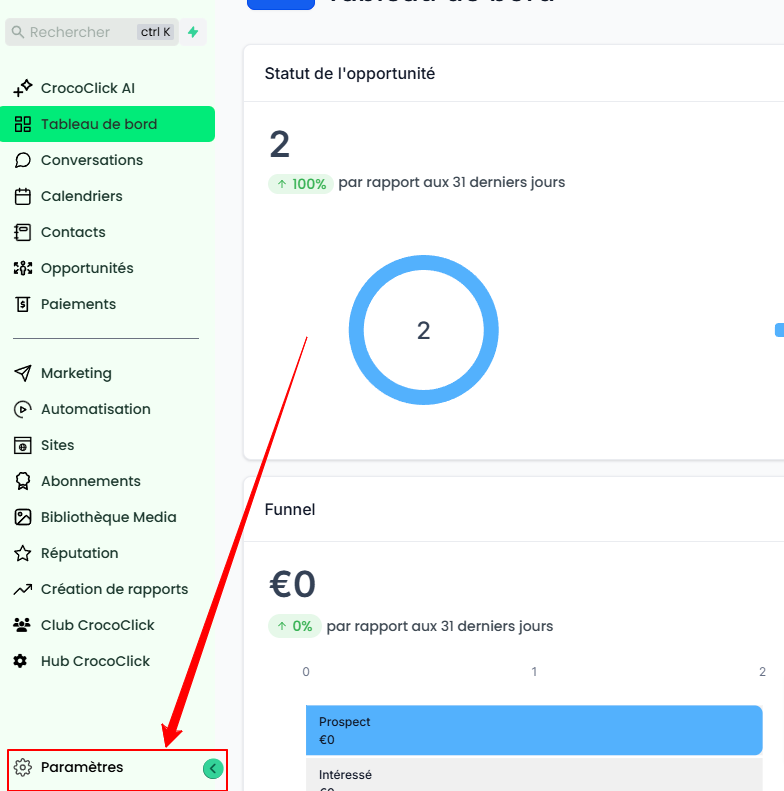
Step 1: Access the settings
Log in to your CrocoClick account.
Click on Settings in the left-hand side menu.
Step 2: Go to the "Company Profile" section
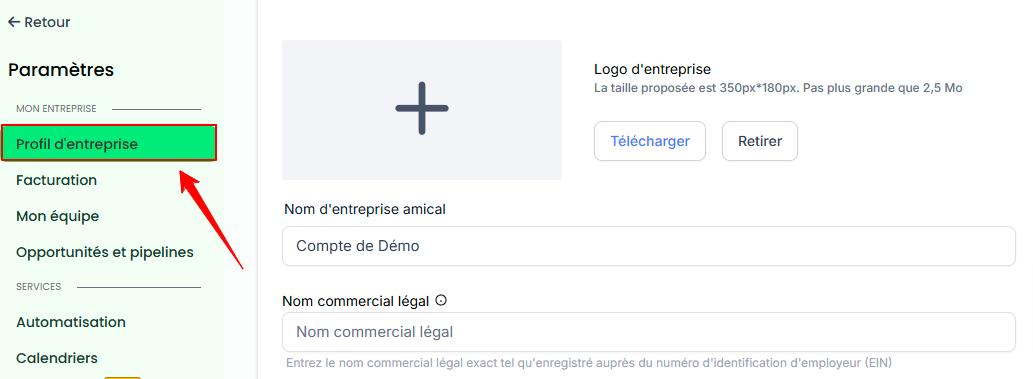
Go to the Company Profile section.
Step 3: Change the platform and communication language
In the Company Profile, find the following options:
Platform Language: Change the language from English to French to customize the CrocoClick interface.
Outgoing Communication Language: Also set this to French to ensure that outgoing messages are in French (only available if your billing address is located in a French-speaking country)
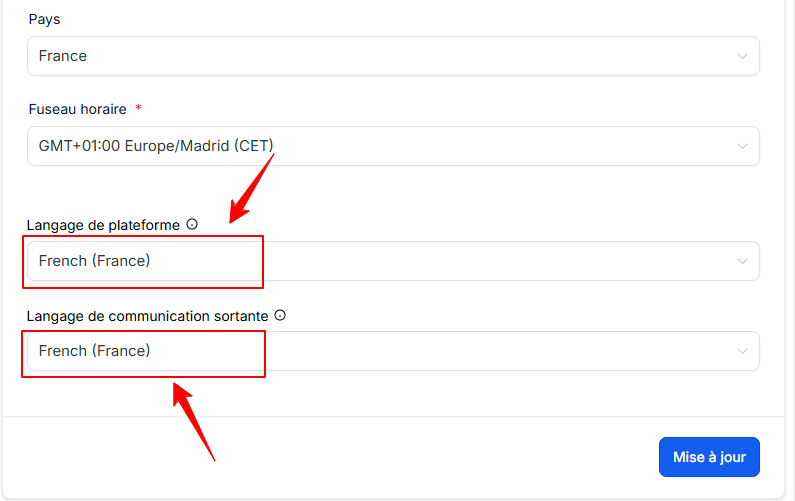
Save your changes by clicking Update.
Step 4: Go to the "My Profile" section
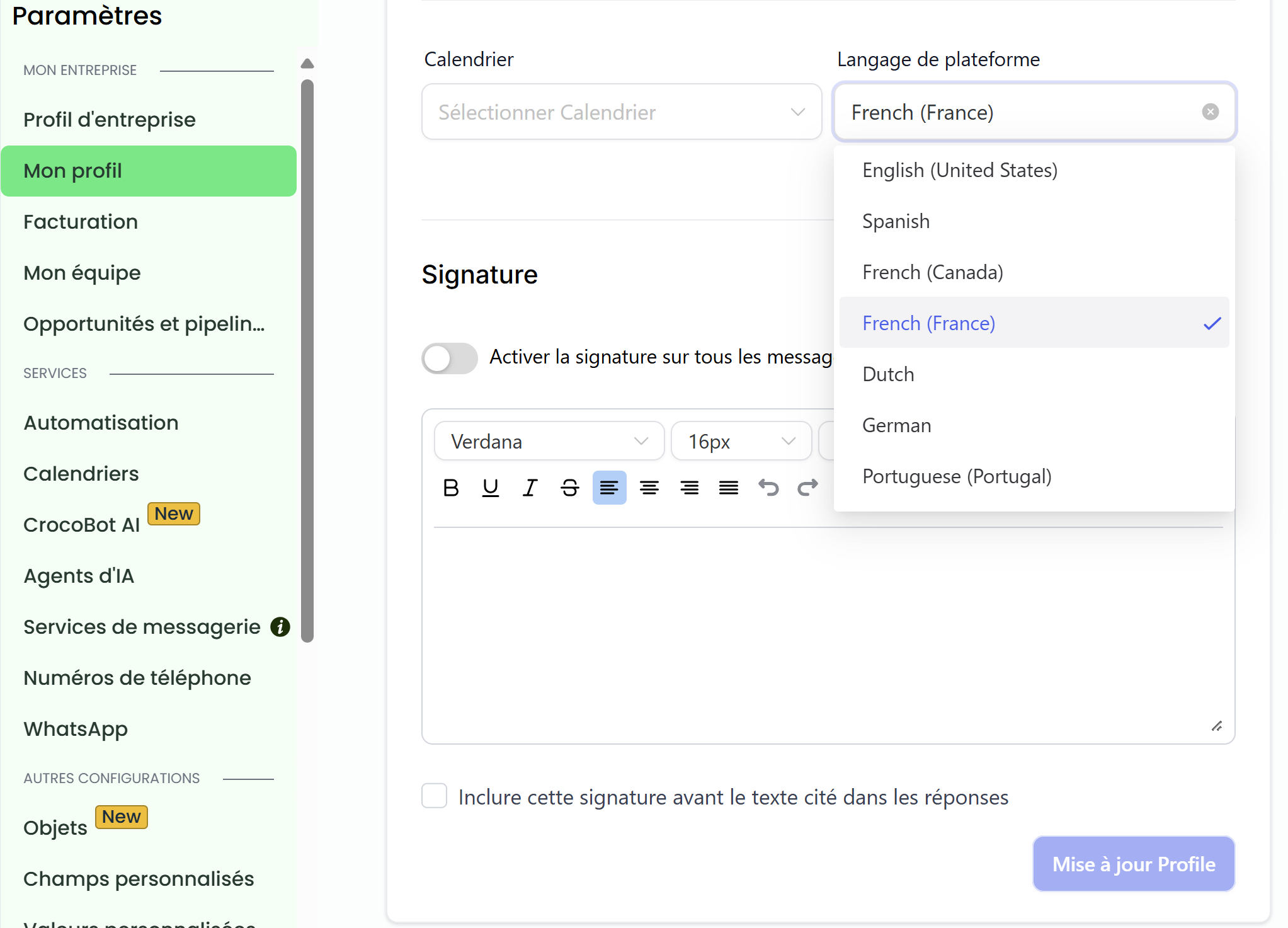
Select My Profile from the left-hand menu
Step 5: Change the platform language for the user
In the My Profile section, locate the Platform Language option.
Change the language by selecting French.
Save your changes by clicking Update Profile.
Conclusion
Setting CrocoClick to French is quick and ensures a smoother, more personalized experience for you and your customers. Take a few minutes to follow these steps and enjoy a platform tailored to your language!