Selling digital products in a CrocoClick E-Commerce store
Automate delivery of digital products after purchase: e-books, pdf, videos, audios, etc.
Written By CrocoTeam
Last updated 6 months ago
Do you offer e-books, audio files, or downloadable videos?
With CrocoClick, you can sell your digital products automatically, without any manual effort, and with secure access for your customers.
Why sell digital products through CrocoClick?
Because you save time, your customers receive their orders in seconds, and everything runs smoothly and securely:
Instant delivery via email after purchase
Up to 10 files per product, 100 MB each
Compatible with all file types: PDF, ZIP, audio, video, images, documents…
Secure customer access via a personal link and an OTP code
No inventory management or shipping costs
💡 TIP: You can combine multiple variants for the same product (PDF, audiobook, or print version).
How do you set up a digital product in your CrocoClick store?
1. Create or edit your product
Go to Payments > Products
Select a product or click on + Create a product
In the Variants tab, create a variant if you haven’t already and if you need one
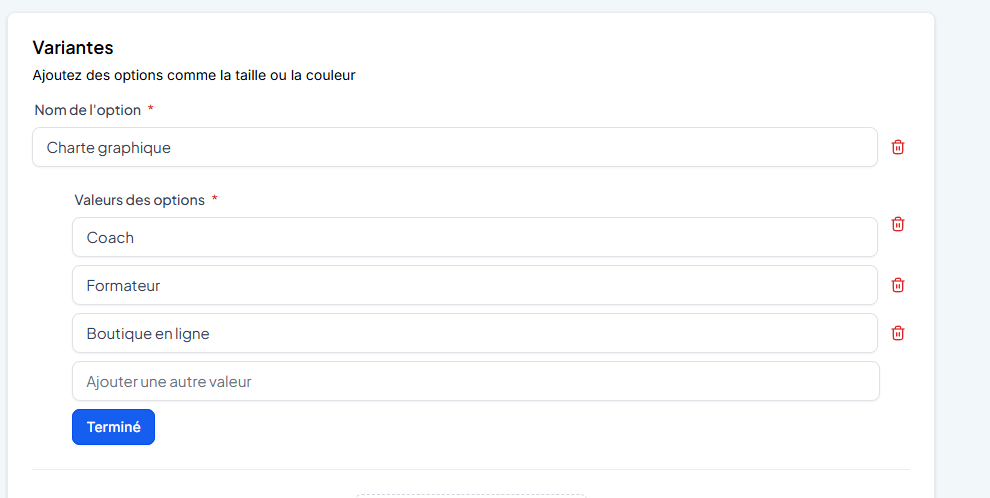
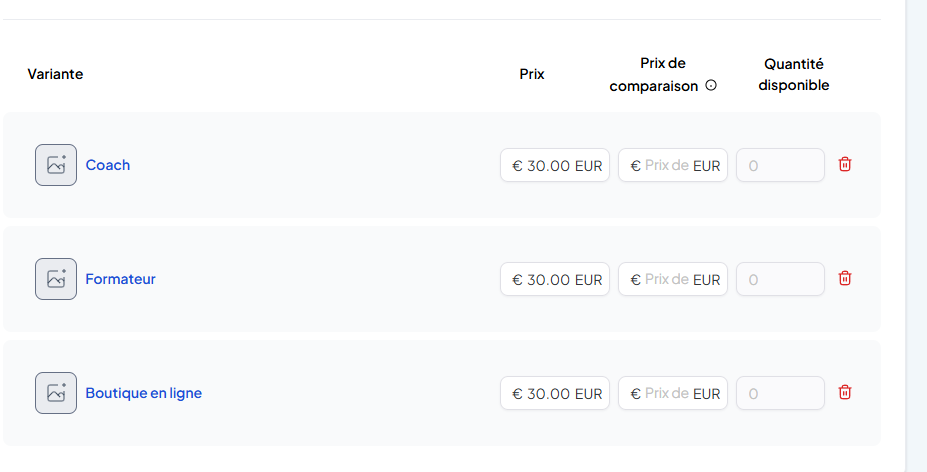
In the variant options, go to the Delivery section
Select Digital Product and add your downloadable files.
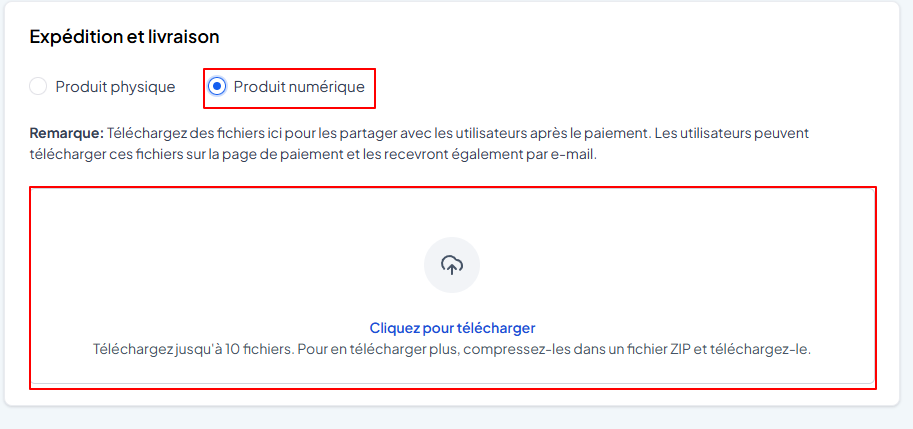
💡 TIP: If you have more than 10 files to deliver, you can bundle them into a ZIP archive smaller than 100 MB.
3. Enable automatic sending of the download link
Go to Payments > Settings > Notifications
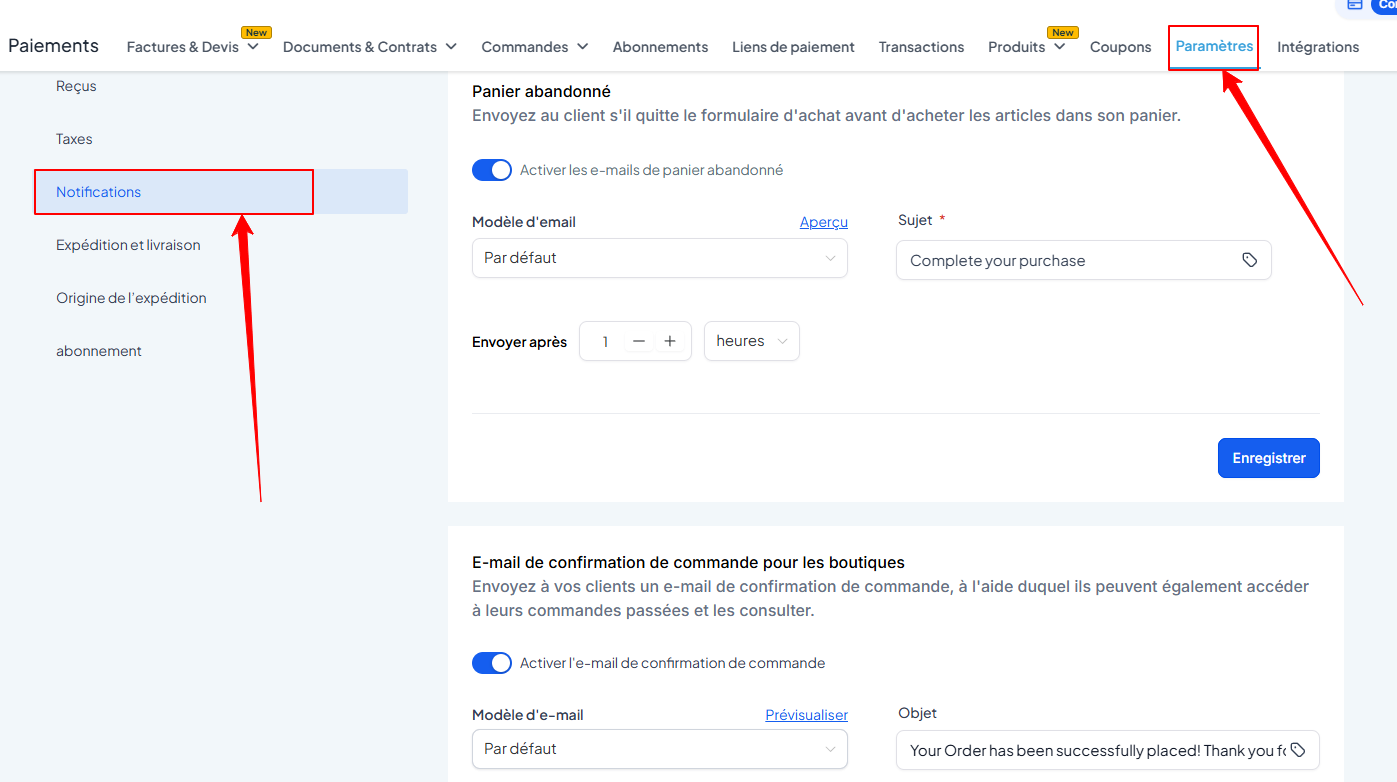
Enable and customize the order confirmation email. You can also preview it and replace it with a template you’ve created beforehand (useful if you want an email in French).
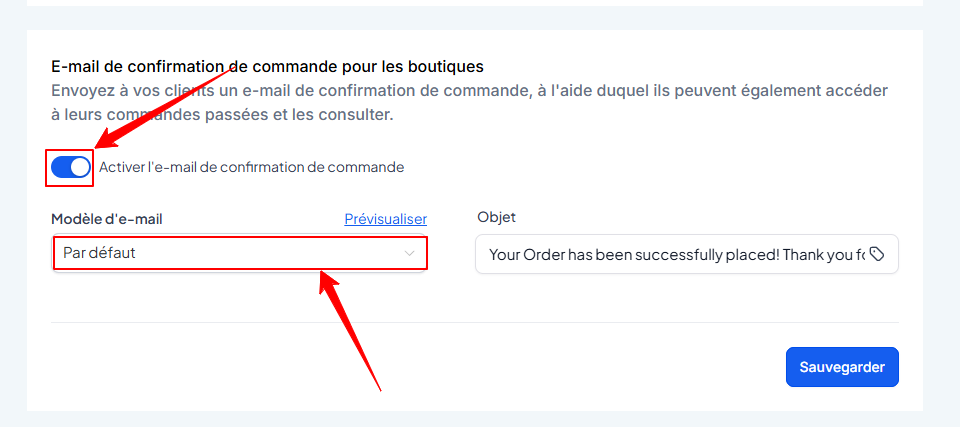
💡 TIP: Without this option enabled, your customers won’t receive the link to their files.
How do your customers receive and access their files?
As soon as the order is finalized following an online payment:
The customer receives an order confirmation email
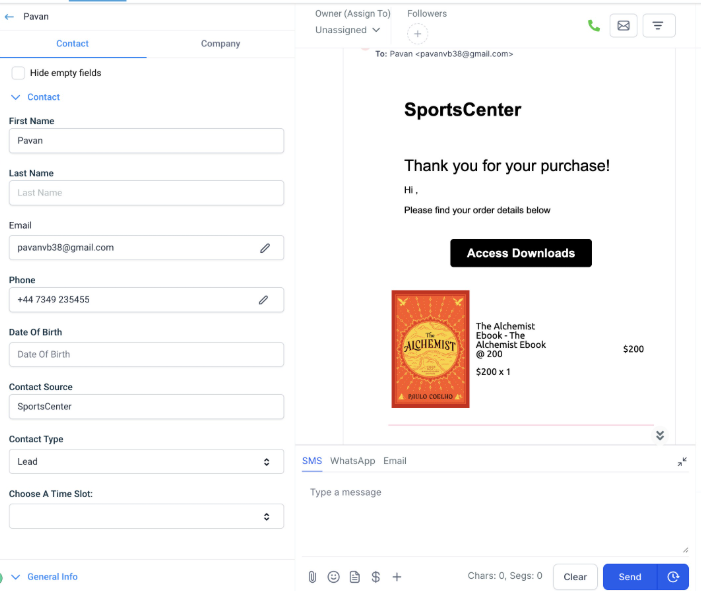
This email contains an “Access My Files” button
By clicking on it, they are redirected to their Customer Dashboard
They must log in using the OTP code sent to their email address

Once logged in, they can download all their files with a single click (as separate files, not in a single ZIP file)
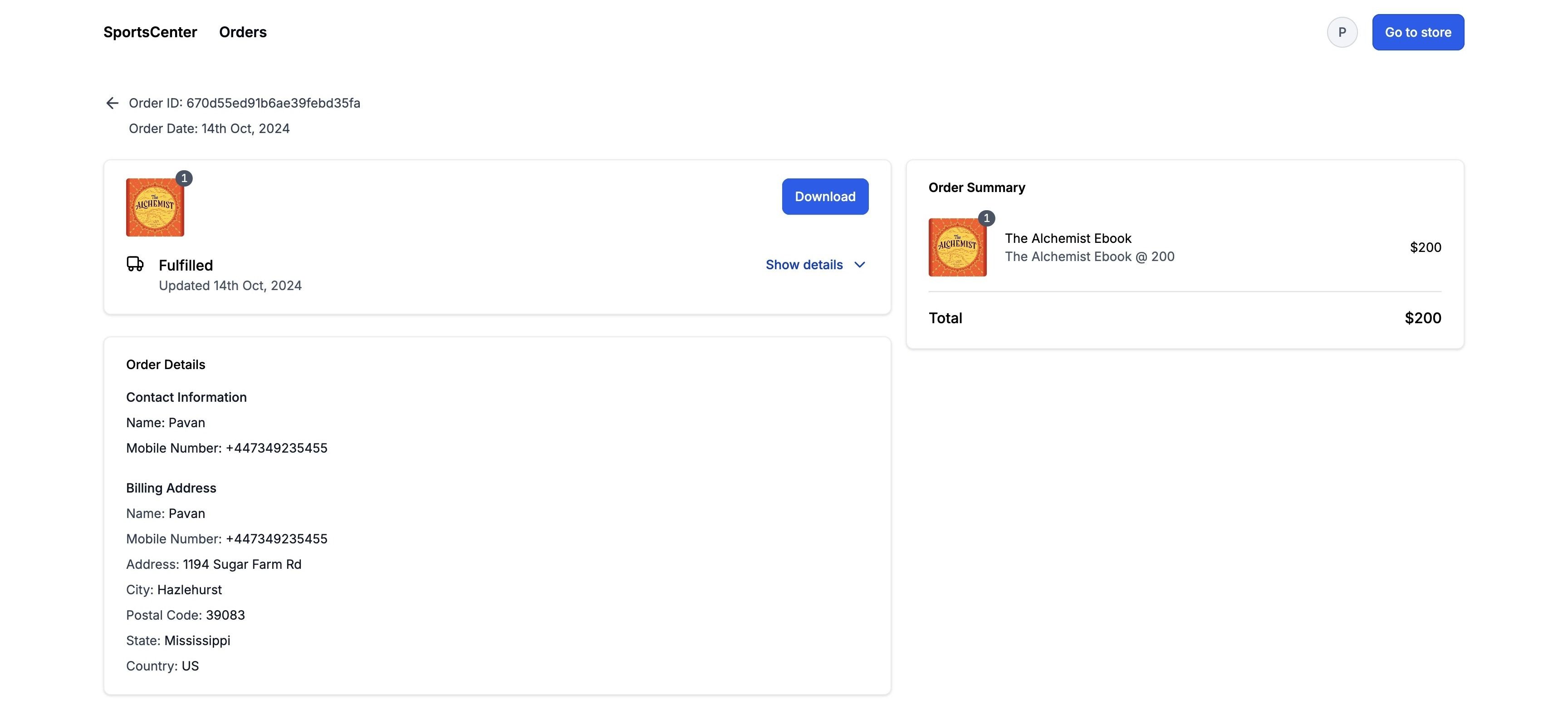
💡TIP: You can also add a button to your e-commerce store’s navigation menu to allow your customers to log in to their customer portal directly from your site
Important rules to know
Here are a few conditions to keep in mind to ensure everything runs smoothly:
✅ The digital product is automatically marked as "delivered" upon purchase
✅ Shipping fees are disabled for digital products
❌ Cash on delivery (COD) is not supported if an order contains a digital product. Payment must therefore be made online
❌ If a cart contains a physical product with cash on delivery (COD), then the digital product must be paid for separately by card
✅ Customers must be logged in to access downloads
✅ All files are downloaded separately (no auto-generated ZIP file)
✅ Digital delivery only works for orders placed via an e-commerce store
Conclusion
CrocoClick lets you sell your digital products seamlessly.
The experience is smooth, automated, secure… and professional. Your customers receive their order with a single click, and you don’t have to do a thing once the product is set up.