What is a pipeline and why use one?
The pipeline is the visual roadmap of your sales in CrocoClick. Understand its role, its stages, and when to create several.
Written By Baptiste Lorreyte
Last updated 5 months ago
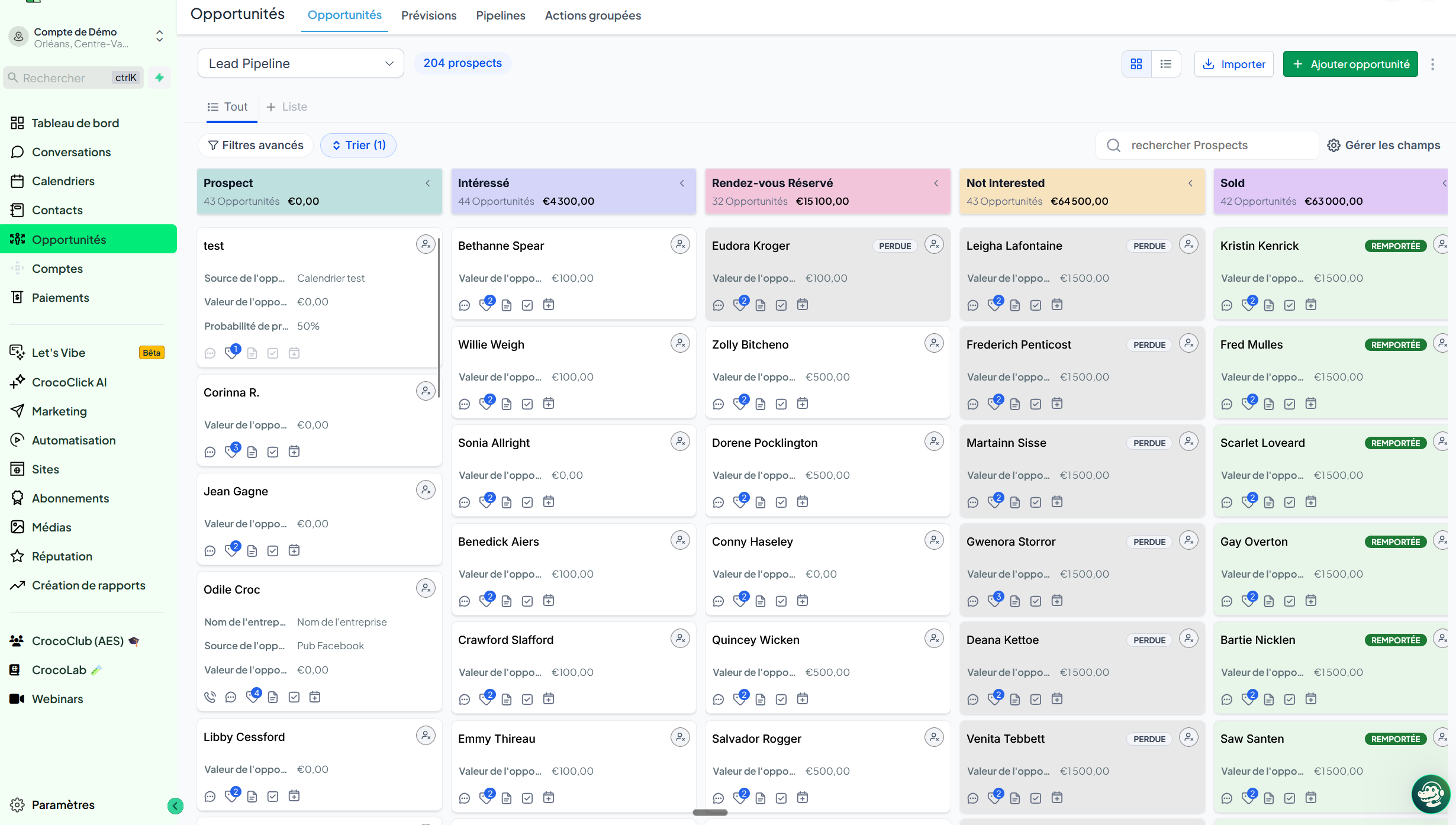
In CrocoClick, a pipeline is a visual representation of your sales process. It’s the roadmap that an opportunity follows, from the initial contact to the closing.
Understanding the logic of the pipeline
Imagine an assembly line, but for your sales. Each stage represents a key moment in the process. Your opportunities move from one stage to the next as the deal progresses.
A pipeline always consists of several stages. You define these stages yourself, in the order that best suits your business.
Examples of Pipelines by Industry
Coach or consultant
Inquiry received
Discovery call scheduled
Proposal sent
Signature
Onboarding
Web or marketing agency
Qualified lead
Strategic meeting
Quote sent
Negotiation
Contract signed
B2B service provider
Initial contact
Needs assessment
Approved specifications
Commercial proposal
Project launch
High-end e-commerce retailer
Custom request
Quote in progress
Purchase order
Payment received
Shipping
Every business has its own rhythm and logic. Your pipeline should reflect the way you sell, not a generic template.
Why you need a pipeline
You can see where each deal stands. At a glance, you know how many prospects are in the qualification stage, how many are waiting for a follow-up, and how many are about to sign.
You standardize your sales process. Everyone on the team follows the same logic. A new salesperson immediately understands how sales work at your company.
You identify bottlenecks. If 80% of your opportunities are stuck at the “Quote Sent” stage, you know exactly where to focus your efforts.
You measure your conversion rates step by step. How many inquiries turn into calls? How many calls turn into proposals? How many proposals turn into contracts? Every number tells you something.
You automate follow-ups. An opportunity stuck at “Quote Sent” for three days? CrocoClick can send an automatic follow-up without you even thinking about it.
How many pipelines should you create?
It all depends on your business.
A single pipeline is enough if you sell a single type of product or service, with a single sales process.
Multiple pipelines become useful when you have distinct processes. Example: a "New Customers" pipeline for prospecting and closing deals, and an "Upsell" pipeline to upsell your existing customers. The stages aren’t the same, and neither are the follow-ups.
💡 TIP: Start with a single pipeline, and add others only if you find that a second process mixes up the stages and complicates tracking. A clear pipeline is better than three confusing ones.
Golden rules for a pipeline that works
Keep it simple. Four to six stages are enough for most activities. A twelve-stage pipeline becomes unmanageable on a day-to-day basis.
Name your stages with concrete actions, not feelings. “Quote sent” is better than “Under consideration.” A stage should describe what actually happened.
Define clear criteria for moving from one stage to the next. Otherwise, each salesperson will move opportunities based on their intuition, and your data will be worthless.
Review your pipeline every six months. Stages that were relevant a year ago may no longer be so. Your process evolves; your pipeline must keep pace.
To learn more
To create your first pipeline, see Create an Effective Pipeline in CrocoClick to Manage Your Opportunities.
To understand what moves through a pipeline, see What Is an Opportunity in CrocoClick.
To automate stage transitions and follow-ups, see Automate Stage Transitions in Your CrocoClick Pipeline.