Decouple the owner of the contact from the owner of the opportunity
Set up your pipeline so that contact and opportunity have independent owners.
Written By Baptiste Lorreyte
Last updated 5 months ago
By default, when you assign an opportunity to someone, the contact is assigned to them as well. And vice versa. This is convenient—except when it isn't.
A typical example: your qualifier qualifies the lead, then hands it off to an Account Executive to close.
You want the contact to stay with the setter (they maintain the long-term relationship) but for the opportunity to switch to the closer.
Here’s how to separate the two.
The default behavior
In CrocoClick, contacts and opportunities often share the same owner. When you change one, the other follows. This is the standard setting and works for 80% of teams.
But in certain workflows, this can be a roadblock. Especially if:
You have a setter + closer team (prospecting followed by closing)
You want a manager to keep track of their accounts even if a sales rep is handling the deals
You have an affiliate partner who brought in the contact but isn’t managing the sale
Enable decoupling
The setting is configured at the account level.
Go to Settings, then Opportunities and Pipelines
Enable the option "Allow different owners of contacts and their leads"
Save
From now on, changing the owner of an opportunity will no longer change the owner of the contact, and vice versa.
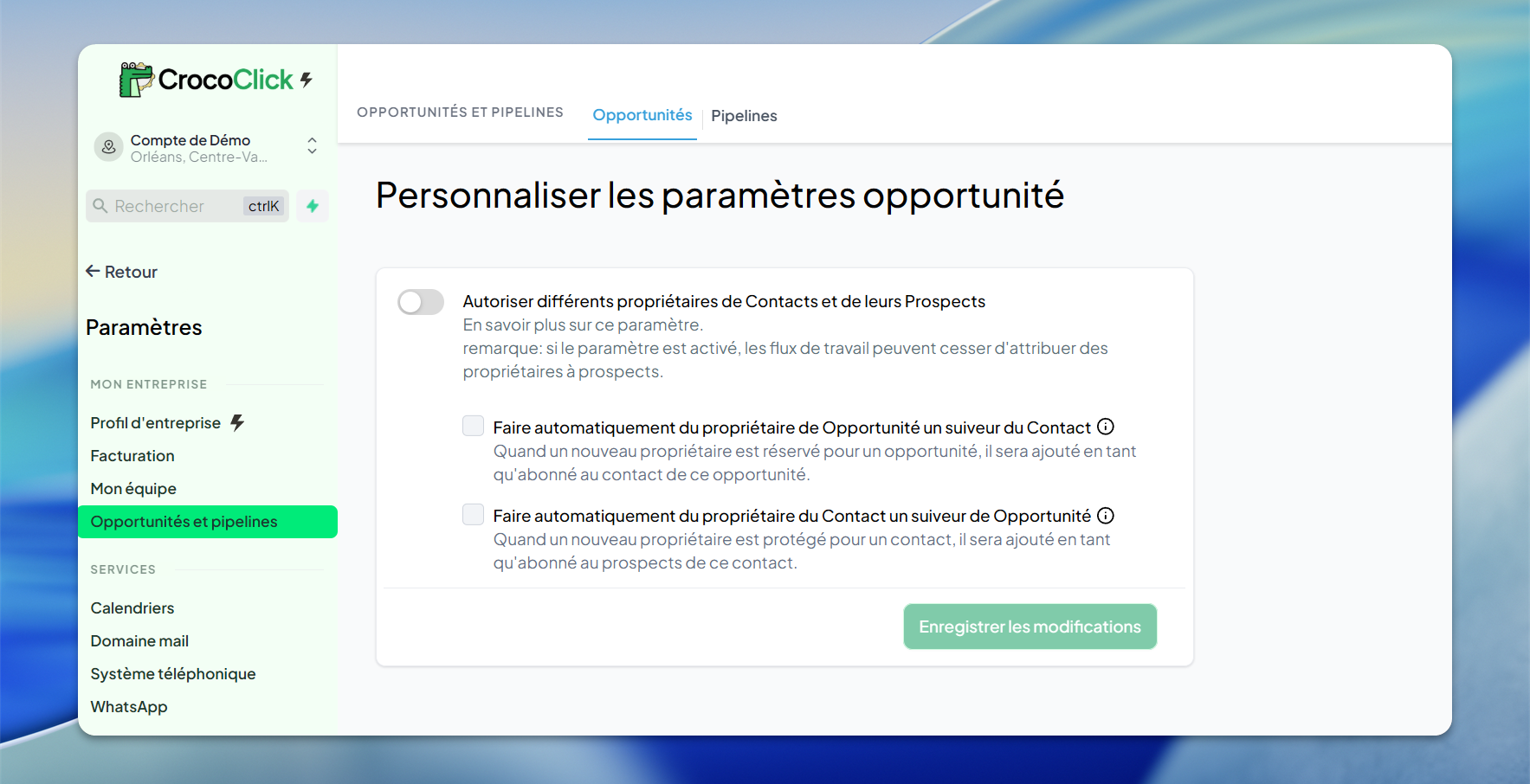
What this actually changes
Real-world use case
Setup Setter + Closer
The Setter prospects, qualifies, and creates the opportunity: the contact and opportunity are assigned to him
He passes the opportunity to the closer at the time of the qualified meeting
The Setter keeps the contact in their lists (to measure ROI) and the Closer manages the opportunity without cluttering the contact record
Setup with an affiliate
An affiliate brings in a lead: they own the contact
The opportunity is assigned to your sales team to handle
The affiliate keeps the contact in their pipeline for commission; your team manages the sale
Note
⚠️ If you enable decoupling retroactively, existing opportunities are not affected. Their current owner remains the same. Only future changes will be independent.
Combine with user roles
Decoupling works best with well-configured roles:
A Setter can access the contacts they’ve qualified (regardless of who manages the opportunity afterward)
A Closer can view all opportunities in their pipeline (regardless of who owns the contact)
A manager sees everything
This requires consistent permission settings; otherwise, a sales rep might no longer see contacts they thought they owned.