How the Affiliate Portal works for your affiliates
How the Affiliate Portal works for your affiliates: performance tracking, commission management and simplified access.
Written By CrocoTeam
Last updated 6 months ago
The Affiliate Portal is a centralized platform that allows your affiliates to manage their activities independently. There, they can track their performance, view their commissions, access their payments, and obtain detailed information about their leads and customers.
This dashboard simplifies their experience while fostering clear communication with your company.
How to get started with the Affiliate Portal
Step 1: Add affiliates to a campaign
Once an affiliate is added to an active campaign, they receive an invitation email to access the Affiliate Portal. Make sure the Invitation Email option is enabled in the campaign settings.
You can also automate the sending of welcome emails or SMS messages containing information on how to access the portal.
Step 2: Affiliate Login
Affiliates can log in using the credentials provided in their invitation email. Once logged in, they are directed to the Affiliate Dashboard where they can view their campaign data and referral links.
What does the Affiliate Portal offer?
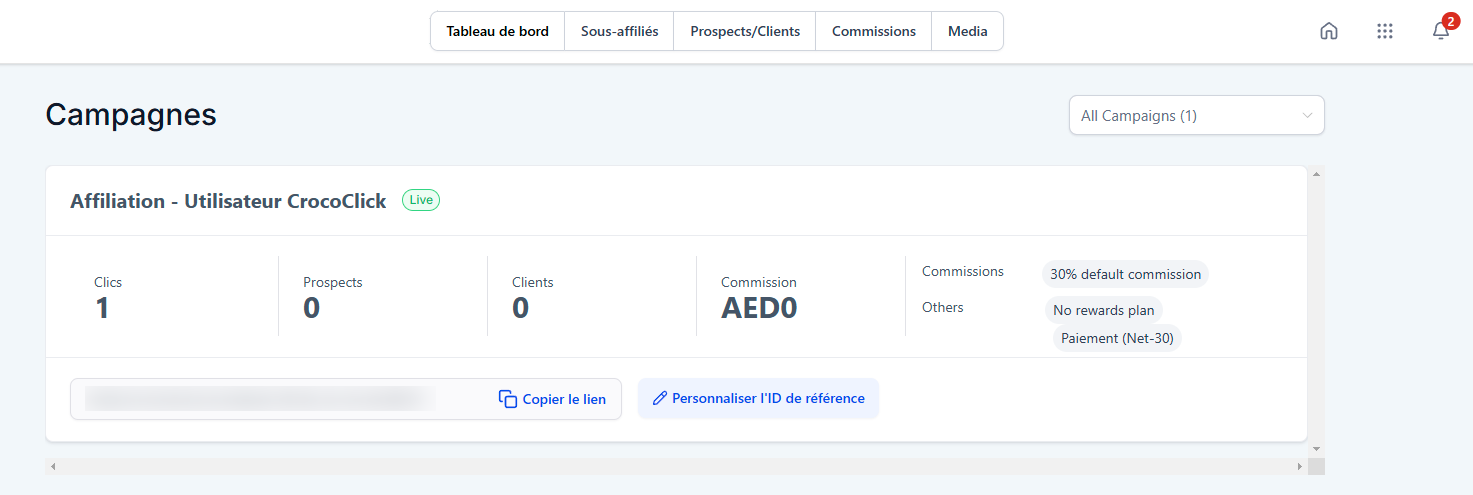
Dashboard
Affiliates can view an overview of the campaigns they’re participating in, along with key metrics:
Number of leads generated
Number of customers acquired
Clicks on their links
Commissions earned
They can also quickly access their referral links.
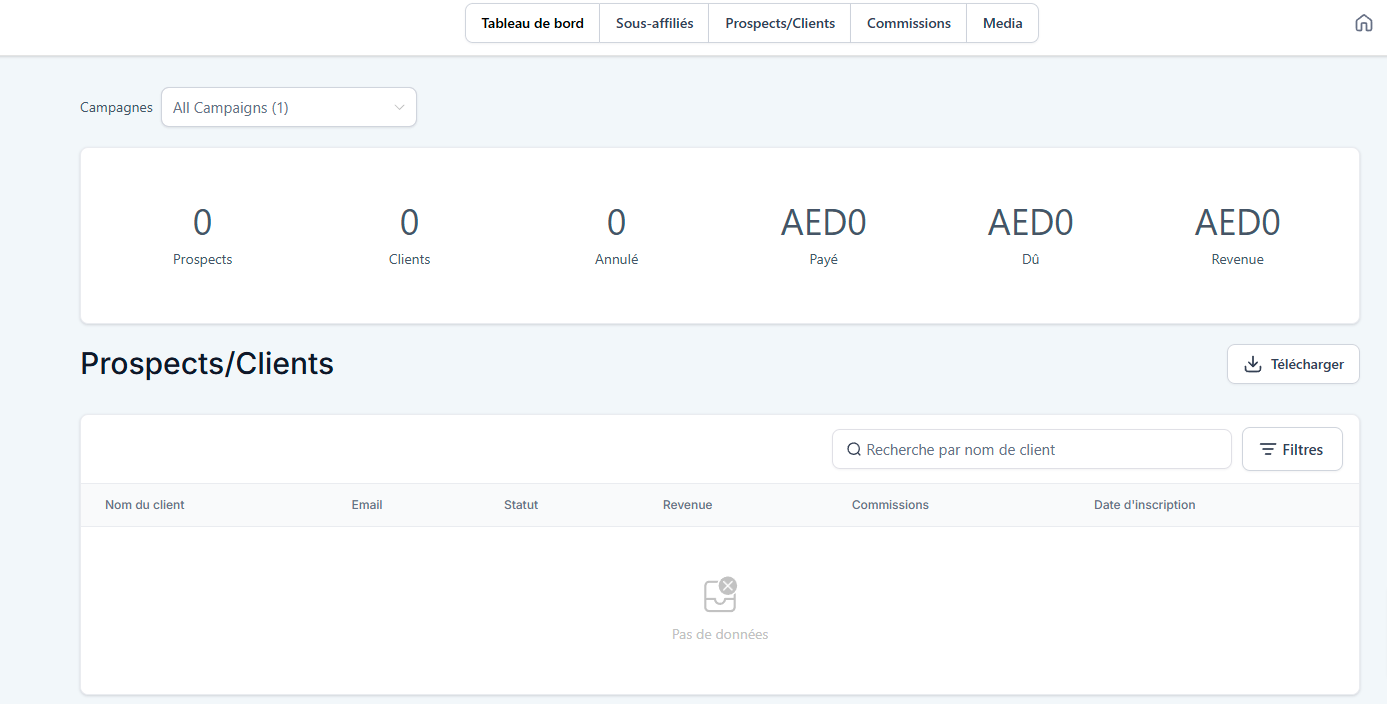
Leads/Customers Section
This section details the leads and customers who purchased a product or signed up through affiliates’ referral links. This data helps measure the effectiveness of their marketing efforts.
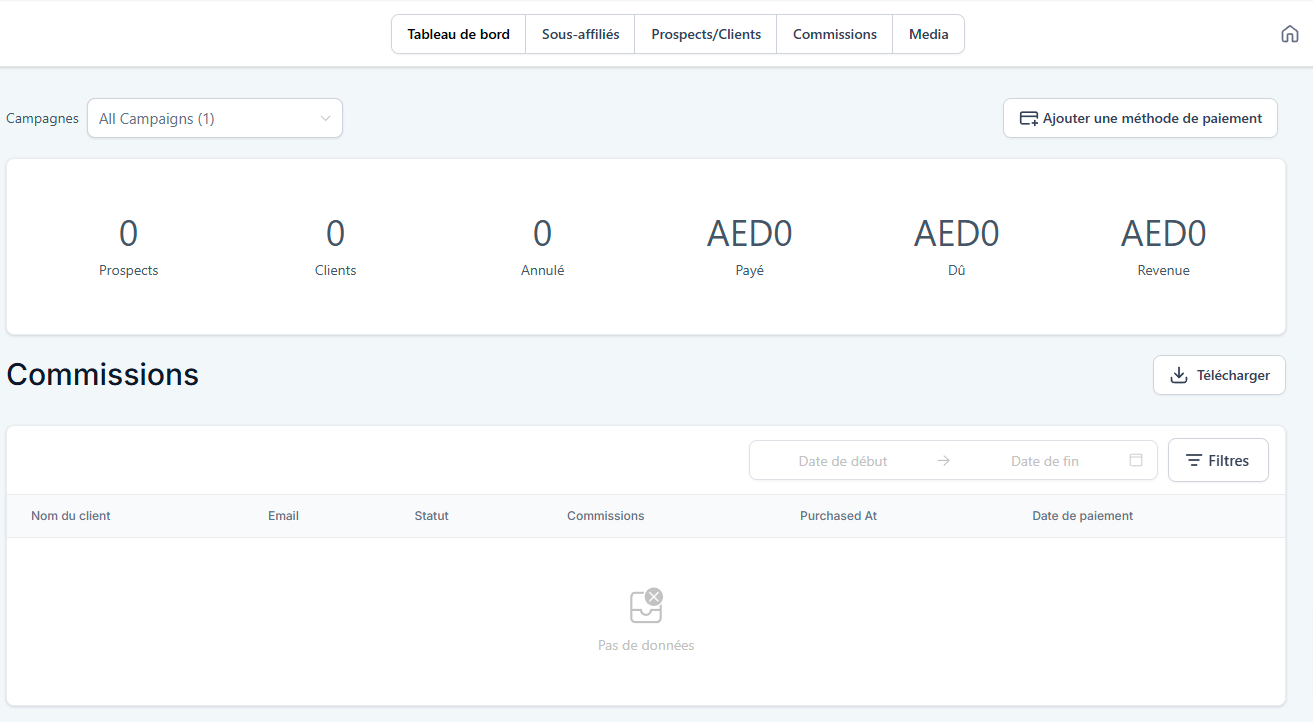
Commissions Section
Affiliates can view:
The total amount of commissions earned
The total revenue generated through their campaigns
The status of their payments (paid/pending)
They can also add or update their payment method (for example, their PayPal account).
Sub-affiliates
If your program includes sub-affiliates, this page allows you to:
View the list of sub-affiliates
Get a shareable link to recruit new sub-affiliates
How do I give my affiliates access to the affiliate dashboard?
Here are two ways for your affiliates to access their dashboard:
1. Use the link in the invitation email
When an affiliate is added to an active campaign, they automatically receive an email containing a direct link to their dashboard.
💡 TIP: Make sure the Invitation Email option is enabled in your campaign settings.
2. Share the URL of your Client Portal directly
You can share the generic link to your Client Portal by adding /affiliate to the end of the URL. For example, for the CrocoClick Club, the URL is: https://club.crococlick.com/affiliate
You can find your Client Portal URL by going to Subscriptions > Client Portal > Dashboard.
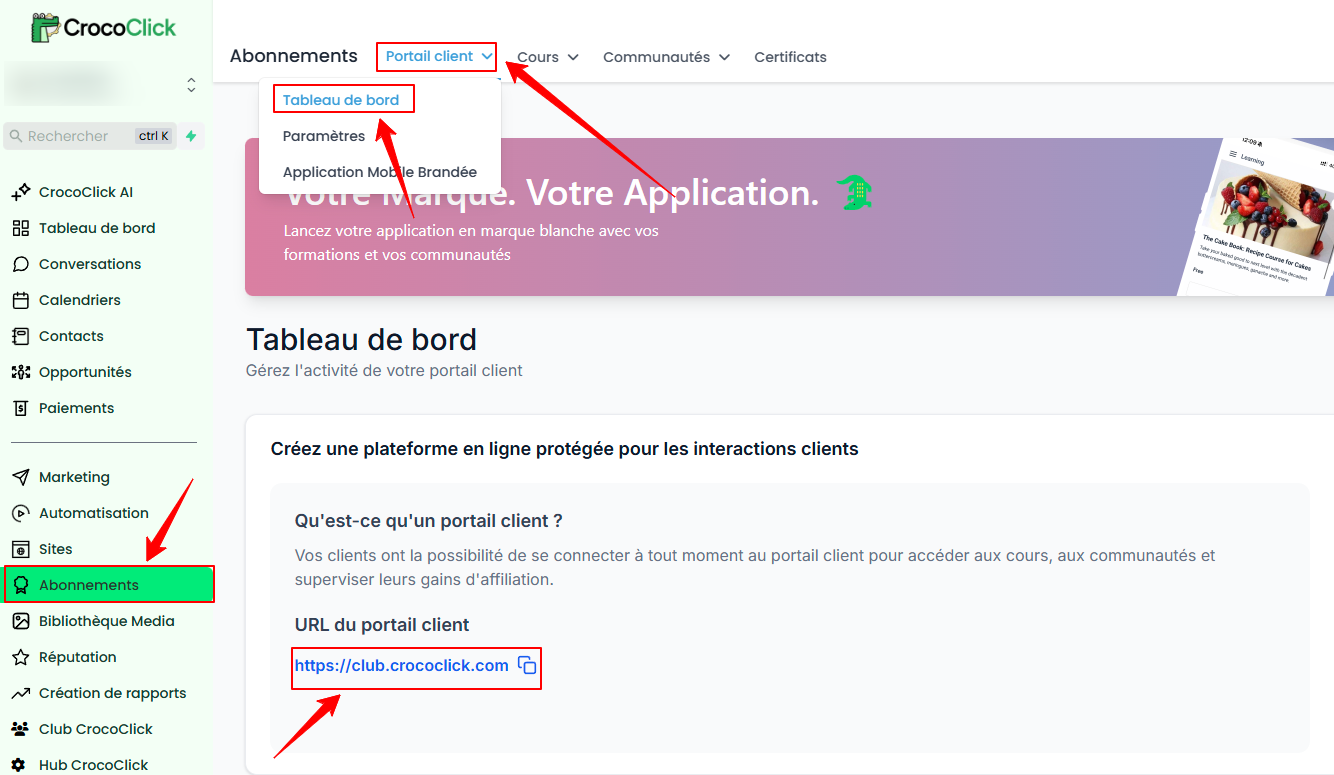
This allows affiliates to access their account directly by entering their login credentials or using the "Forgot Password" option if necessary.
Conclusion
By using these methods, you make it easier for your affiliates to access the Affiliate Portal, allowing them to maximize their performance while simplifying their user experience.