What is an opportunity in CrocoClick?
An opportunity represents a potential sale in CrocoClick. Here's what it contains, what it's for and why you should use it.
Written By Baptiste Lorreyte
Last updated 5 months ago
In CrocoClick, an opportunity represents a potential sale. It is the record that tracks a prospect from the moment you feel they might become a customer until the deal is closed (or the prospect drops off).
What is an opportunity for?
A contact is a person in your database. An opportunity is an ongoing deal with that person. The distinction makes all the difference: a contact is permanent, while an opportunity is temporary and measurable.
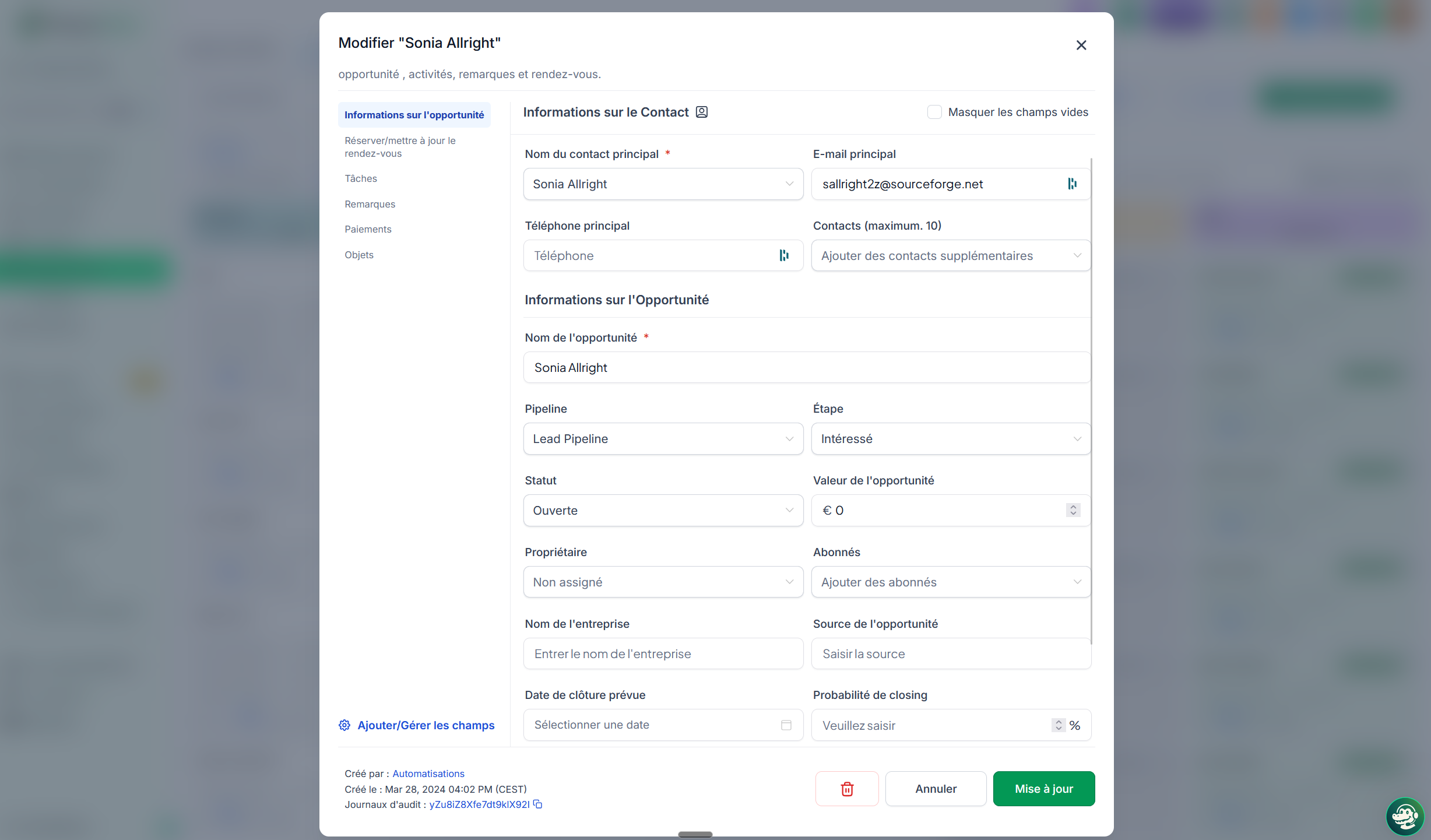
Specifically, an opportunity includes:
The associated contact (or contacts, if your project involves multiple decision-makers)
The estimated value of the deal
The current stage in your pipeline
The owner (the assigned sales rep)
Related tasks, notes, and communications
The source (where this lead came from)
The custom fields you’ve set up
💡 TIP: You can have multiple opportunities linked to the same contact. Example: a client who buys a service from you today, and whom you follow up with six months later for a new project. Two opportunities, one contact.
Why use opportunities instead of just a contact list
Without opportunities, you have a list of people. With opportunities, you have a sales process.
You centralize tracking. All notes, tasks, and interactions related to a deal are stored on the opportunity card. No more searching for a lost email in Gmail or piecing together a conversation.
You forecast your revenue. By looking at how many opportunities are in progress at each stage, and their value, you know in advance what you’ll be billing.
You automate. You can trigger follow-ups, emails, or notifications to the team as soon as an opportunity changes stages or status.
You work as a team. Every opportunity has an owner, a history, and comments. It’s no longer just a file in a single salesperson’s head.
You manage with metrics. Conversion rates, average value, bottleneck stages: everything becomes measurable.
What you can do with an opportunity
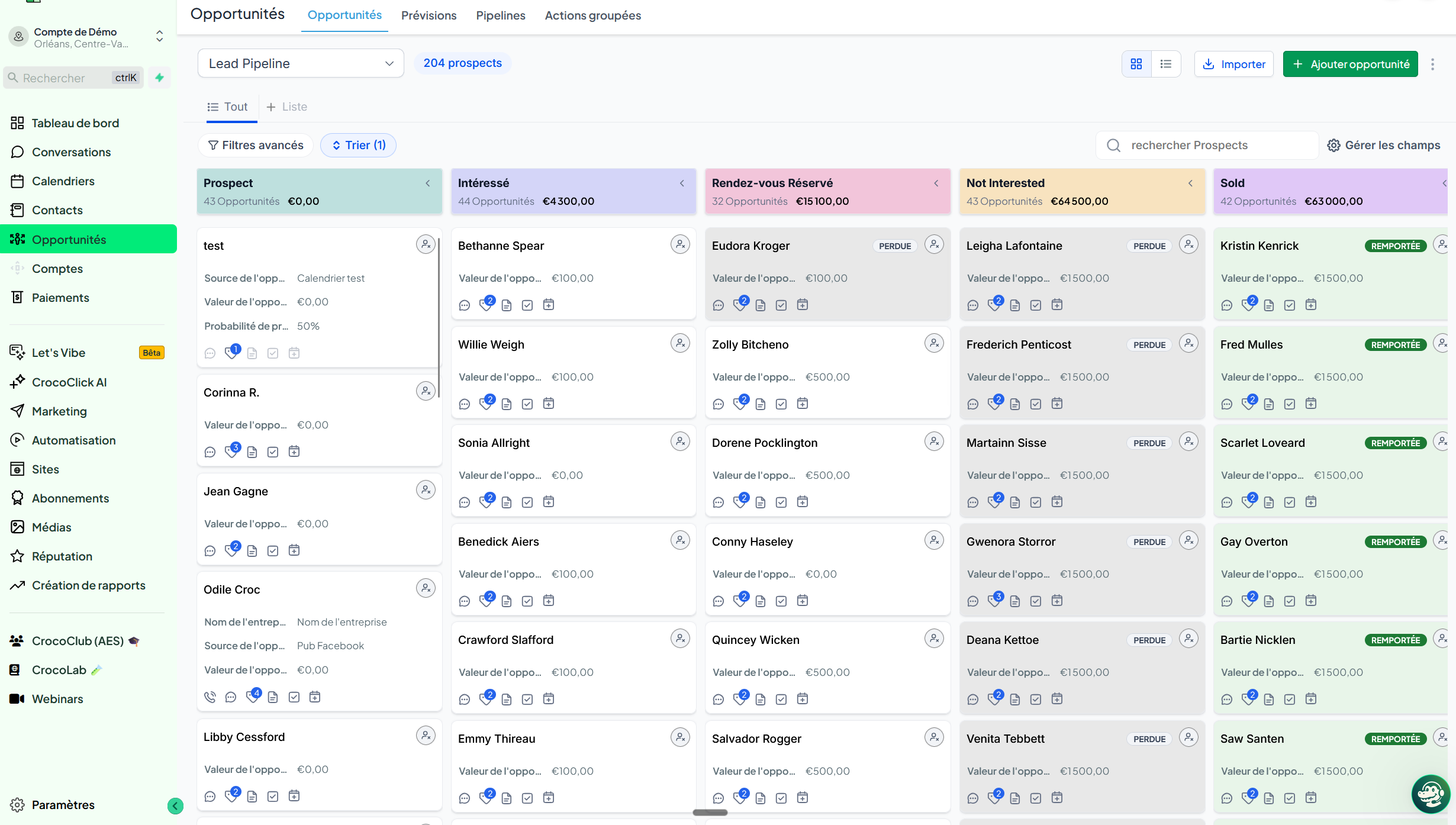
Manually move it from one stage to another (drag and drop in Kanban view)
Move it automatically via automation
Change its status to mark it as won, lost, or abandoned
Add notes, tasks, and appointments
Filter and search it based on your criteria
Export it for analysis
Merge or duplicate it
To go further
An opportunity only makes sense within a pipeline. To understand what a pipeline is, see What is a pipeline and why use one?
An opportunity can have four different statuses: open, won, lost, abandoned. To learn when to use each one, see The 4 statuses of an opportunity explained: open, won, lost, abandoned.
To create your first opportunity, see Create an opportunity step by step.