Create a Brand Voice in CrocoClick
Define your Brand Voice in CrocoClick to ensure consistent and aligned communication, and integrate it with AI tools to generate content that's true to your identity.
Written By Baptiste Lorreyte
Last updated 5 months ago
The Brand Voice feature in Branding allows you to precisely define your company’s communication style and integrate it directly into CrocoClick’s AI tools.
Goal: to ensure consistent, aligned, and recognizable communication across all your marketing materials.
What is Brand Voice?
Brand Voice is a structured communication guide that includes:
🔹 Company information
The key elements of your business:
Positioning
Mission
Primary target audience
Core Promise
🔹 Brand values
The fundamental principles that define your identity.
Examples:
Transparency
Innovation
Simplicity
Boldness
🔹 Tone & Style
How you express yourself:
Formal or casual?
Direct or educational?
Inspiring or pragmatic?
Minimalist or detailed?
🔹 Calls to Action (CTA)
What you want your audience to do:
Schedule an appointment
Download a lead magnet
Buy
Sign up for a webinar
👉 This structure helps align all your marketing content with your brand identity.
Why use the Brand Voice?
🎨 Advanced customization
Adapt CrocoClick to your brand’s world and personality.
🤖 AI integration
The Brand Voice is used by Content AI to generate content that is more relevant, more consistent, and better aligned with your brand identity.
🔁 Overall consistency
Emails, web pages, social media posts, scripts…
Your tone remains consistent across all channels.
🎯 Better understanding of your business
Brand Voice helps CrocoClick better understand:
Your goals
Your values
Your positioning
This allows us to optimize recommendations and generated content.
How to create a Brand Voice
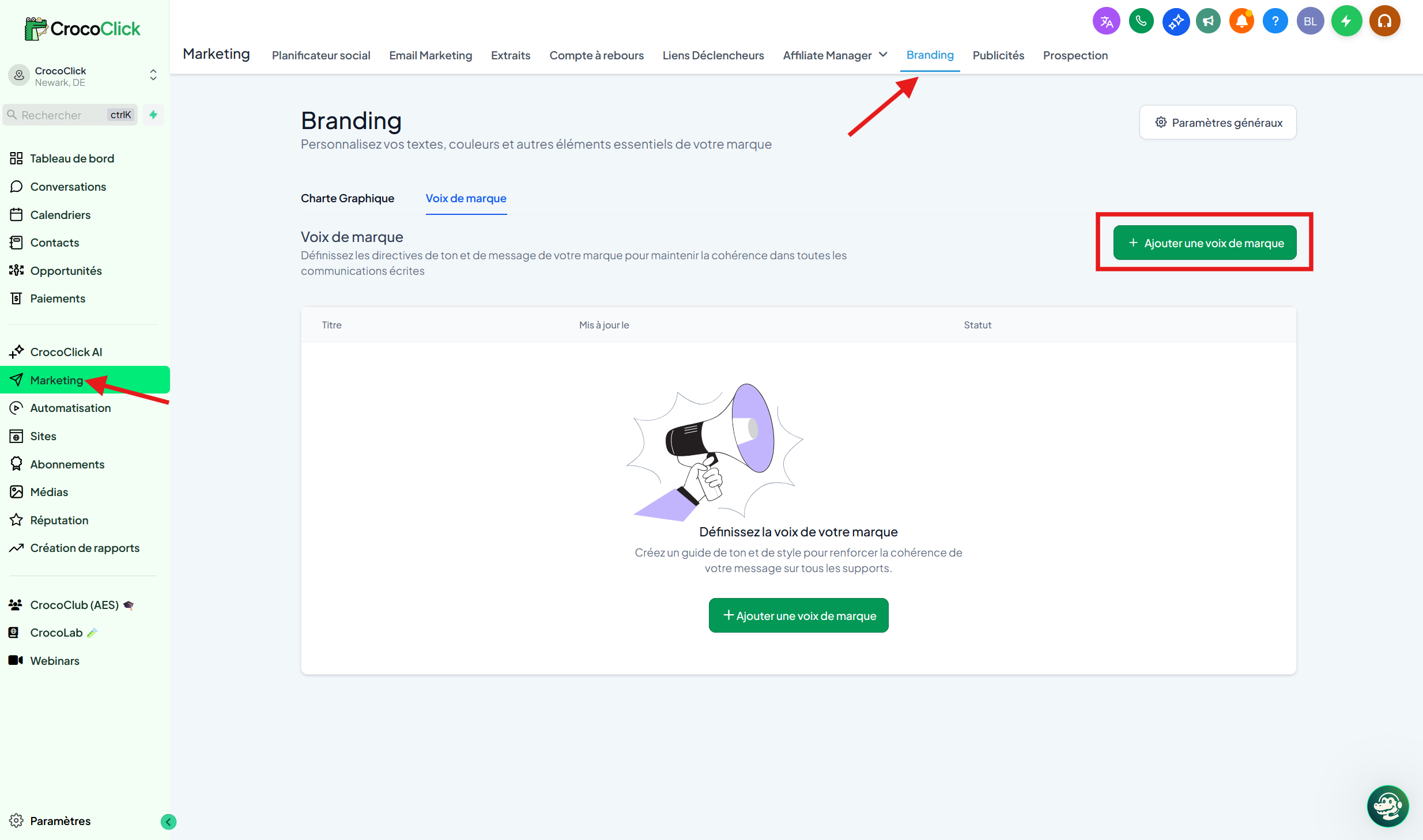
Go to: Marketing → Branding
Click on Create a New Brand Voice
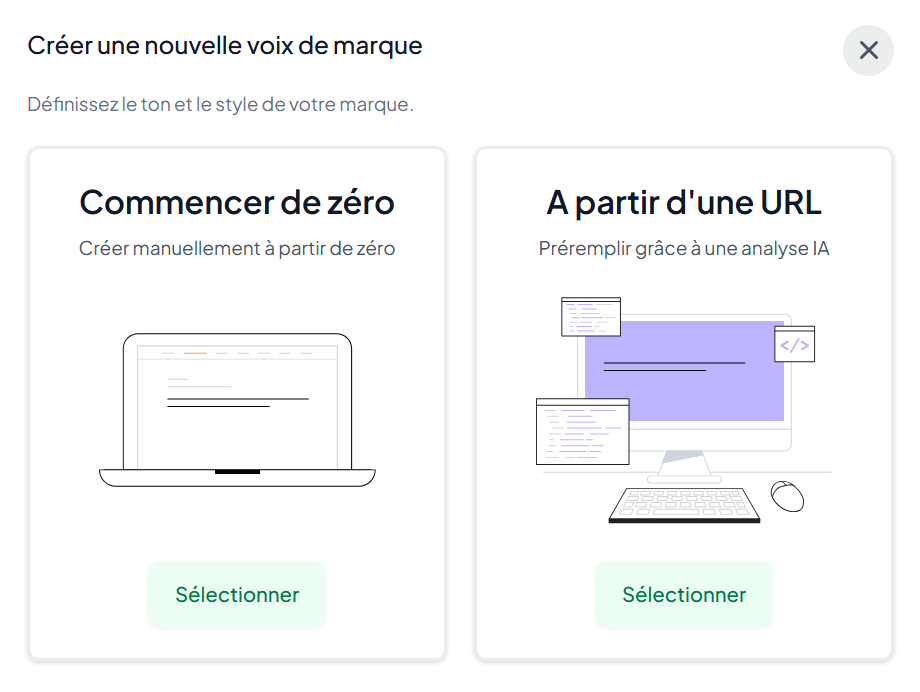
Select “Start from scratch” or “from a URL”
Fill out the form and follow the prompts
Click Save
Set a default Brand Voice
Click the three dots next to the Brand Voice
Select “Set as Default Voice”
The selected Voice will be used automatically in AI tools.
The benefits of a defined Brand Voice
⚡ Save time: No need to repeat your tone instructions every time you generate content.
🎯 Strategic alignment: All your content aligns with your brand identity.
🤖 Improved AI performance: The AI generates content…
…More accurate
…More consistent
…More relevant
📌 The Brand Voice can be selected as the tone in the Content AI window.