Funnels & Websites AI - Create your funnels and websites in minutes with AI
Create your funnels and websites in minutes with CrocoClick AI. Automatically generate pages, text, images and SEO. Launch high-performance tunnels 10× faster, without technical skills.
Written By CrocoTeam
Last updated 7 months ago
The days of spending hours building a funnel are over.
With Funnels & Websites AI, you can now create, edit, and launch a complete website or sales funnel in minutes, simply by chatting with the AI.
💡 What is Funnels & Websites AI?
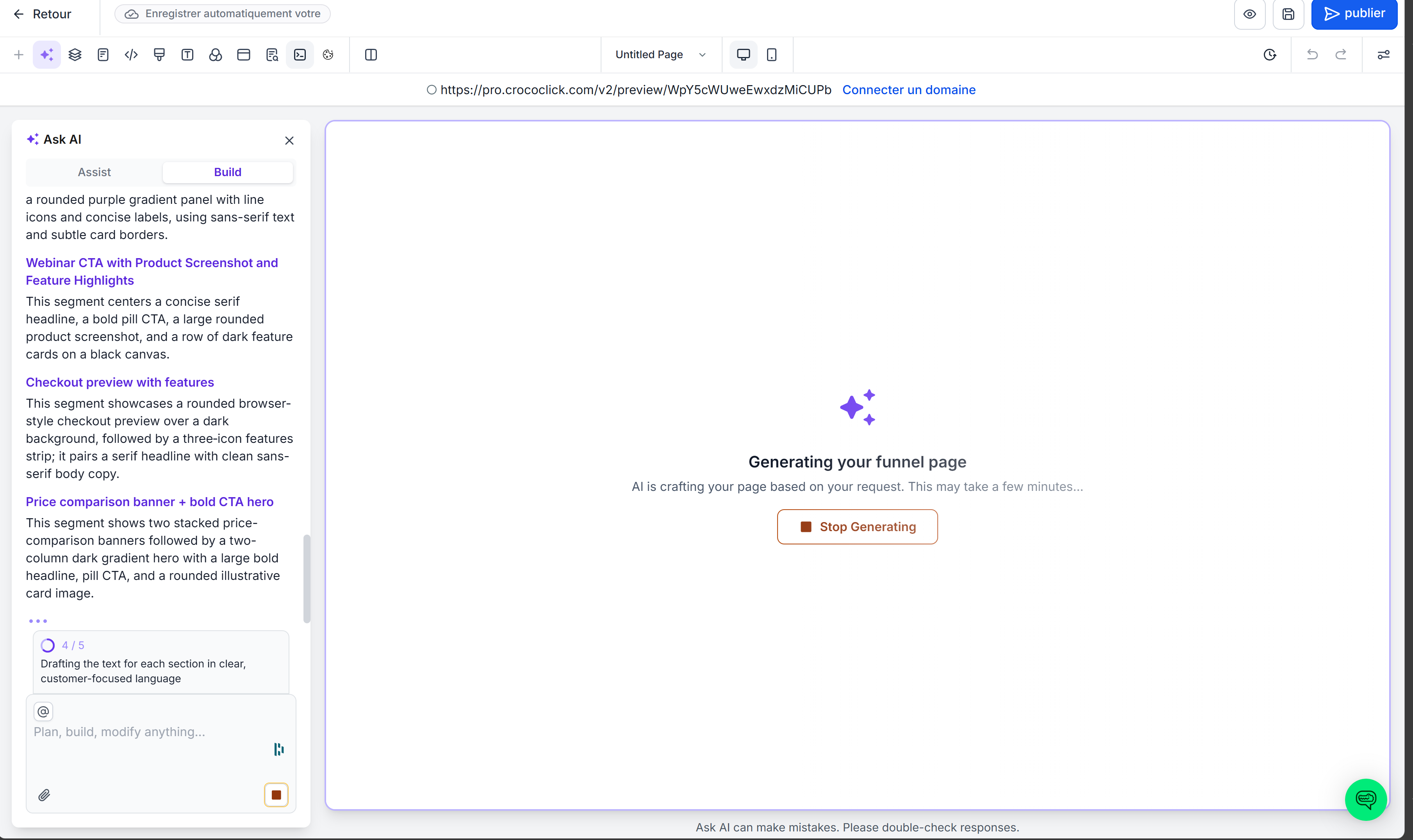
Funnels & Websites AI is the new intelligent builder integrated into CrocoClick.
In a nutshell: you describe your idea, and the AI transforms it into a complete website or funnel.
Three modes are available:
Assist Mode: the AI guides you step by step.
Build Mode: you type exactly what you want.
Chat Mode: you talk to the AI while it builds your page.
💡 Example: Type "Create an appointment funnel for sports coaches with customer testimonials and an integrated Calendly form."
👉 In less than 2 minutes, you get a complete funnel ready to publish. Yes, it's that simple.
🚀 Key benefits
10× faster launch: AI automatically generates text, images, and layout.
Industry-optimized templates: structures follow best practices for conversion (coaching, e-commerce, consulting, etc.).
Live chat: no need to search for options in menus—just say "enlarge the main button" or "add a video here."
Instant visual import: paste a link to a site you like, and AI replicates its style.
SEO included: Automatically optimized titles, descriptions, and alt tags.
Smooth workflow: AI on the left, manual settings on the right.
⚡ Example: You import your old WordPress site → the AI retrieves the colors, font, and structure → all you have to do is replace the text
🧠 The 3 AI modes
🪄 Assist Mode — Ideal for getting started
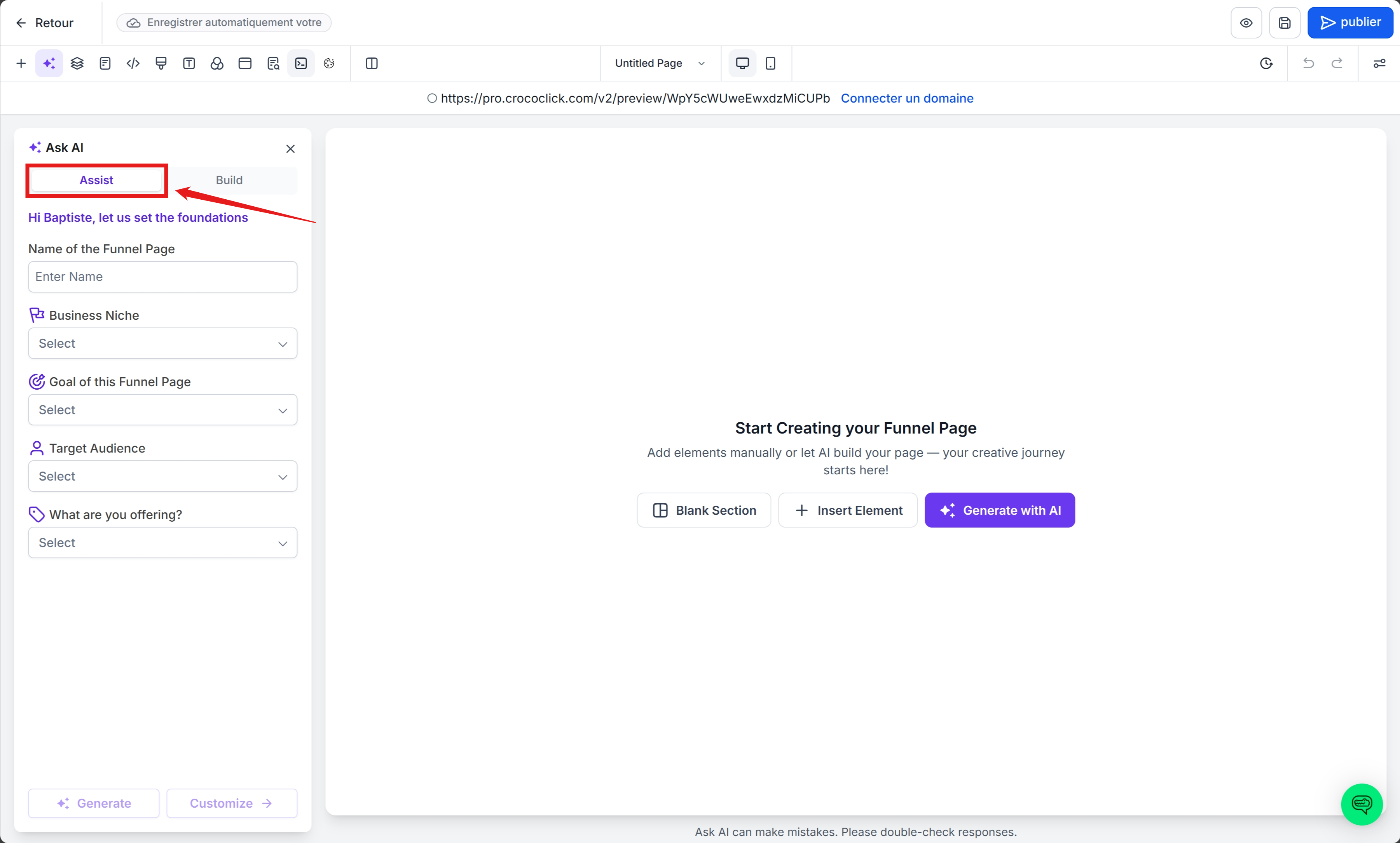
The AI asks you a few simple questions:
What is your industry?
What is the goal of your funnel?
Who is your audience?
What tone do you want to give your texts (professional, fun, direct)?
Based on your answers, it automatically creates:
The structure of the funnel
The texts
The visuals
And even colors consistent with your brand
🎯 Example: You are a wedding photographer. The AI can create:
A home page with an image gallery
A testimonials section
A "Book a session" button linked to your calendar.
🧱 Build Mode — For experienced creators
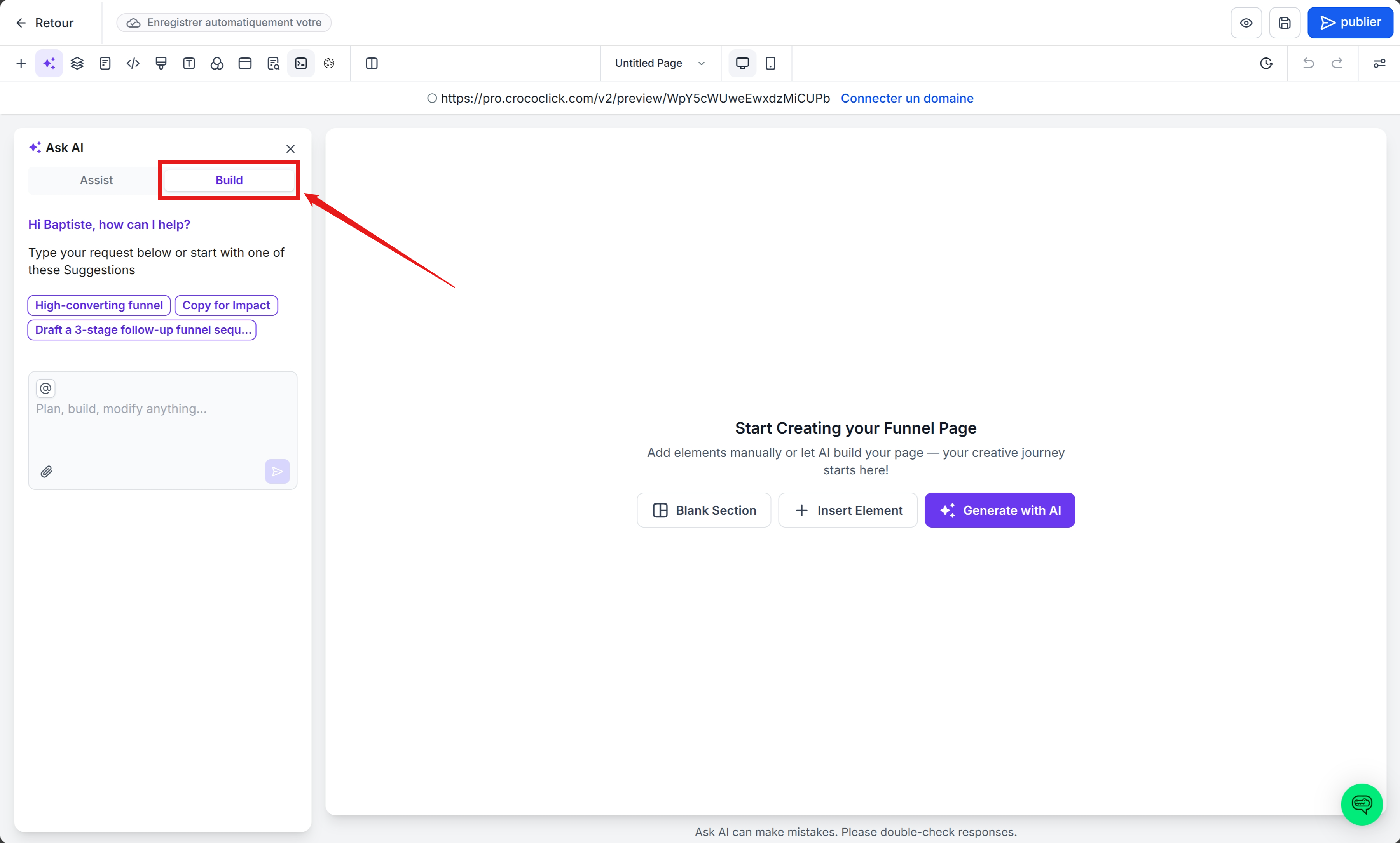
Know exactly what you want? Describe it directly to the AI.
Example: "Create a 3-page website for an Italian restaurant, with a menu page, a reservations page, and an integrated Google Maps contact page."
The AI generates the complete skeleton, blocks, and sample texts.
All you have to do is refine the details.
💡 Tip: you can specify the visual style — "minimalist design with black background and modern white typography."
💬 Chat Mode — To edit live
Once your page is generated, you can talk to the AI as if it were a designer.
“Change the button color to crocodile green.”
“Add an FAQ section.”
"Make the title more impactful."
The AI applies your requests instantly, without reloading the page or opening other menus.
🧩 AI + Settings side by side
You get the best of both worlds:
On the left: the AI chat to generate and edit.
On the right: manual settings (spacing, colors, fonts).
🌐 Import from a link or image
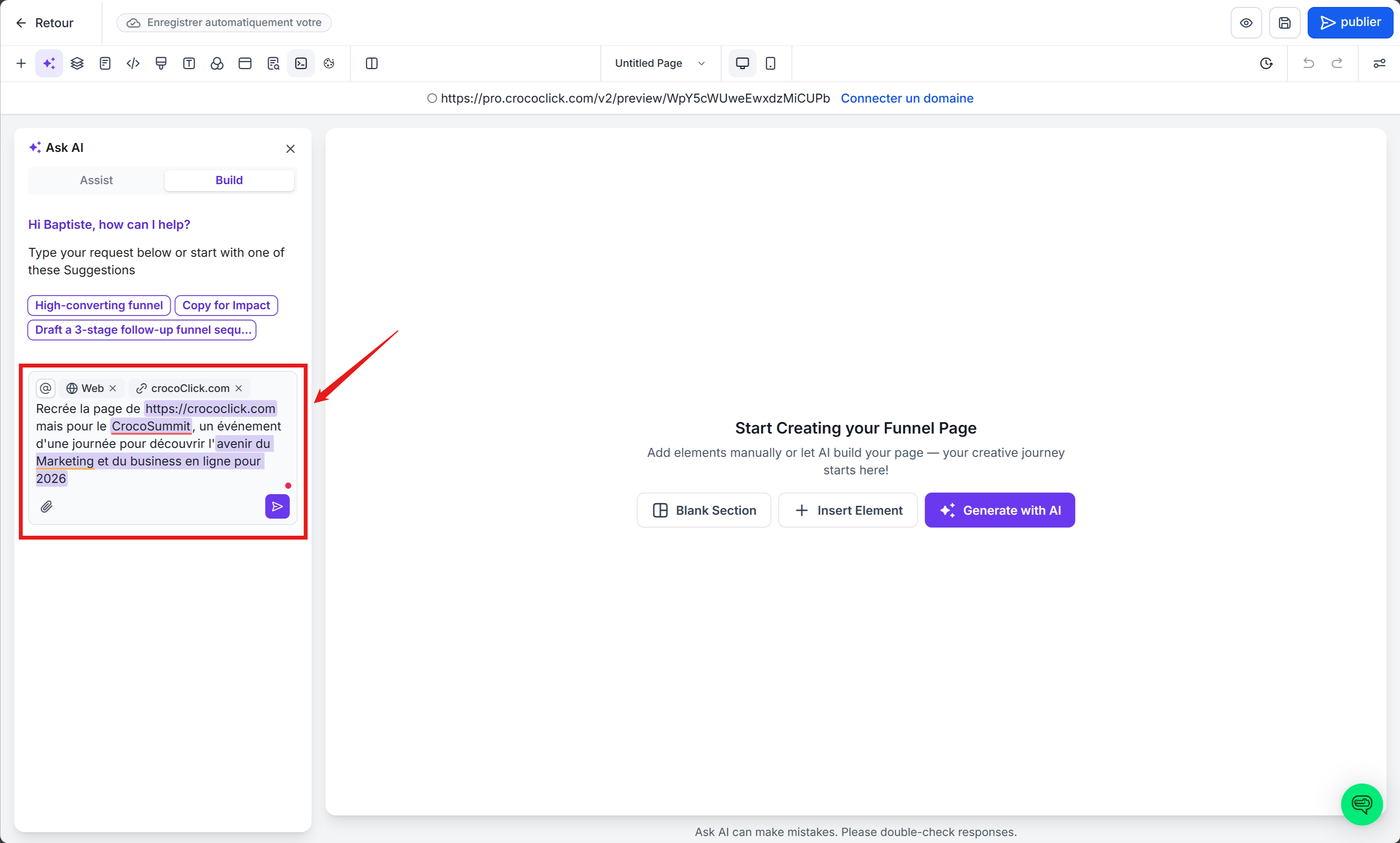
Paste any public URL or import a screenshot:
the AI automatically recreates the structure and style of the site.
🎯 Example: Do you like the design of Apple.com?
Paste the link → the AI recreates a page with a similar style (balanced sections, thin font, large visuals). Then, replace the content with your own.
🔍 Automatic SEO
Each generated page includes:
a relevant meta title,
an optimized description,
alt tags on all images.
Example: You create a website for a physical therapist in Lyon →
the title generated will be: "Physical Therapist in Lyon — Tailored Sessions for Your Well-being."
Result: your site is already optimized before it is even published.
🪶 How to create your first funnel or website with AI right now
Open Sites → Funnels or Websites.
Click on + New.
Choose AI (beta).
Select:
Assist (guided), or
Build (free prompt).
Fill in the fields or type your prompt.
Click Generate.
Customize with Chat Mode.
Check SEO suggestions before publishing.
🔥 Example: "
Create a 2-page funnel for a webinar on productivity, with a registration form, testimonials, and a countdown timer."
In 90 seconds, your funnel is online.
❓ Frequently asked questions
➡️ Can I edit the page after it has been generated?
Yes, all sections remain editable in the classic builder. You can even chat with the AI so that CrocoBot modifies your page for you.
➡️ That's so crazy! Is there a charge?
We offer 1,000 prompts per day for free. If you want more prompts, the CrocoClick AI unlimited plan is what you need :)
➡️ Does the AI understand multiple languages?
Yes! You can choose the language and tone (professional, fun, humorous, inspiring, etc.).