Code with AI - Custom code generation for your automations
Code with AI makes it easy to generate JavaScript code in your CrocoClick automations, without you having to code.
Written By CrocoTeam
Last updated 7 months ago
The Code with AI feature simplifies writing JavaScript code in the Custom Code action of your workflows.
Even if you're not a developer, you can automate advanced processes by simply describing what you want to achieve in natural language.
What Code with AI enables
1. Simple description in natural language
Write what you want to achieve, for example:
👉 "Convert a date from MM-DD-YYYY format to YYYY-MM-DD format."
The AI automatically generates a corresponding code snippet.
2. Contextual integration
The generator recognizes variables in your workflow (e.g., {{contact.dateRDV}}) and integrates them directly into the code.
3. Easy iteration
If you are not satisfied with the first result:
Rewrite your request
Regenerate new code
Or request specific corrections (e.g., "add error handling").
4. Concrete use cases
Formatting dates or text
Custom calculations
API calls
String processing
Any logic that goes beyond CrocoClick's standard actions
Best practices
Review and test: AI provides ready-to-use code, but it is essential to review it and test it on a contact or in a test environment before using it in production.
Learn as you go: Use the chat as a mentor. Ask why a particular code is used, or how to adapt it to another case.
Be specific: The clearer your request, the closer the generated code will be to what you want.
How to use Code with AI
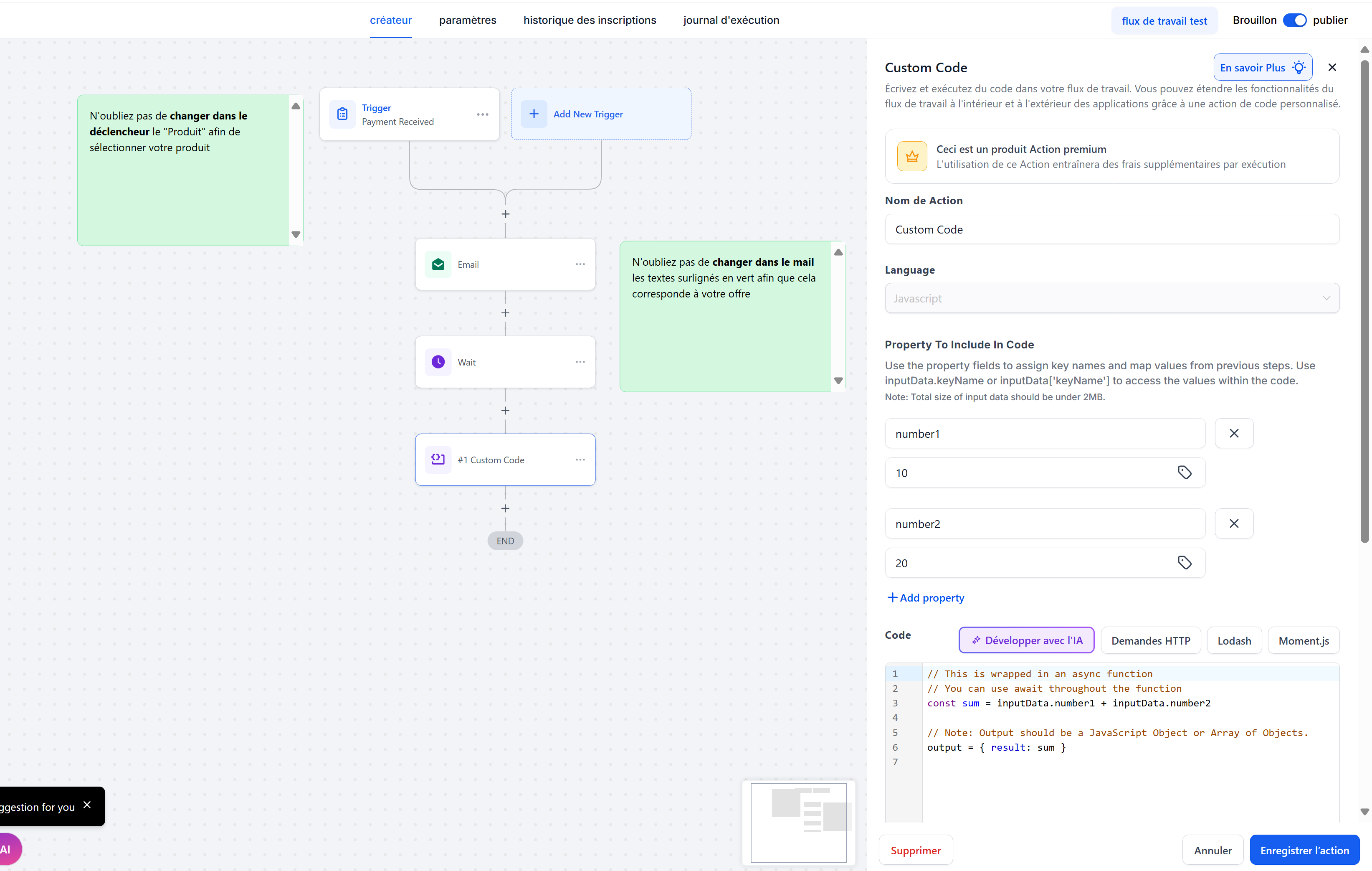
Open a workflow in CrocoClick.
Add a "Custom Code" action.
Click on Develop with AI.
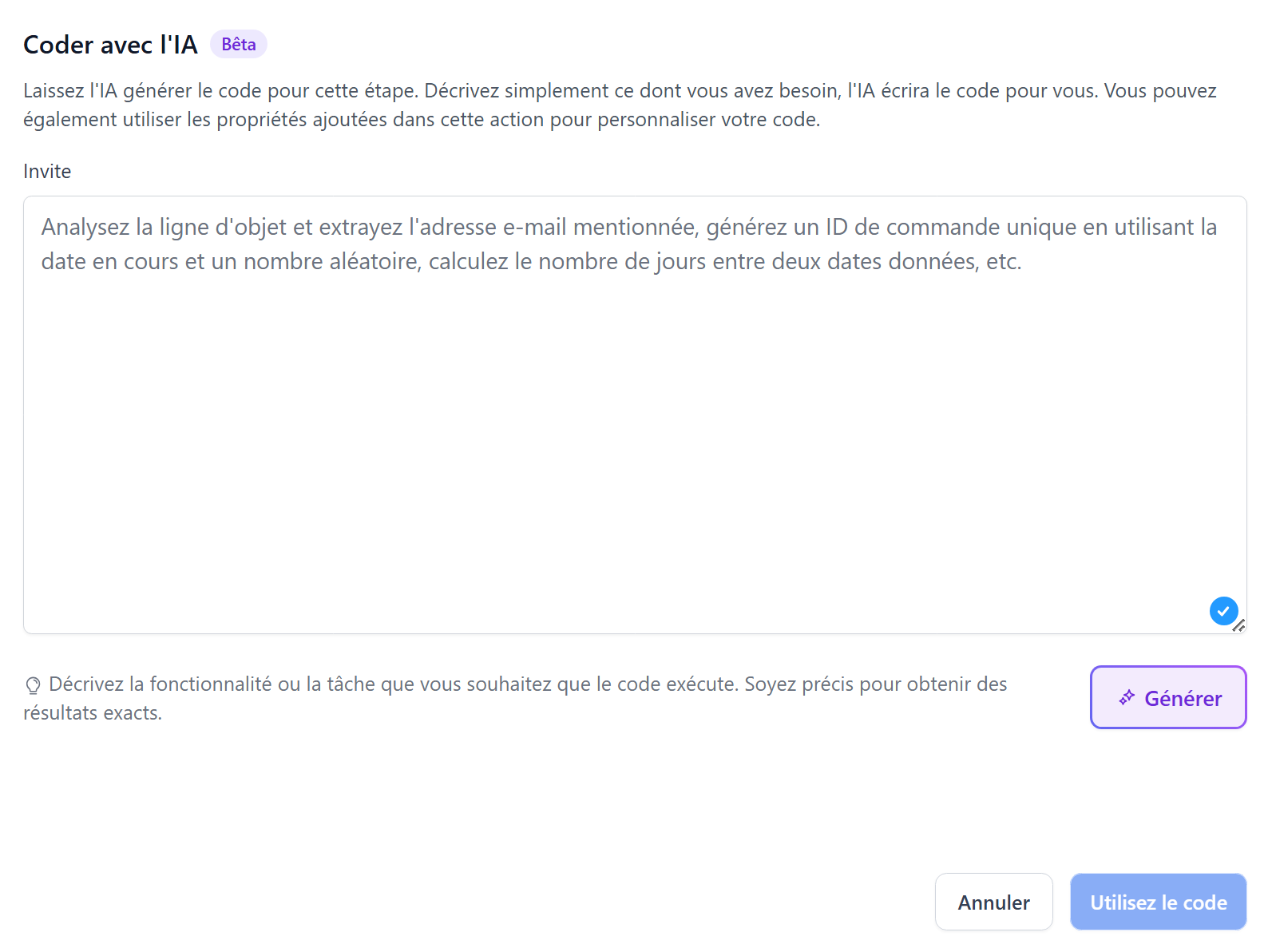
Describe what you want to do → the AI generates the code automatically.
Review, test, and adjust if necessary.
In just a few seconds, your ideas are transformed into robust, customized automations.
FAQ – Frequently Asked Questions
Q: Do I need to be a developer to use Code with AI?
No. The tool is designed for non-coders: a clear description is all you need.
Q: Can I modify the generated code?
Yes, the code is fully editable and you can manually adapt it to your needs.
What if the AI doesn't understand my request?
Rephrase your request more precisely or ask for further explanation.
How many free requests do I have per day?
Each account generally has 30 free requests per day, which are automatically renewed.
Can the AI generate code for actions other than Custom Code?
For now, the feature is limited to the Custom Code action, but extensions are planned.
🎯 In summary
With Code with AI, you can create advanced automations without writing a single line of code. Simply
describe your need, let the AI generate the code, then test and deploy your workflows.