Trigger automation when paying for a specific product
Find out how to send an automatic email - or any other action of your choice - after the purchase of a specific product
Written By CrocoTeam
Last updated 7 months ago
Why is this useful?
You have several products (training courses, subscriptions, services) and you want each customer to receive a different email or action depending on what they purchase.
👉 Example: after purchasing a training course, send a welcome email + access details, but after purchasing coaching, trigger a follow-up call.
Step 1 – Create your products
Go to Payments > Products.
Make sure each product is properly configured and identifiable (clear name, specific options if needed).
💡TIP: Read our article on "How to create a product in CrocoClick" to learn more about this topic.
Step 2 – Create the automation(s)
Go to Automations > New Automation.
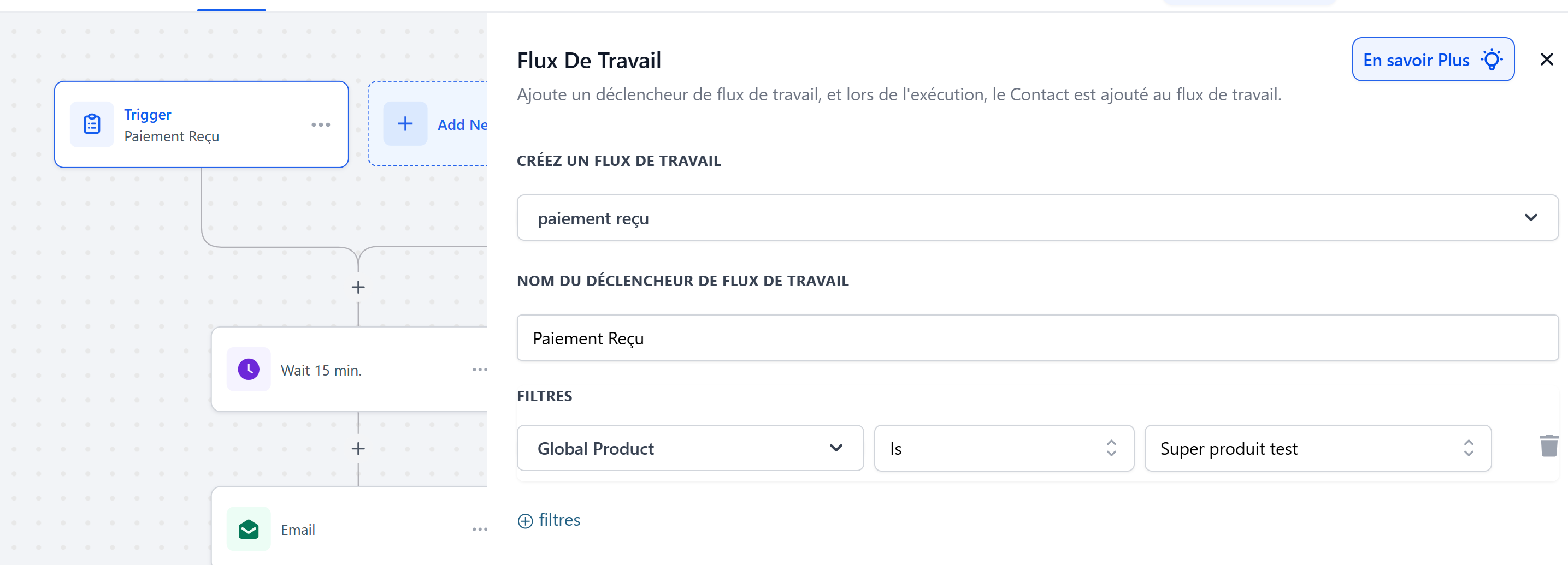
Select the Payment Received trigger.
Click on Filters to specify the product concerned.
In the left field, select Global Product (this is the filter's "category").
In the right-hand field, choose the exact product.
Add your actions to the automation (send an email, assign a tag, add to a sequence, etc.).
💡TIP:
"Payment received" will trigger for all payments received related to the product ➡️ if a product offers a subscription or payment in installments, the automation will trigger each time a payment is received.
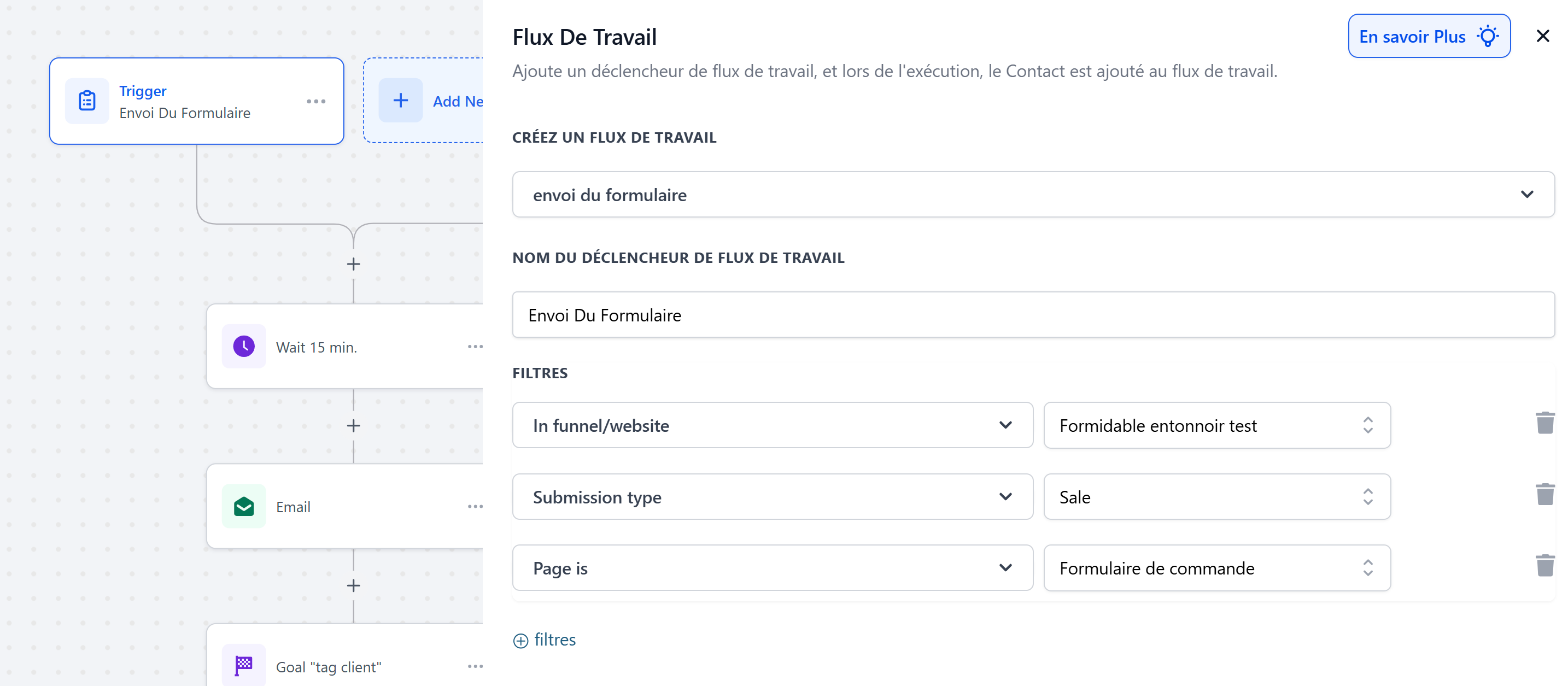
"Form submitted" is useful if you want the automation to trigger only once, even with recurring payments ➡️
In this case, add the "in funnel/website" filters to target forms from a specific funnel.
You can then be more specific by adding "page is" and "submission type" so that automation only triggers in the event of a sale, and not when the first step of the form is completed (opt-in).
Step 3 – Customize the action
In each automation, customize:
The email template with the right content (training link, coaching info, etc.).
The tags to segment your contacts.
Member access if necessary.
Best practices
Create one automation per product rather than mixing everything together.
Use clear tags (e.g.,
Formation X – Client) to track your sales.Test your automations by making a test payment before putting them into production.
👉 Result: each customer automatically receives the right communication, based on the product purchased 🎯