Personalize company information on invoices
Easily add your company details (SIRET, IBAN, etc.) to your invoices in CrocoClick.
Written By CrocoTeam
Last updated 7 months ago
In CrocoClick, you can easily add specific information about your company to your invoices (SIRET number, trade name, etc.) or include your bank details for transfers. Here's how to do it:
How do I add other information about my company (SIRET number, trade name, etc.)?
1. Create a custom value
Go to the Settings tab in CrocoClick and navigate to Custom Values.
Click on New Custom Value.
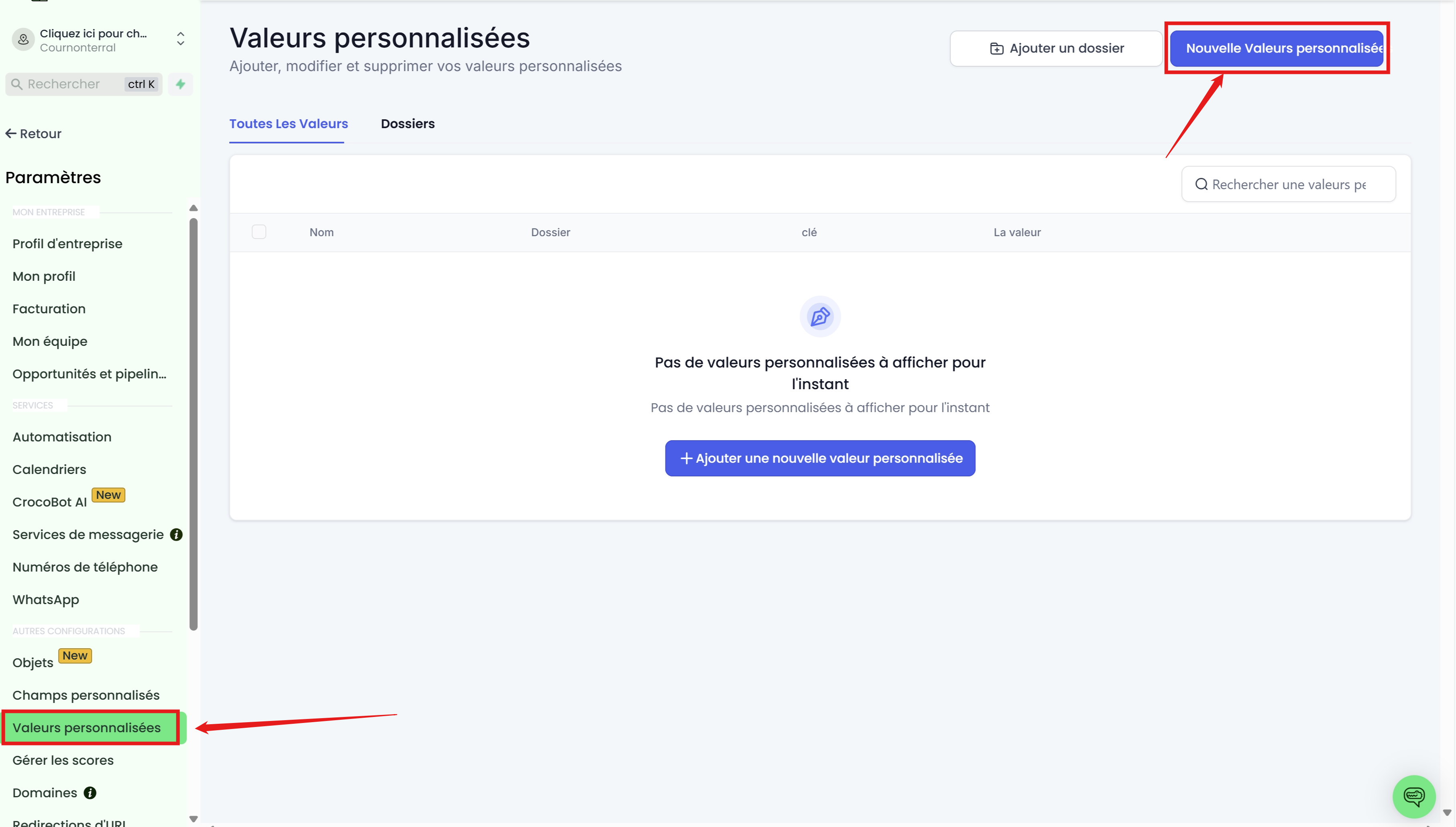
Fill in:
Name: Example, "SIRET number."
Value: Enter the corresponding value, such as "111 1111 111 1111."
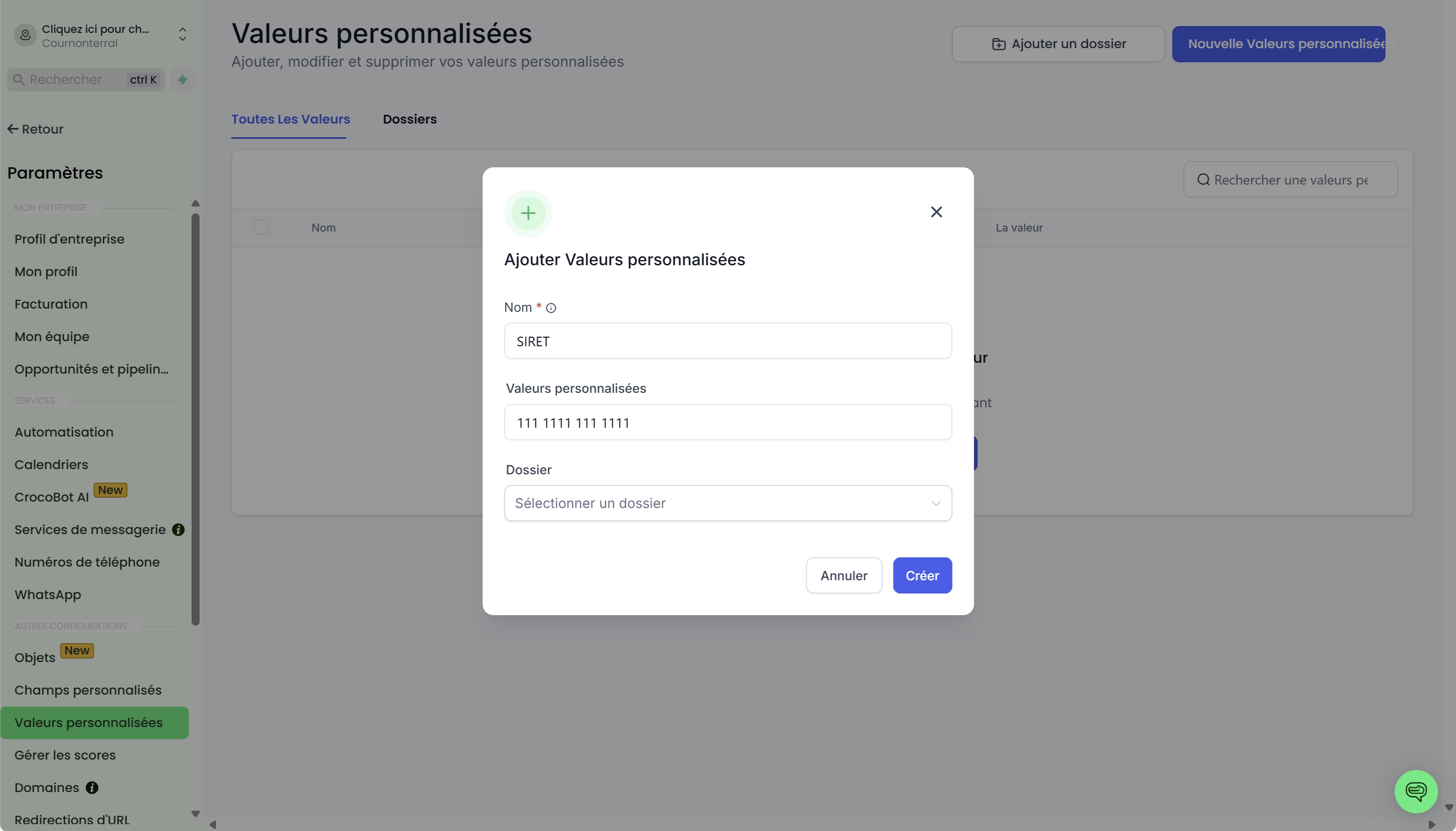
💡 Tip: You can create custom values for any type of information you want to add, such as your business name, intra-community VAT, etc.
2. Add the custom value to your invoices
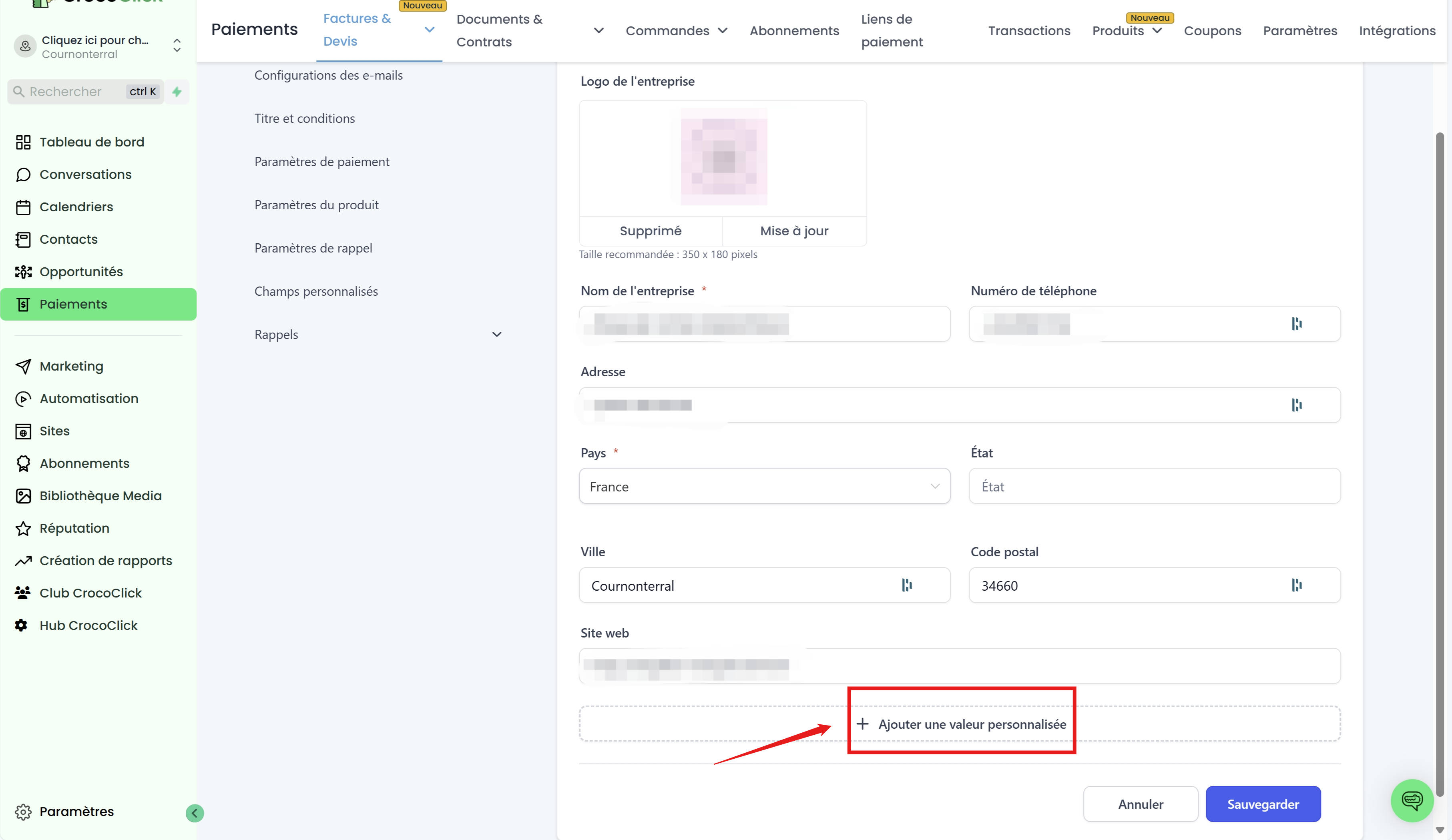
Return to the Billing section.
Click on the Settings icon > Company Information.
Add the custom value.
Save to apply the changes.
Where do I add my IBAN for bank transfers?
The best method is to add this information in the Terms/Remarksso that it appears clearly at the bottom of the invoice.
Go to Payments > Invoices & Quotes > Settings, then click on Titles and Conditions.
Add the necessary information in Terms/Remarks.
Save to apply the changes.
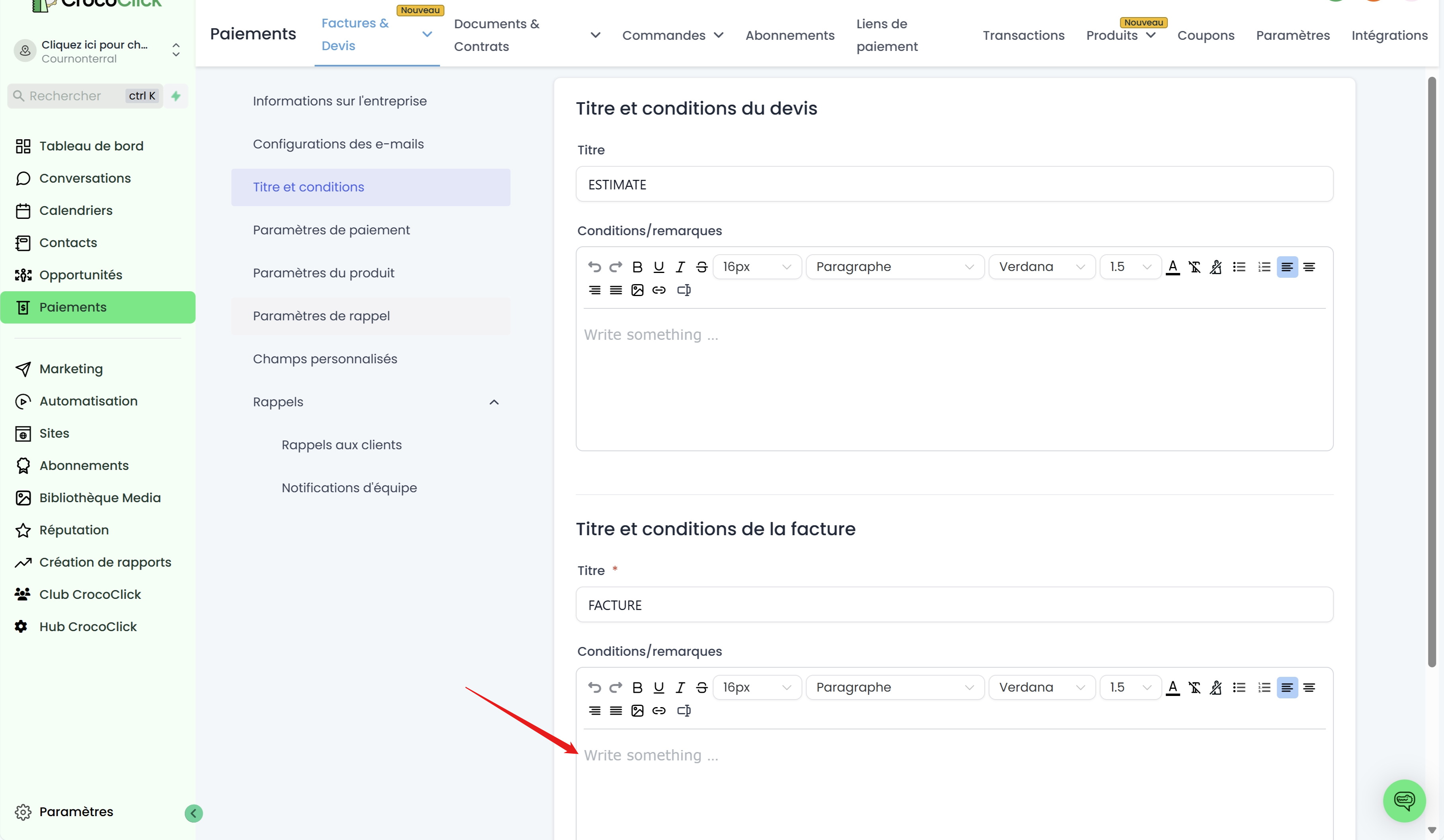
This method allows you to add the information to all future invoices.
If you want to customize this section individually for each invoice, please see our article
Conclusion
By customizing the company information on your invoices, you offer your customers a professional and transparent experience. Whether you want to add your SIRET number, a trade name, or your IBAN, CrocoClick simplifies invoice management and allows you to precisely meet the needs of your business.