How do I close CrocoBot Chat?
Find out how to close the help chat window with customer support or with CrocoBot help
Written By CrocoTeam
Last updated 6 months ago
CrocoBot is your built-in assistant for asking questions or getting support directly within CrocoClick. However, you may want to close this window to make the most of your workspace. Here’s how:
Steps to close the CrocoBot Chat
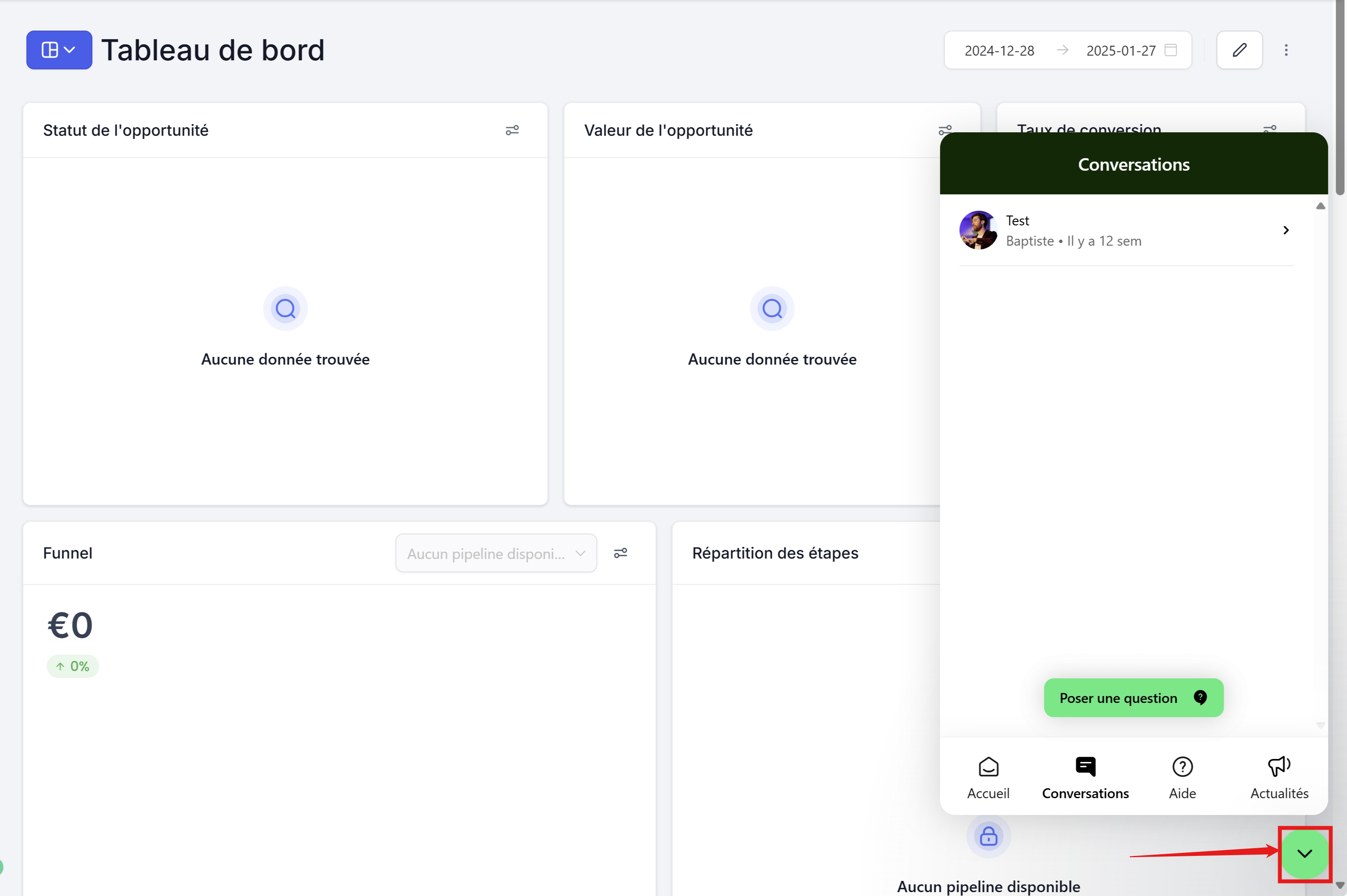
Locate the minimize icon:
In the CrocoClick interface, when CrocoBot is open, look for a small green arrow icon in the bottom-right corner of the chat window.
Click the green arrow:
Clicking this arrow will automatically minimize CrocoBot. The chat window will disappear and no longer clutter your dashboard.
Reopen CrocoBot (if needed):
If you want to reopen the chat, simply click the chat icon in the bottom-right corner of your screen.
💡TIP: Minimizing CrocoBot does not close your chat session, so you can pick up the conversation where you left off by reopening the window.