How do I create an affiliation campaign?
Learn how to create an affiliate campaign to earn commissions and maximize your sales in just a few simple steps.
Written By CrocoTeam
Last updated 14 days ago
Affiliate campaigns allow you to incentivize your partners to promote your products or services in exchange for commissions on the sales they generate. Here is a detailed step-by-step guide to creating an affiliate campaign in CrocoClick.
Step 1: Add a new campaign
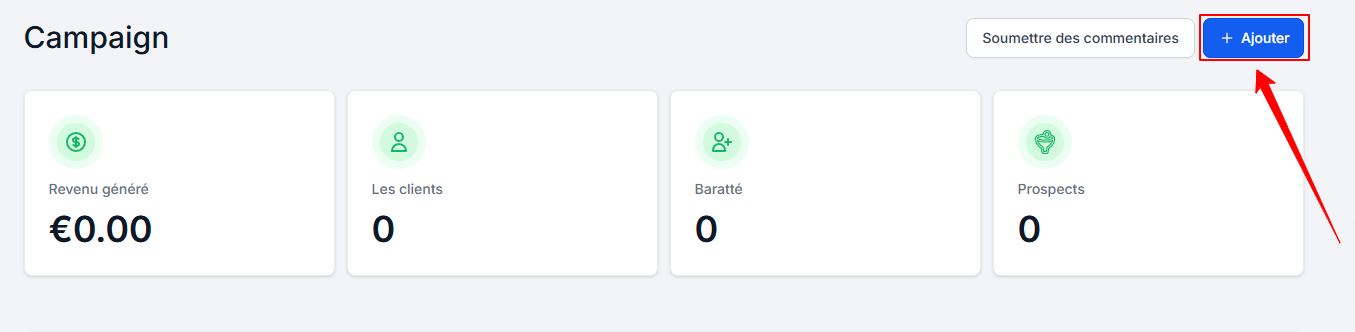
Go to Marketing > Affiliate Manager > Campaign in CrocoClick.

Click the + Add button to start creating a new campaign.
Step 2: Rename your campaign
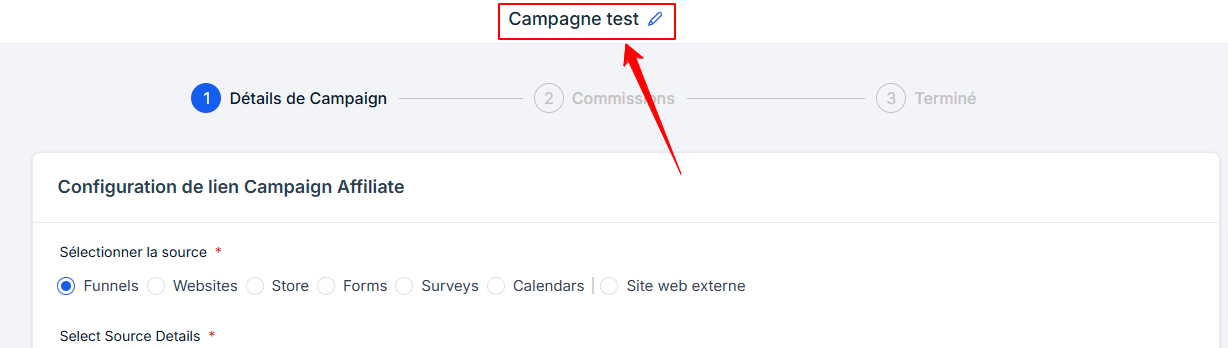
Give your campaign a descriptive name so it’s easily identifiable.
Step 3: Select your campaign source
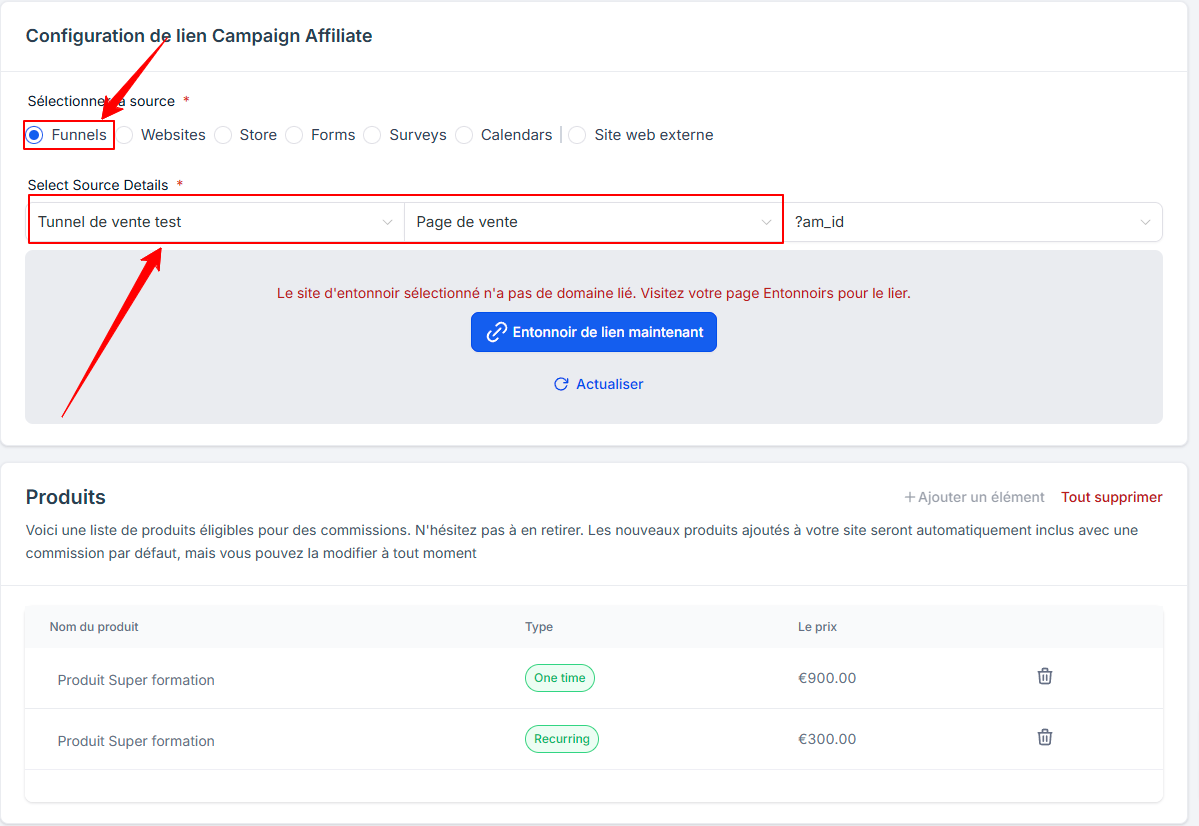
Choose a source, such as a funnel, a website, or a store, where your products are listed.
Select a landing page to specify where users who click the link will be directed. Once configured, the system will generate a default campaign URL. This URL includes a unique affiliate link, where the <<affiliate_id>> placeholder is automatically replaced with each affiliate’s unique ID.
💡TIPS:
If you want to sell products or services within the same affiliate campaign, it’s essential to group them within the same funnel or website.
Currently, only sales funnels, websites, and stores allow product sales through affiliate campaigns.
You can also track leads and pay affiliates for lead generation using forms, surveys, and calendars.
The landing page selection determines only where customers will arrive, but tracking applies to the entire source and not just the selected page.
That’s why you can create a funnel with all the products you want to sell through affiliate marketing to set up your campaign and landing page, even if the actual sale takes place on another funnel or website.
Step 4: Review and adjust products
Review the list of products associated with the selected source.
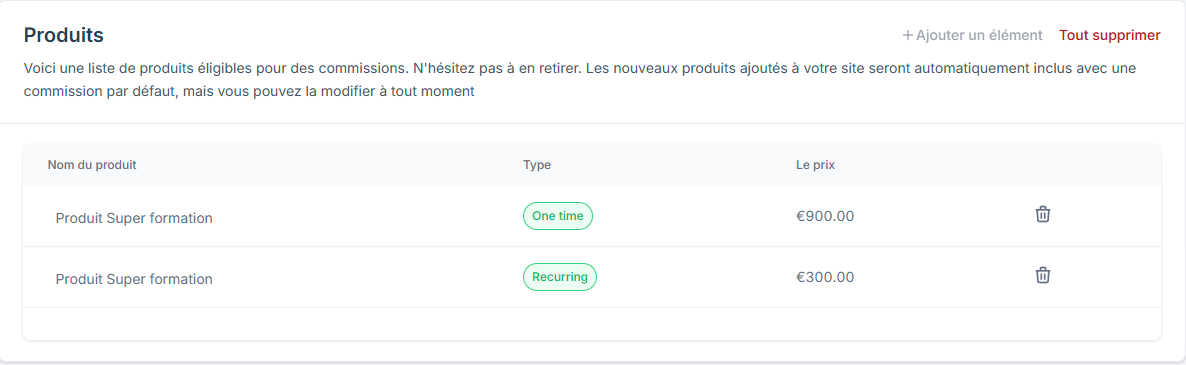
Add or remove products to keep only those eligible for commissions.
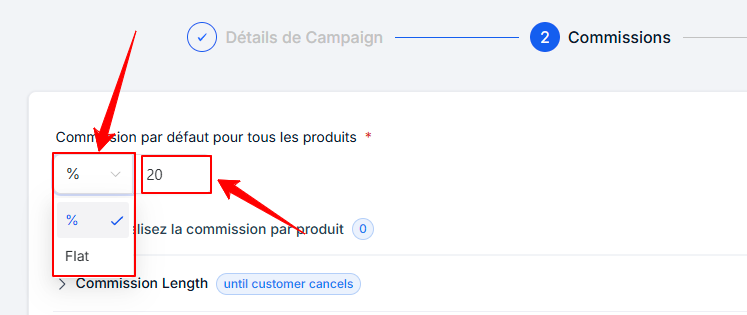
Step 5: Set the default commission
Choose the commission type:
Fixed amount (e.g., €10 per sale).
Percentage (e.g., 20% of the product price)
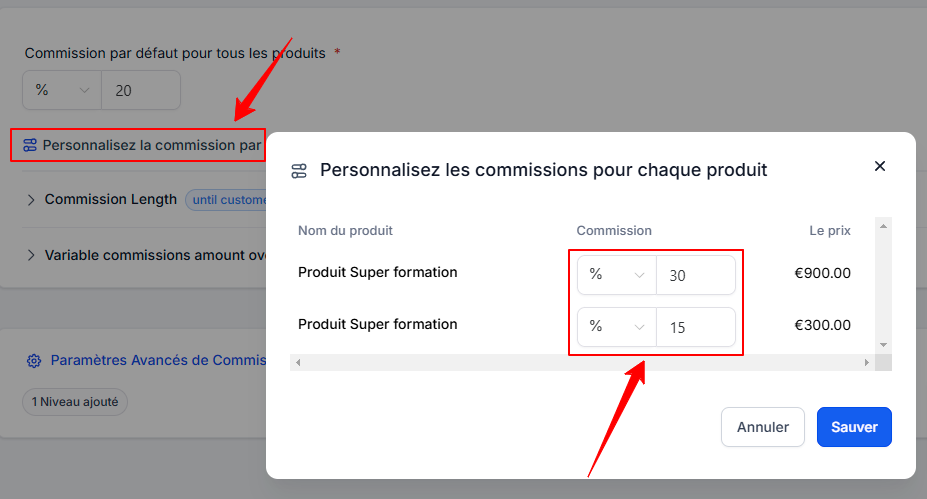
Step 6: Customize commissions by product (optional)
If necessary, set specific commissions for certain products to adjust compensation based on individual prices.
Step 7: Enable multi-level commissions (optional)
Access the advanced commission settings.
Enable multi-level commissions to reward affiliates across multiple levels (up to a maximum of 7 levels).
Set commissions for each level by applying the default rate or customizing them.
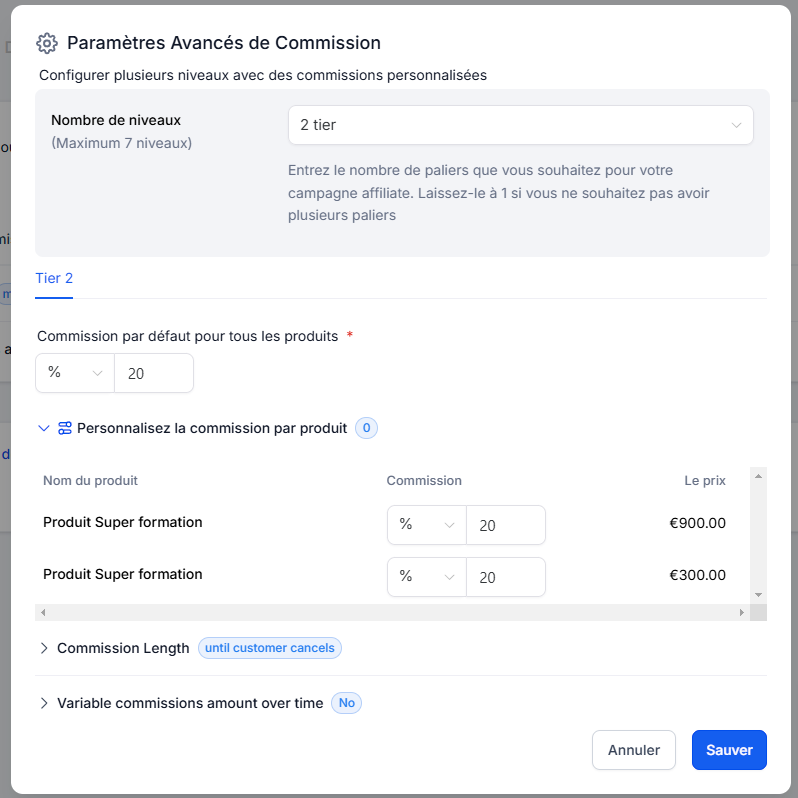
💡TIP: Multi-level commissions are useful if you want to work with "affiliates of affiliates." This way, you can reward those who bring you effective affiliates, helping to promote your affiliate program.
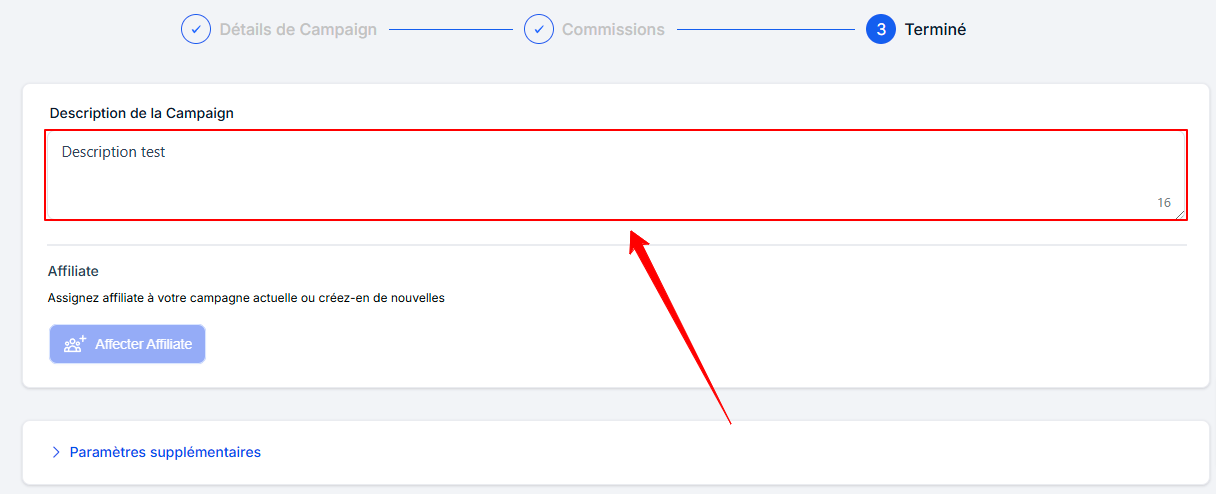
Step 8: Add a campaign description (optional)
Add a description explaining the campaign’s objective to attract more affiliates.
Step 9: Assign affiliates
View details about available affiliates, such as their sign-up date and total number of affiliates.
Assign affiliates directly to your campaign.

💡TIP: Your affiliates must already be in the Affiliate Manager BEFORE you can assign them to an affiliate campaign
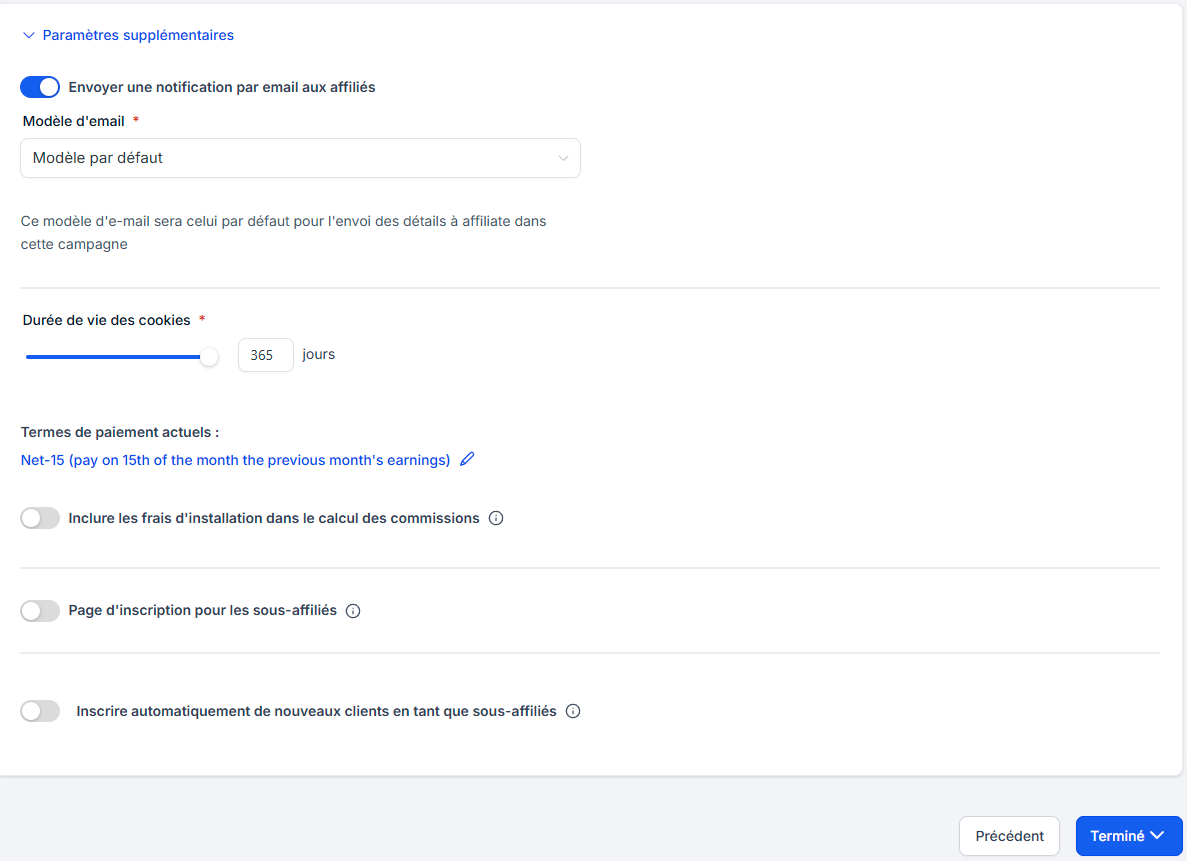
Step 10: Adjust Additional Settings
Further customize your campaign with the following options:
Email templates to onboard your affiliates: You can customize the welcome email. Click here to read our article on the subject
Cookie duration to track affiliate activity.
Payment terms for your affiliates.
Inclusion of setup fees in commissions.
Enabling sub-affiliate registration.
Automatic registration of new customers as sub-affiliates.
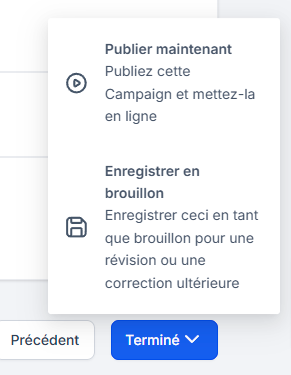
Step 11: Publish or save as a draft
If your setup is complete, click "Publish" to launch the campaign.
Otherwise, save the campaign as a draft to edit it later.
Congratulations!
Your affiliate campaign is now active and ready to use. With this simple setup, you can motivate your affiliates, maximize your sales, and track performance accurately.