Affiliate payment overview
Learn how to manage affiliate payments efficiently, including commission tracking, payment generation and practical tips.
Written By CrocoTeam
Last updated 6 months ago
Affiliate payments refer to the amounts paid to affiliates for each sale generated through their efforts. This article guides you through tracking commissions and effectively managing payments within CrocoClick’s Affiliate Manager.
Key Takeaways
Commission Tracking: Commissions are tracked for sales processed via Stripe. However, refunds for one-time products or subscriptions are not automatically tracked.
Subscription Cancellations: The Affiliate Manager administrator can choose to make payments 15, 30, or 60 days after the sale to account for potential cancellations. If a subscription is canceled, the lead is moved to the "unsubscribed" category but can be reactivated later.
One-time and recurring commissions: Commissions can be one-time or recurring, depending on the product sold via Stripe.
Coupons and discounts: If a discount is applied at checkout, the commission is calculated on the discounted amount.
How to navigate the Payments tab
The Payments screen has four sub-tabs representing the different payment statuses:
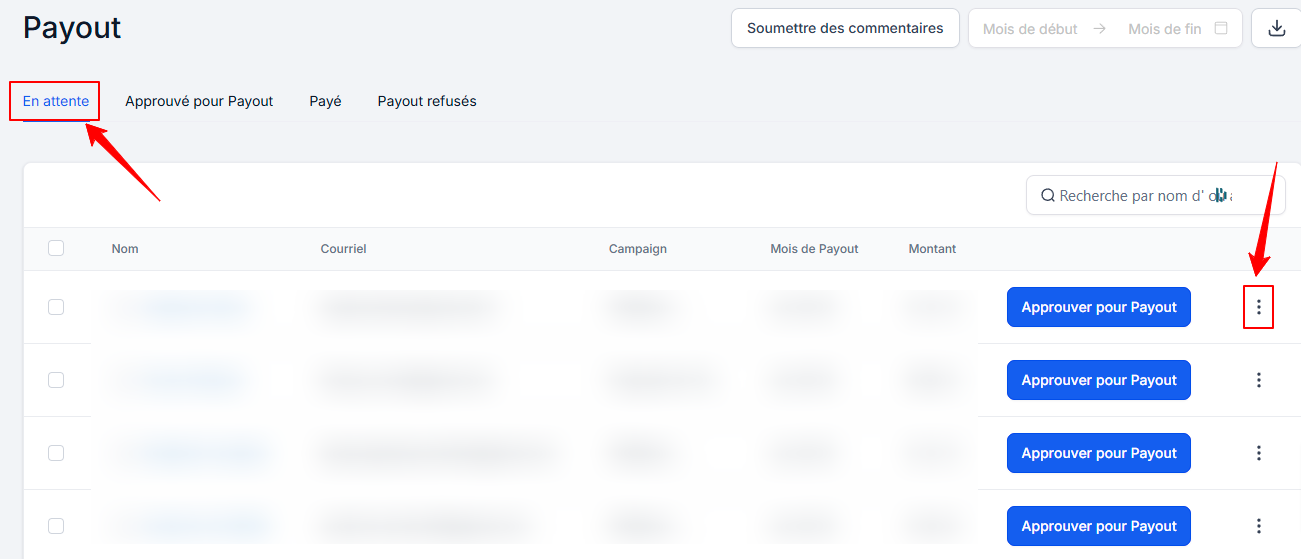
1. Pending:
Displays all pending payments for each campaign, organized by month.
Administrators review and approve eligible payments by clicking the three dots to view details by campaign and by month.
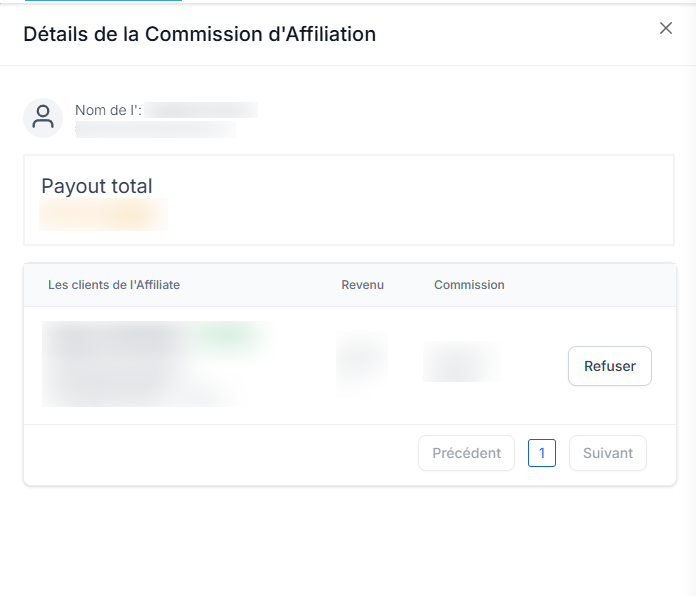
If a payment is not applicable, it can be rejected, and the entry is moved to the "Rejected Payouts" tab.

2. Approved for Payout:
Once payments are approved in the "Pending" tab, they are transferred here.
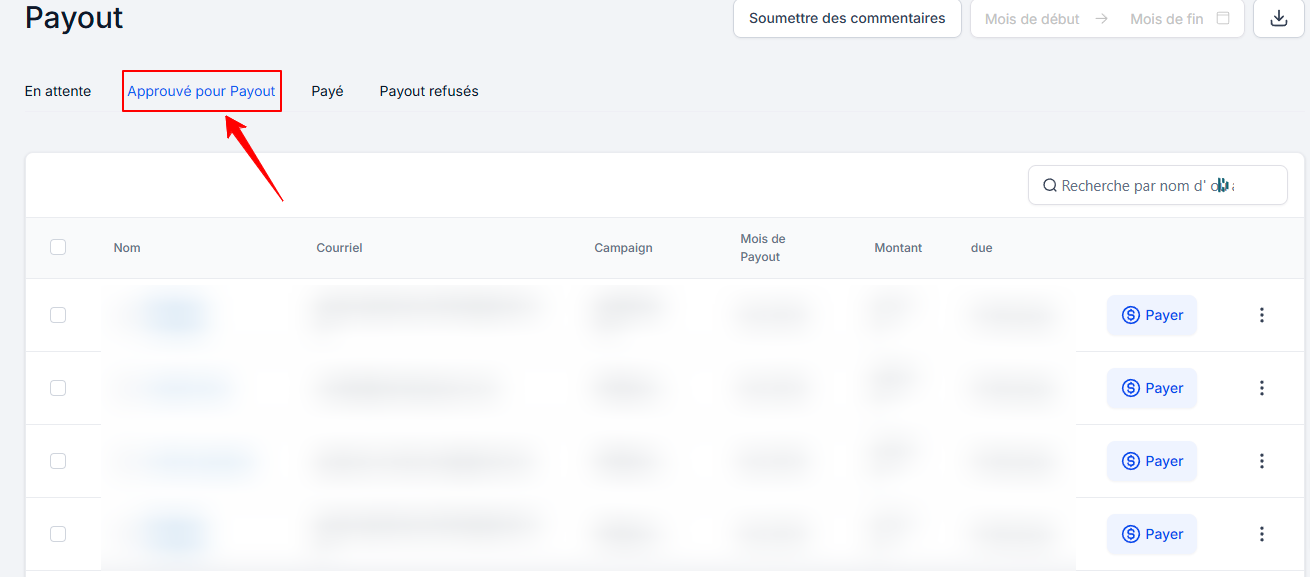
The administrator can export the list of affiliates and amounts due, upload it to the payment gateway, and then mark the payments as "Paid" once processed.
Payments can be returned to the "Pending" tab if necessary.
3. Paid:
Lists all affiliates who have received their payments, along with the transaction date. Payments in this tab can no longer be modified, as this is the final status.

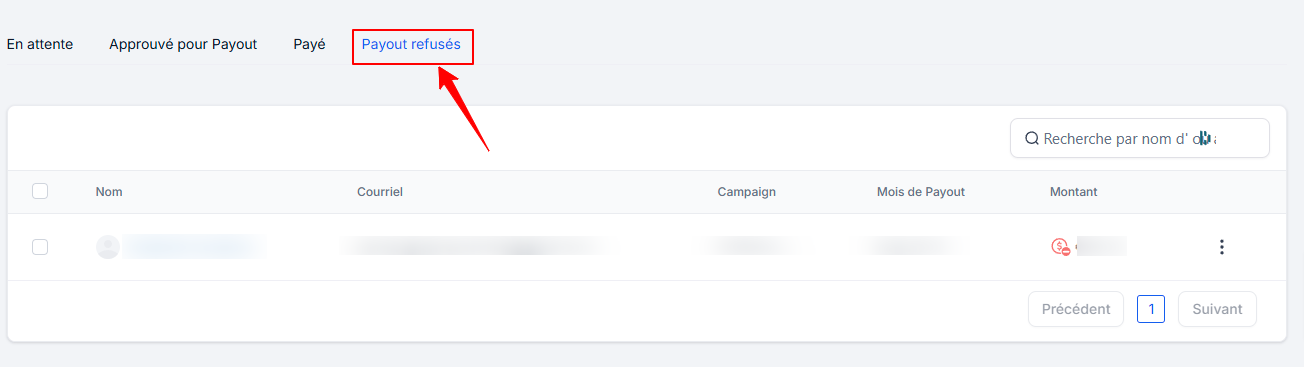
4. Rejected Payments:
Rejected payments appear here. They can be rejected from the "Pending" or "Approved for Payment" tabs.
How are payments generated?
Payments are generated in the "Pending" tab on the 1st of each month. Each payment displays a due date, indicating when the affiliate is to be paid, in accordance with the conditions defined in the campaign settings.
This system offers flexibility, allowing payments to be approved and processed at a later date in case of potential issues such as refunds.
How do commissions work?
Commissions form the basis of payments. Affiliates earn a commission every time a sale is made through their unique link.
Commission Rate: The commission percentage an affiliate earns depends on the campaign they are promoting.
Transparency: Understanding how commissions relate to affiliate payments ensures smooth management and transparency in your affiliate marketing efforts.
Conclusion
With CrocoClick, managing affiliate payments becomes simple and efficient. By following the steps above, you ensure smooth transactions and harmonious collaboration with your affiliates.