How to be added to several CrocoClick accounts with the same email address
Easily manage multiple CrocoClick accounts with the same email address and switch between accounts in 1 click
Written By CrocoTeam
Last updated 6 months ago
For agencies or companies with multiple branches, managing multiple CrocoClick accounts using the same email address is a real advantage.
This feature allows you to centralize the management of different accounts without having to switch between multiple email addresses.
Once access is set up, you can easily switch from one account to another with just a few clicks, simplifying collaboration and tracking of various activities.
Here’s how to request this access and how to switch between accounts.
Steps to be added to a second account
Send an email to support@crococlick.com using the email address of an administrator of the original account. The email must include the following information:
FROM: [l'adresse mail avec laquelle vous avez créé votre compte CrocoClick]
SUBJECT: Request to add an administrator to the "ACCOUNT NAME" account
I, the undersigned, [Nom de l'admin], administrator of the CrocoClick account "[Nom du compte]", authorize [Nom de l'utilisateur à ajouté] ([Adresse email]) to be added as an administrator of my account.
Please add them as an administrator.
Best regards,
[Nom de l'admin]
2. Wait for confirmation: The support team will process your request and notify you once the user has been added.
How to switch between accounts
Once you have access to multiple CrocoClick accounts, it’s very easy to switch between them:
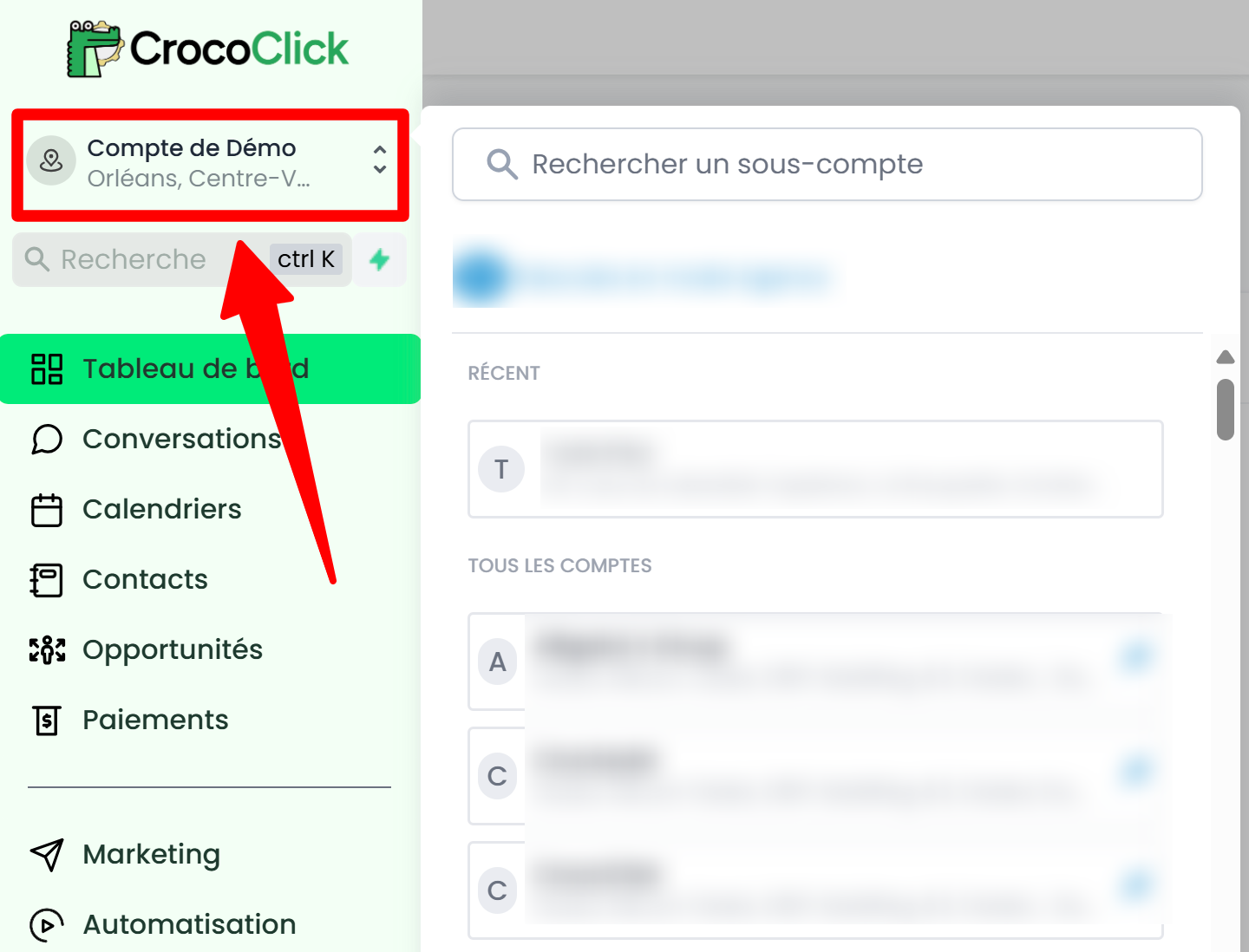
Click on your account name in the top-left corner of the screen.
A drop-down menu will appear, listing all the accounts you have access to.
Select the account you want to access directly.
Benefits of managing multiple accounts with the same email address
Managing multiple accounts from the same email address is highly beneficial in CrocoClick. Here are the main advantages of this method:
No need to log out and log back in: Switching between accounts takes just one click, saving you time.
Ability to easily copy items: Quickly transfer a funnel, an email template, or other resources from one account to another to boost efficiency.
This feature is designed to simplify the management of multiple entities within CrocoClick, making your operations smoother and more productive.